Building an app used to take months of coding. You describe the idea in plain language, and an AI platform builds a first version, hosting included. For phone apps, store submission is a menu item.
This guide explores the best no-code app builders available now, including free and open-source options, to help you choose the right tool for your next project. Every price and feature below was re-checked on the vendor's own site in August 2026.
Eleven of the best no-code app builders made the cut, each with what it builds, what it costs to start, and where it stops.
What Is a No-Code App Builder?
A no-code app builder is a platform that lets you create mobile apps or web apps without writing code. Instead, you use visual editors, templates, and logic blocks to define how your app functions and looks. Most platforms connect to APIs, Airtable, Google Sheets, or databases like Xano to power data-driven experiences.
Modern no-code platforms are full-stack. You design the frontend, configure the backend, and launch your app in one workspace. Whether you’re building an ecommerce site, internal tool, chatbot, or social media app, no-code software compresses the building process from months to hours. The tools in this list work well for beginners building MVPs and enterprises scaling production systems.
Why Are No-Code App Builders Trending?
The demand for digital products keeps growing faster than engineering teams can deliver them. No-code platforms fill the gap. They give non-technical teams the power to build and test real software, and let developers prototype ideas instantly.
AI amplifies that trend. Many platforms now include AI-powered agents that generate UI screens, build APIs, and fix bugs automatically. Teams use them to automate workflows, replace outdated internal systems, and optimize business operations. The result is faster app development, lower costs, and better user experience across web and mobile.
How we picked these tools
The list spans four lanes. Replit, Bubble, FlutterFlow, and Dyad build complete apps from a prompt or a canvas. Adalo, Thunkable, GoodBarber, and Kodular are phone-first, and GlideOS, Softr, and AppSheet start from data you already keep.
Three cuts followed. Each tool has to be actively maintained. It has to publish its prices, and it has to let you build something before you pay. AppGyver left the list because it is now SAP Build, sold through SAP licensing with a 30-day trial and no public price.
Best No-Code App Builders – Comparison Table
| Tool | Best for | Free plan | Paid plans from |
|---|---|---|---|
| Replit | Full web apps, internal tools, dashboards, and native iOS apps from one prompt | Yes (Starter) | $20/mo (Core) |
| Bubble | Complex web apps and SaaS products with a visual logic editor | Yes | $59/mo (annual) |
| Adalo | Phone-first apps published to both app stores | Yes | $45/mo |
| GlideOS | Internal business apps built from a spreadsheet, prompt, or file | Yes | $25/mo |
| Softr | Client portals and internal tools over data you already keep | Yes | $25/mo |
| GoodBarber | Design-led content and commerce apps in both stores | Trial only (30 days) | $36/mo |
| Thunkable | Native iOS and Android apps from a chat, tested on your phone | Yes | $19/mo |
| Kodular | Free Android apps built from visual blocks | Yes | €3.99/mo |
| AppSheet | Workflow and data apps inside Google Workspace | Free to build and test (10 users) | $5/user/mo |
| FlutterFlow | Native apps with exportable Flutter code | Yes | $39/mo |
| Dyad | Open-source AI app building on your own computer | Yes (open source) | $20/mo (Pro) |
Product and pricing information: vendor product and pricing pages, August 2026.
Replit

Editor, AI, and hosting are one product on Replit, the only entry here built that way. Describe the app, and Replit Agent builds it, tests it in a browser, and publishes it from the same workspace.
The outputs are real software. Full web apps, internal tools and dashboards, data pipelines, automations, and slide decks all start from one prompt box. Native iOS apps preview on your phone and ship to the App Store.
Our public gallery shows what people are shipping, with view counts on every card and use counts on the templates.
On the enterprise side, the Microsoft Azure partnership runs Replit on Azure infrastructure, and Enterprise plans add SAML SSO and private deployments on top of SOC 2 Type II compliance. At Rokt, 700 or more employees built 135 internal apps in one 24-hour hackathon.
Starter is free with daily Replit Agent credits. Core starts at $20 per month, and Replit Agent work past the included credits is billed by effort.
Pros:
- Ready-to-run output across apps, dashboards, and slides from one prompt, with hosting, a database, and authentication included.
- Replit Agent tests its own work in a browser and fixes what it finds before you see it.
- An AI no-code app builder and a code editor in one place, so the generated code is real and always open to you.
Cons:
- Full build mode and third-party connectors need a Core plan, so the free tier suits smaller projects.
- Effort-based billing takes a few requests to get a feel for before spend feels predictable.
Bottom line
Replit stands alone here in turning one prompt into a live, hosted product. The builders it serves best want the whole stack. If all you need is one phone app from a template, the mobile builders below get there with less to learn.
Bubble

Nothing on this list gives you more direct control over a web app than Bubble. AI drafts the first version, and then a visual editor exposes the design, database, workflows, and privacy rules for you to shape.
Native mobile apps now ship from the same project as the web app and share its backend, so a marketplace can have a browser version and a store version without a second build.
Bubble offers an academy, bootcamps, and coaching, and the workflow logic takes time to learn. Once the database grows, performance tuning also lands on you, and a busy app consumes workload units faster than the plan includes.
Development is free. Starter then runs $59 per month billed annually, the highest entry price among the web app builders here.
For a marketplace or a SaaS product with precise permissions, that depth is the whole point, and the agency ecosystem follows from it.
Pros:
- Full visual control over design, data, logic, and access rules after the AI draft.
- Web and native iOS and Android apps from one project, sharing one backend.
- Workload overages can be switched off, so a busy app cannot run up a surprise bill.
Cons:
- Steeper learning curve than prompt-first builders.
- Workload units are a second meter to watch as usage grows.
- Apps live on Bubble hosting, with no code export.
Bottom line
Bubble goes deeper than any other visual builder of the eleven once the AI draft is done. The people it pays off for are builders with a complex product in mind who intend to own every workflow and permission rule. Editor-averse builders belong with a prompt-first tool.
Adalo

If your users will open a phone before a laptop, Adalo is built for that order. One project publishes to iOS, Android, and the web.
Every plan includes AI app generation for the first screens, while Ada, the prompt-editing assistant, is still in beta. After that draft, a drag-and-drop canvas takes over. It sticks close to the conventions people expect from a native phone app. Previews run on your own phone as you go.
Store submission is handled inside the builder, and push notifications arrive on the Professional plan. Both stores are covered from the same build.
Records live in a hosted Postgres database, and pricing is flat, with no usage or token charges on any tier.
Building and testing stays free up to 500 records per app, and the Starter plan then costs $45 per month, with one published app included.
Pros:
- Publishes to the App Store and Google Play from one project.
- AI generation on every tier, including the free one.
- Flat pricing with no usage or token charges.
Cons:
- Web output is secondary, so desktop-heavy products fit poorly.
- Push notifications sit on the Professional tier, above the entry plan.
- App store review adds days to every launch and update.
Bottom line
Adalo is the no-code mobile app builder of the eleven that treats the phone screen as the starting point. Founders launching a booking, community, or membership app get a store-ready build without much learning. Desktop-first products and heavy data logic are the wrong fit here.
GlideOS

A spreadsheet is all GlideOS needs to start. GlideOS, the newer platform from the makers of Glide Classic, reads the structure and logic behind the sheet. Then it builds the screens and workflows an operations team needs. No template picking first.
Field operations, inventory, customer portals, and internal dashboards are the templates it leads with. Every app stays connected to the same live data, so a status changed in one app updates in the rest.
Desktop and mobile get the same build, and nothing needs to go through an app store.
A Glide Agent handles the AI work inside the app on a credit budget, and a database is included on paid plans.
One project is free with limited credits, and the Solo plan is $25 per month.
Pros:
- Spreadsheet in, connected app out, with screens and workflows generated for you.
- Several apps share one live data set, so an update in one shows up in all of them.
- Built-in database and Glide Agent on paid plans.
Cons:
- GlideOS is a separate product from Glide Classic, with its own subscription.
- App complexity is capped by how your data is structured.
- AI credits are metered, so heavy Glide Agent use adds up.
Bottom line
GlideOS leads the spreadsheet-to-app lane on this list. Operations teams that keep working data in a sheet and need an app by Friday get the most from it. Custom backend logic will hit the ceiling of the data model.
Softr
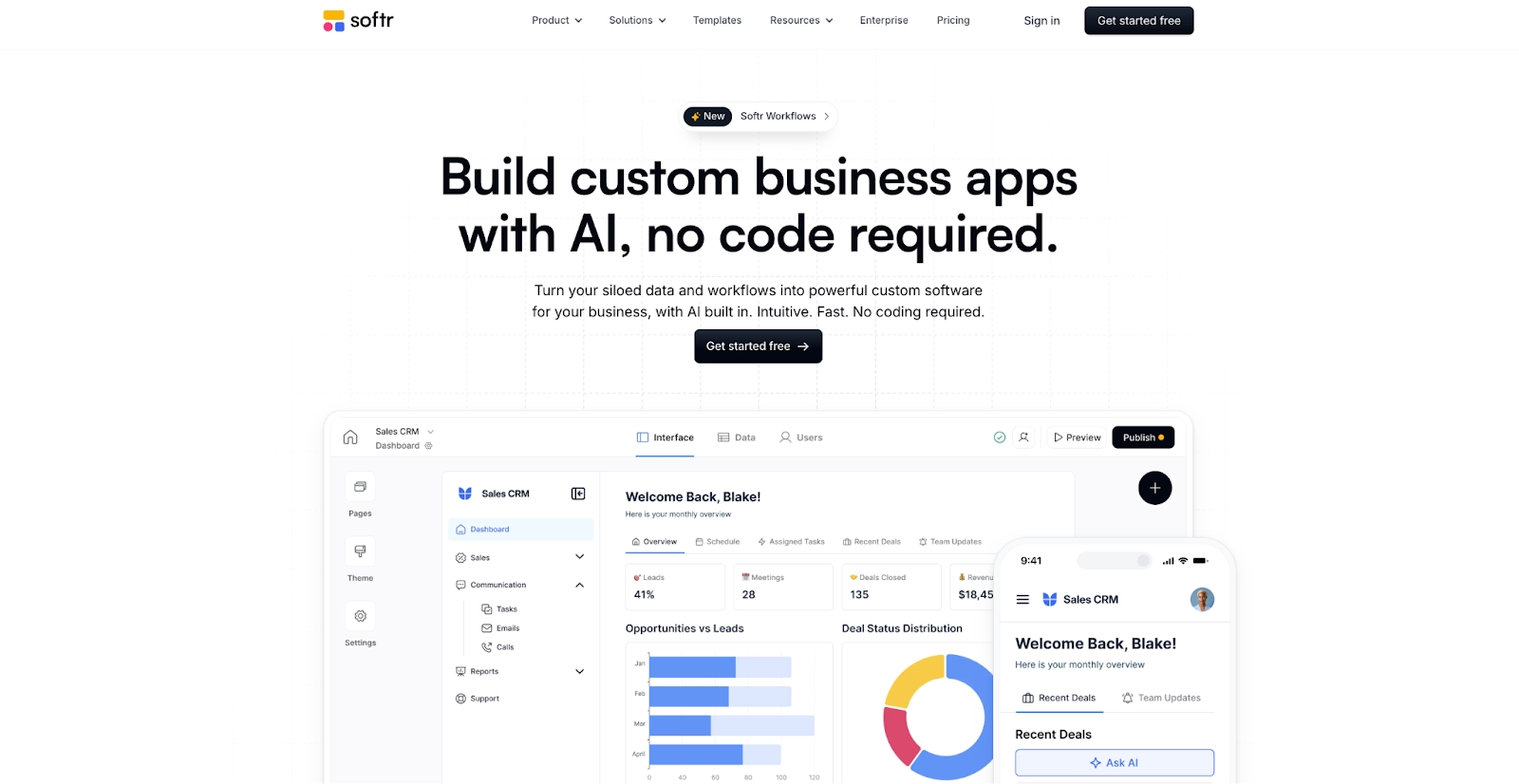
Client portals and internal tools are what Softr builds, and it now starts them from a description. Describe the portal, and the AI co-builder lays out the interface, the database, and the workflows, then leaves roles, permissions, and security for you to set.
Data can live in Softr's own databases or come from Airtable, Google Sheets, Notion, HubSpot, Supabase, and a dozen more sources. Ask AI gives end users an assistant inside the app, and built-in AI agents run on autopilot.
Apps install on a phone as progressive web apps. SOC 2 certification covers the platform, which matters when outside clients are logging in to your portal.
The free plan has no time limit and includes five AI credits a month, and Basic comes in at $25 per month on monthly billing.
A custom domain needs Basic and custom code needs Pro, so the free tier is for learning the blocks.
Pros:
- AI co-builder assembles interface, database, and workflows from a description.
- Connects to Airtable, Google Sheets, Notion, and a dozen other data sources.
- Free plan with no time limit.
Cons:
- Custom code is reserved for the Pro tier.
- App user counts are capped per plan, with paid seats above the limit.
- Ten AI credits a month on Basic is a small allowance.
Bottom line
Softr gets a client portal over existing data live faster than anything else here. Operations and service teams that need logins, roles, and a clean interface by the end of the week should start here. A public product with custom screens calls for Bubble or Replit.
GoodBarber

For a shop, a newspaper, or a course business that wants an app in both stores, GoodBarber has been the design-led option since 2011. Native iOS and Android apps and a progressive web app come from the same project.
Two product lines split the catalog. Content apps cover media, courses, communities, and events, while eCommerce apps cover retail, restaurants, and local delivery, with an extensions store on top of both.
AI-assisted creation drafts the app, and a publishing service called GoodBarber Takes Care handles the store submissions.
There is no free plan. A 30-day trial with no credit card required stands in for the free plan you would expect. Standard on the content line then begins at $36 per month.
The templates assume you are publishing or selling something, so a custom data product with its own business logic fits poorly here.
Pros:
- Native iOS and Android apps plus a PWA from one project.
- Extensions store for memberships, bookings, push notifications, and commerce features.
- A publishing service that submits the app to both stores for you.
Cons:
- No free plan, only a 30-day trial.
- Content and eCommerce apps are separate product lines with separate prices.
- Built for content and commerce, so a custom data app fits poorly.
Bottom line
GoodBarber sits at the design-led end of this list. Retailers, publishers, and course creators who want both stores covered from one project will feel at home. A product built on custom data logic needs a different builder.
Thunkable

Chat is now the way into Thunkable. Thunkable AI turns a prompt into a native iOS and Android app, and Discuss Mode plans the project and walks you through code changes when you want more control.
The drag-and-drop editor, live device testing, and direct publishing to the App Store and Google Play remain underneath. A code editor sits alongside. Version history rolls back any mistake in one click.
Eleven million apps have been created on the platform over ten years, by five million users.
AI usage is metered in tokens, with 2,000 on the free plan alongside three public projects, and Accelerator is priced at $19 per month on monthly billing.
A live published app needs the Builder tier, so a launch costs more than the entry price.
Pros:
- Prompt to native iOS and Android app, with a code editor for direct edits.
- Live testing on a device before you publish.
- Publishes to both app stores from the platform.
Cons:
- AI tokens are metered per plan.
- Free projects are public, and private projects start on paid plans.
- A live published app needs the Builder tier or above.
Bottom line
Thunkable turns a prompt into an app on your phone. Solo founders and teachers get the quickest payoff, since the app appears on a device the same day. Backend logic stays simple, so data-heavy products go to Bubble.
Kodular

Android only, and free to start, Kodular is the builder for people who want to learn app logic block by block. Kodular Creator pairs a drag-and-drop designer with visual blocks, so there is no syntax to get wrong.
More than 175 components cover the Android feature set, and a Companion app previews changes on your phone as you make them. Projects export as .aia files, and the finished app downloads as an APK.
Monetization components handle ads and in-app purchases, unlocked with a one-time activation fee plus usage-based pricing on top.
The free plan allows 10 projects and shows ads inside the builder while you work, and Premium removes both limits for 3.99 euros a month.
Everything about it is Android, from the APK output to the Play Store listing, so it cannot serve an iOS audience.
Pros:
- Free plan with the full visual designer and blocks editor.
- 175 or more components and live testing on a phone.
- Premium is the lowest paid tier on this list.
Cons:
- Android only, with no iOS output.
- Free plan caps projects at 10 and shows ads while you build.
- Blocks programming still means building the logic yourself, screen by screen.
Bottom line
Nothing here gets you onto Android for less than Kodular. Hobbyists, students, and anyone learning how apps are wired have a patient teacher in the blocks editor. An iOS audience rules it out, which sends you to Thunkable or Adalo.
AppSheet

Inside Google Workspace, AppSheet is already there. Describe the app and Gemini builds it, or point it at a Google Sheet.
Automation is the other half, with triggers, conditions, and branches that send email, SMS, and push notifications, and built-in machine learning that reads documents and photos.
Apps run on web, iOS, and Android, and data connects to Google Sheets, SQL databases, BigQuery, Salesforce, and REST APIs.
Building and testing with up to 10 users costs nothing, and Starter is then $5 per user per month, with Core included in most paid Workspace plans.
Governance policies and Zero Trust security controls make it the natural pick for an IT department already on Google.
Pros:
- Included in most paid Google Workspace plans.
- Gemini builds and edits apps from a description.
- Automation, document processing, and governance controls built in.
Cons:
- Screens follow AppSheet's own layout patterns more than a designer's.
- Per-user pricing adds up outside a Workspace subscription.
- Deploying beyond the 10 free test users needs a paid plan.
Bottom line
Inside a Google Workspace organization, AppSheet becomes the default for internal apps. Field reporting, inspections, and approvals over data in Sheets are the jobs it does best, especially when Core is already in the subscription. Custom-designed, customer-facing products are out of its range.
FlutterFlow
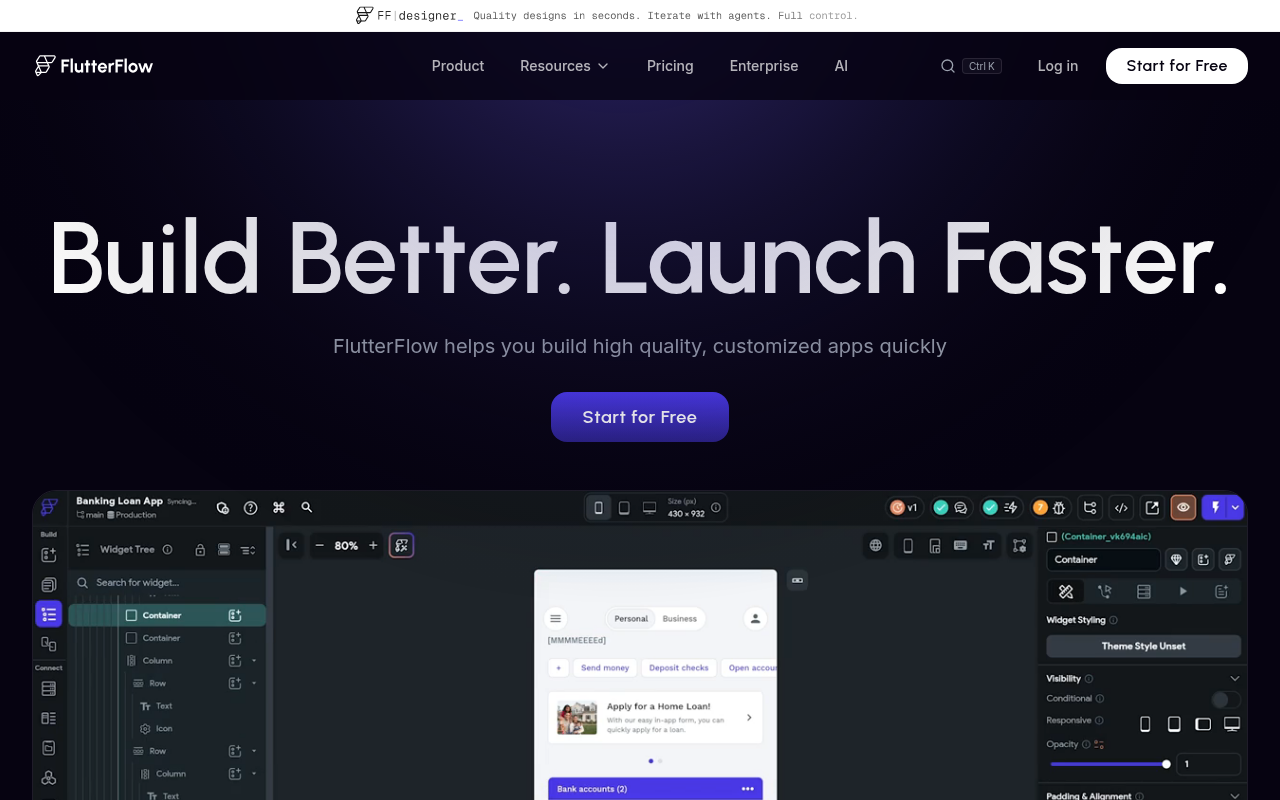
Where most no-code app builders keep the code to themselves, FlutterFlow hands it over. Apps are built visually from more than 200 UI elements, and the finished project exports as Flutter code with no vendor lock-in.
Firebase and Supabase connect in a few clicks, and payments and maps come as built-in integrations. Teams branch, comment, and assign tasks inside the project.
One build deploys to the App Store, Google Play, and the web, over any REST backend.
The free plan covers two projects with web publishing, and Basic is listed at $39 per month with code download and store deployment.
It is the most developer-shaped tool on the list, and its editor takes time to learn.
Pros:
- Full source code export, with no lock-in.
- iOS, Android, web, and desktop from one project.
- Firebase, Supabase, and any REST API as the backend.
Cons:
- Steeper learning curve than prompt-first builders.
- Code download and store deployment start on the paid Basic plan.
- GitHub integration and branching sit on the Growth tier at a higher per-seat price.
Bottom line
FlutterFlow suits a founder who wants a native app in the stores now and a real codebase for engineers hired later. Product people who think in screens take to its editor fastest. Anyone who wants AI to do the first draft moves faster on Replit or Thunkable.
Dyad
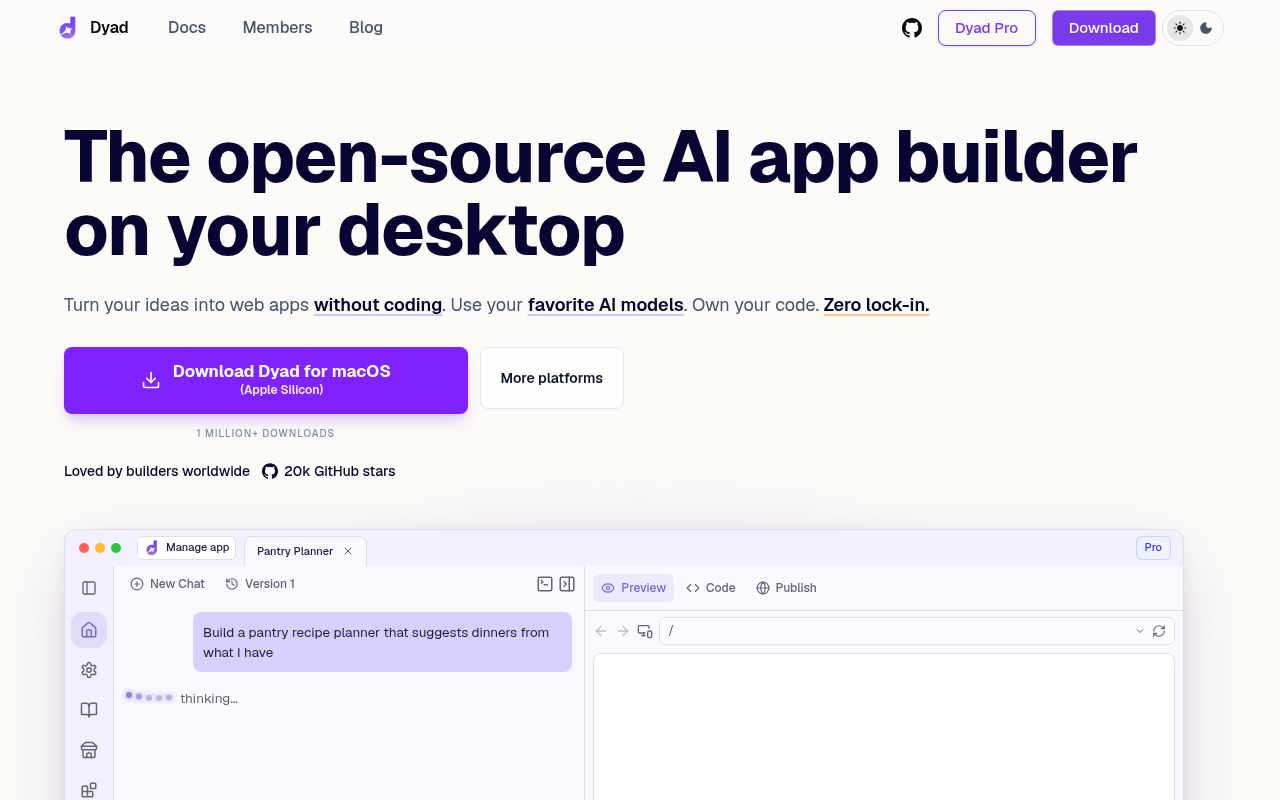
Dyad is the free no-code app builder on your own computer. It is open source. It downloads for macOS and Windows with no sign-up and no account. Describe the app, and it builds a working web app with whichever model you plug in.
Bring your own API key for OpenAI, Anthropic, or Google, or run a local model through Ollama and build with no connection at all. Supabase or Neon connect with one click, and a security scan checks for injection and misconfigurations before you ship.
The code is yours, and it deploys to GitHub or Vercel in a few clicks.
Pro adds 200 AI credits, an advanced Agent mode, and automatic error fixing for $20 per month, for people who want one plan instead of a stack of API keys.
Output is web only, and it suits builders who are comfortable installing a desktop app and managing their own keys.
Pros:
- Free, open source, and local, with 20,000 GitHub stars.
- Any model, including offline ones, and full ownership of the code.
- One-click Supabase or Neon backend and a built-in security scan.
Cons:
- Web apps only, with no native mobile output.
- Hosting is not included, so deployment runs through GitHub, Vercel, or your own cloud.
- Bring-your-own-key setup is one step more than a hosted builder asks.
Bottom line
Open source and local, Dyad charges no subscription and fences you into no walled garden. Developers who already hold API keys are its natural fit. For hosting, a database, and publishing in one place, Replit is the better home.
Benefits of No-Code App Builders
No-code and AI-powered platforms have redefined the app development process, compressing the entire building process from months to days. They blend AI automation, visual design, and backend logic so you can move from idea to functional software fast.
These tools make app building collaborative, where AI acts like your co-developer and automation handles the repetition.
- Faster time to market: AI-driven no-code tools remove setup friction. You describe your app idea, choose a template, and launch a working MVP in hours. This speed helps startups validate ideas, test prototypes, and ship updates faster across mobile app and web app platforms.
- Reduced cost and complexity: With drag-and-drop editing, database automation, and built-in APIs, you don’t need a full engineering team. No-code platforms like Replit and Bubble lower costs by replacing manual coding with intelligent workflows that optimize efficiency while maintaining flexibility.
- Accessibility for beginners: Anyone can build with these tools. Visual editors, reusable templates, and interactive tutorials make app development intuitive, even for non-developers. Entrepreneurs, designers, and students can now create functional apps without touching a line of code.
- Continuous optimization: AI features inside builders like Replit continuously learn from user interactions. They suggest improvements, automate testing, and fine-tune user experience. As you build, the platform improves with you: updating templates, streamlining backend processes, and improving real-time deployment.
- Cross-platform flexibility: Modern builders like Replit, Adalo, and Glide generate iOS, Android, and web apps from one prototype. This means your idea runs across devices, from PWA browsers to native mobile apps, without separate codebases.
- Automation and integration: Native integrations with tools like Zapier, Google Sheets, Airtable, or OpenAI APIs extend what your app can do. You can automate dashboards, sync customer data, send notifications, or manage ecommerce operations, all without custom code.
Together, these capabilities transform how software is made: merging creativity with computation to let anyone build powerful apps that scale across devices, industries, and audiences.
Limitations and How Replit Solves Them
Even the best no-code platforms come with trade‑offs. Knowing these limitations helps you decide when to extend your project with custom code or enterprise‑grade infrastructure.
- Customization ceilings: Most tools limit deep backend configuration or advanced API control. You can’t always modify server logic or add complex frameworks without leaving the platform.
- Performance and scalability: No‑code systems handle MVPs and internal tools well, but heavy real‑time workloads and large datasets can cause slowdowns. Scaling to millions of users usually requires automated infrastructure management.
- Vendor lock‑in: Project data often lives inside proprietary systems. This makes migrating or self‑hosting difficult if export options are limited. Checking data portability should be part of your scaling plan.
- Pricing complexity: Free tiers are common, but costs rise quickly with higher API usage, automation runs, or storage. Always estimate pricing models early to prevent surprises.
- Security and privacy: Many tools rely on third‑party AI services, which can introduce compliance risks for sensitive or regulated data. Enterprise users need secure deployments and granular access control.
Replit minimizes these limitations through flexible design, transparent pricing, and secure scaling:
- Full code ownership: Export your entire project via ZIP or push it directly to GitHub.
- Automatic scaling: Autoscale deployments handle millions of requests per day, adjusting resources dynamically.
- Enterprise security: Microsoft Azure integration adds SOC 2 compliance, SAML SSO, and private environments.
- Transparent billing: Effort-based pricing ensures you pay only for actual compute usage.
- Encryption: AES‑256 data protection keeps sensitive information secure.
Together, these features make Replit one of the most open, secure, and scalable options in the no‑code ecosystem, powering AI‑assisted app development that grows with your product.
Which No‑Code App Builder Fits Your Needs?
The quickest way to choose is to start from how you want to work.
| Use case | Recommended tools | Notes |
|---|---|---|
| Data in a spreadsheet or base | GlideOS, Softr | GlideOS builds around the sheet, Softr adds portal logins |
| Keeping costs low | Kodular, Thunkable | The Kodular free plan includes the full builder |
| Control over models and code | Dyad, FlutterFlow | Dyad runs on your keys, FlutterFlow exports Flutter code |
| Both app stores, least to learn | Adalo, GoodBarber | One project publishes to both stores, submission handled |
| Enterprise security and compliance | Replit, AppSheet, Bubble | Replit leads with SOC 2 Type II and SAML SSO |
| Ship a working product | Replit | Replit Agent builds and publishes from a description |
- Your data already lives in a spreadsheet or a base: GlideOS builds the app around the sheet you already keep. Softr handles an Airtable base that needs a portal with logins.
- Cost is the constraint: Kodular wins on price for an Android app, since its free plan includes the full builder and Premium is the cheapest paid tier here. Thunkable also starts free, with a prompt-built app you can test on a phone before choosing a plan.
- You want control over models, spend, or the code itself: Dyad is open source and runs on your keys, so you choose the model and keep every line. For a native app, FlutterFlow exports Flutter code engineers can take over.
- Both app stores, with the least to learn: Adalo publishes one project to the App Store and Google Play with submission handled in the builder. GoodBarber covers content and commerce apps the same way, with publishing handled for you.
- Enterprise, security, and compliance come first: Replit leads with SOC 2 Type II compliance, SAML SSO, and private deployments backed by the Microsoft Azure partnership, a bar few no-code platforms clear. AppSheet adds governance policies across a Google Workspace organization, and Bubble's Enterprise plan offers a choice of hosting location.
- Ship a working product with a backend and database: that is the job we built Replit for, with the environment, the AI, and the hosting as one product. Describe the app, and Replit Agent builds and publishes it, with the free Starter plan covering one live project.
Build Smarter and Faster with Replit
AI has turned app development from a technical marathon into a conversation. What used to take a team and a quarter now happens through a description and a publish button.
Replit is one of the platforms redefining what no-code app building means. Replit Agent builds and tests a full-stack app from a description, then publishes it with hosting attached. The code stays exportable through GitHub. The Microsoft Azure partnership and effort-based pricing sit behind that workflow.
The best no-code app builder is the one that ships what you described, from the database to the live URL. Start building on Replit for free and publish your first app today.
Frequently Asked Questions
What’s the difference between no‑code and low‑code platforms?
No‑code platforms let you build apps through visual editors and templates without writing scripts. Low‑code tools offer more control, letting developers add custom logic for complex backend and API integrations. Choose no‑code for speed and accessibility, and low‑code when scalability or specialized workflows matter.
Can I build native iOS or Android apps without writing code?
Yes. Adalo and Thunkable let you design, test, and publish directly to the App Store and Google Play. You can include push notifications, user authentication, and in‑app purchases built through drag‑and‑drop editors. GoodBarber goes further, submitting the finished app to both stores through its Takes Care service.
Which platform scales best from MVP to production?
Replit offers full‑stack scalability with autoscale deployments, GitHub export, and Azure‑grade enterprise compliance. You can build an MVP quickly, then evolve it into a full production system without changing platforms or sacrificing control. Bubble and FlutterFlow also scale, with workload tuning or exported Flutter code to manage yourself.
How secure are no‑code apps for business or enterprise use?
Security varies by provider. Replit is SOC 2 Type II compliant, with SAML SSO and private deployments on Enterprise plans. AppSheet adds governance policies and Zero Trust controls across a Google Workspace organization, and Bubble's Enterprise plan offers a choice of hosting location. Verify export options before deployment.
What is the best free no-code app builder?
It depends on the output. Replit's free Starter plan builds and publishes one live web app. Adalo and Thunkable let you test a phone app before paying, and Dyad is free and open source on your own computer. GoodBarber alone offers a 30-day trial instead of a free plan.