Artificial intelligence has reshaped website creation. What once took weeks of coding now happens in minutes. Describe the site, and an AI tool designs the pages, writes the copy, and wires in hosting or payments.
Many platforms also act as a free AI website builder, walking you through step‑by‑step instructions to launch a functional website in minutes. Every tool below was re-checked against its vendor's own site in August 2026.
For teams focused on speed and automation, these are the best AI website builder options for 2026.
What Is an AI Website Builder?
An AI website builder uses artificial intelligence to design, write, and launch a site based on your description. You tell it what you want—like “a portfolio for a designer” or “an ecommerce shop for handmade jewelry”—and it generates the layout, copy, and images.
Each AI site builder or AI website generator uses trained models to create AI-generated websites with consistent branding, optimized layouts, and strong SEO. You can then refine details such as colors, fonts, or navigation.
These no‑code builders use AI assistance through every stage: idea, layout, copy, and optimization. Tools like Replit even allow full‑stack web apps and database connections, so you can go beyond static sites and into full web development.
Why Are AI Website Builders Trending?
Three big trends explain their rise.
- First, modern builders use multimodal AI models that handle both text and visuals. You can upload a sketch or a Figma design and turn it into a live homepage.
- Second, automation helps businesses launch faster and lower costs.
- Third, enterprise teams now use AI‑powered systems to create internal tools and branded microsites that used to take developer time.
This shift makes AI‑generated websites one of the fastest‑growing areas in web design. The process feels conversational, you describe what you want, and the builder handles templates, SEO, and structure. Anyone can create a mobile‑friendly, SEO‑friendly, high‑quality site using AI instead of code.
How we picked these tools
The ten AI website builders here span four lanes. Wix, Hostinger, Durable, and Squarespace build a business site from a prompt or a questionnaire. Framer and Relume serve designers and agencies. 10Web and Shopify live inside WordPress and ecommerce, and Replit and Lovable turn the prompt into real code.
Three cuts followed. Each tool must still be maintained, publicly priced, and verifiable hands-on. Zyro was retired because zyro.com now redirects to Hostinger Website Builder, which already has a profile here, and Lovable takes its place.
Best AI Website Builders – Comparison Table
| Tool | Best for | Free plan | Paid plans from |
|---|---|---|---|
| Replit | Full websites and web apps with a backend, from one prompt | Yes (Starter) | $20/mo (Core) |
| Wix | Business sites from a prompt, with a mature drag-and-drop editor behind them | Yes | $19/mo (annual) |
| Framer | Design-led marketing sites with an AI agent on the canvas | Yes | $15/mo |
| Hostinger | Small business sites with hosting and a domain on one plan | Trial only (14 days) | $11.99/mo |
| Durable | A service business site, CRM, and booking from one prompt | Yes | $25/mo |
| 10Web | WordPress sites built and hosted by AI agents | Trial only (7 days) | $20/mo |
| Shopify | Online stores with an AI assistant in the admin | Trial only (3 days) | $39/mo |
| Relume | Sitemaps, wireframes, and sites that export to Webflow or Figma | Yes | $14/mo |
| Squarespace | Template-led sites for creatives and service businesses | Trial only (14 days) | $25/mo |
| Lovable | Websites and web apps delivered as code you own | Yes | $25/mo |
Product and pricing information: vendor product and pricing pages, August 2026.
The best AI website builders in detail
Replit

Replit is the one tool on this list where the editor, the AI, and the hosting are a single product. Describe the site, and Replit Agent builds the pages and the backend together, then publishes it to a free subdomain or a domain you own.
The outputs are concrete. Full websites, web apps, internal tools and dashboards, and slide decks all come out of the same prompt box. Our public gallery shows what people are shipping, with use counts on each template.
The Microsoft Azure partnership pairs Replit with Azure infrastructure, and Enterprise plans add SAML SSO and private deployments on top of SOC 2 Type II compliance.
Rokt's 24-hour hackathon put more than 700 employees on Replit and produced 135 working internal apps. AllFly, a travel company with a team of more than 40, builds production-ready software on Replit and reports more than $400,000 in cost savings.
Starter is free with daily Replit Agent credits. Core starts at $20 per month, with heavier Replit Agent work billed by effort.
Pros:
- Ready-to-run output across websites, apps, dashboards, and slides from one prompt, with hosting and a database included.
- Replit Agent tests its own work in a browser and fixes what it finds before you see it.
- Click any element on the page and describe the change, and Replit Agent edits it in place.
Cons:
- The free tier keeps Replit Agent in Lite build and without third-party connectors, so bigger sites will want a Core plan.
- Describing a layout change takes a little getting used to if you are coming from a drag-and-drop editor.
Bottom line
When the site needs a backend, a database, or user logins as well as pages, Replit is the right call. Builders expecting a site to become a product are the audience. A five-page brochure site is quicker in one of the template builders further down this list.
Wix

Answer a few questions, and the Wix AI website builder drafts a homepage with layout, text, and images in place. From there you can prompt Aria, its built-in AI agent, or drag any element by hand.
That editor is the reason to choose Wix. More than 2,000 templates, an app market, bookings, and a full store sit behind the AI draft. The site can grow without moving platforms.
AI tools cover text, images, whole sections, and the meta tags search engines read, and paid plans add a custom domain.
Free sites publish on a Wix subdomain and carry Wix branding until you upgrade to Light, which starts at $19 per month on yearly billing.
Payments and ecommerce start on the Core plan, and sites stay on Wix hosting with no export.
Pros:
- Prompt-built first draft backed by the most complete drag-and-drop editor on this list.
- Aria answers design and business questions inside the editor.
- Bookings, payments, and a store are add-ons on the same platform.
Cons:
- Free sites carry Wix branding and a Wix subdomain.
- No export, so the site lives on Wix for good.
- The Light plan leaves out payments and holds 2 GB of storage.
Bottom line
Wix is the safe choice for a small business that wants a finished site today and a familiar editor for years after. It rewards owners who run everything from one dashboard. Anyone who wants the code, or a backend of their own, should look at Framer or Lovable.
Framer

Where most builders hand you a template, Framer hands designers a canvas. Its AI agent drafts pages, sections, copy, and visuals inside the project, and you take over on the canvas whenever you want.
Control runs deep. Layouts, typography, breakpoints, spacing, and effects are all yours to adjust on the canvas. The same agent fills CMS collections and writes code components.
Before you publish, the agent reviews the site for contrast problems, typos, missing alt text, and SEO gaps, then fixes them in the same project.
The free plan publishes on a Framer domain and comes with 500 AI credits to try on a small site. Basic is $15 per month on monthly billing.
Agents and other AI features draw on monthly credits, so a heavy month of prompting can outrun the plan allowance.
Pros:
- A real design canvas after the AI draft, with responsive control down to the breakpoint.
- The agent handles CMS content and custom code components as well as pages.
- A pre-publish review catches accessibility and SEO issues.
Cons:
- The canvas assumes design comfort, so beginners face a learning curve.
- No database or user accounts for app-style features.
- AI work is metered in credits on every plan.
Bottom line
For sites that must look designed, no AI site builder here beats Framer. Hand it to a team with a visual eye. A site that needs logins or a database belongs with Replit or Lovable.
Hostinger

Hostinger sells its website builder inside a hosting plan, so hosting, a domain, and the builder arrive on one bill. Describe the site, and the AI Builder writes the copy, lays out the pages, generates a logo, and hands the result to a drag-and-drop editor.
The template library is large. More than 400 templates, an AI writer, an AI SEO assistant, and ecommerce on the Unlimited plan cover most small business needs.
There is no free plan, only a 14-day free trial, and you pay before you publish.
Premium is listed at $11.99 per month at the regular rate, with the Unlimited plan a step above it for ecommerce.
Only a handful of AI credits come with each plan, so the AI gives you a fast start and the drag-and-drop editor does the rest.
Pros:
- Hosting and a domain included in the same plan as the builder.
- AI copy, layout, logo, and SEO help in one editor.
- Ecommerce and email marketing on the Unlimited plan.
Cons:
- Premium caps you at three websites.
- No free plan, and the trial ends after 14 days.
- Only a few AI credits per plan for generating sites.
Bottom line
Nothing on this list bundles hosting, a domain, and a builder more simply than Hostinger. One bill for hosting, domain, and builder is the draw. The AI writes the first draft, and the editor carries the rest of the work.
Durable

A service business with no website yet is the situation Durable was built for. Enter the business type and location, and it publishes a site, a logo, and a CRM in about thirty seconds, with online booking ready to switch on.
The AI keeps working after launch. Agents on the Launch plan reply to leads, publish blog posts, request reviews, and answer questions about your own business.
Bookings sync to your calendar. Paid plans connect a domain you already own or register a new one.
The free plan publishes to a durable.site address, and the Launch plan costs $25 per month on monthly billing.
Design range is narrow, HTML editing is minimal, and the platform says it was never designed for ecommerce, so it fits a plumber better than a shop.
Pros:
- Site, logo, CRM, and booking from a single prompt.
- AI agents handle leads, blogs, and reviews after launch.
- Free plan you can publish from.
Cons:
- Narrow design range and minimal HTML editing.
- Not built for ecommerce.
- Free sites live on a durable.site address.
Bottom line
A local service business gets more from Durable's free AI website builder than from any other free plan here. Pick it when getting booked matters more than looks. Shops and design-led brands will outgrow it quickly, so they should start elsewhere on this list.
10Web

If the site has to run on WordPress, 10Web is the agentic website builder that keeps WordPress underneath, plugins included. Its AI agents plan, execute, and refine the build from a prompt, or start from a cloned URL, a redesign of an existing site, or a Figma import.
Hosting runs on Google Cloud with a 90-plus PageSpeed score as the target, and an Ecommerce Agent joins the builder and editor agents.
The AI website generator also sets up WooCommerce, and an AI assistant writes SEO content and fixes Yoast errors.
Because it is real WordPress, every theme, plugin, and developer you already use still applies.
There is a one-week free trial, and AI Starter is $20 per month on monthly billing, with 100 AI credits a month.
The editor is Elementor-based, so people who dislike WordPress page builders will not enjoy the second half.
Pros:
- Real WordPress output with full plugin compatibility.
- Managed hosting on Google Cloud with a PageSpeed focus.
- Builder, editor, and ecommerce agents, plus clone, redesign, and Figma import starts.
Cons:
- Everything downstream is still WordPress maintenance.
- AI credits are capped at 100 a month on the entry plan.
- The trial runs a week, with no free plan after it.
Bottom line
Choose 10Web if the site has to be WordPress, since it is the only tool here that leaves you a normal WordPress install. Agencies and bloggers who already live in WordPress get the most from it. If you were hoping to avoid WordPress, skip it.
Shopify

If you sell physical products, Shopify is the store platform the rest of this list integrates with. Its AI is Sidekick, an assistant inside the admin that designs the store from your description, writes product copy, and turns phone photos into studio shots.
Stores can also sell inside AI chats. Shopify's own line is that you can sell online, in person, and in AI chats. A product can be bought without a visit to the site.
Themes, checkout, payments, and inventory are the core, with an app store for everything else.
A three-day free trial opens the account, after which the Basic plan costs $39 per month on monthly billing.
Shopify is for commerce first, so a portfolio or a brochure site is a poor fit, and Sidekick's features and usage limits scale with the plan you pay for.
Pros:
- Sidekick answers questions and takes actions inside the store admin.
- Selling online, in person, and in AI chats from one admin.
- Payments, shipping, and inventory need no extra tools.
Cons:
- Commerce only, so non-store sites belong elsewhere.
- The three-day trial is the shortest on this list.
- Sidekick's features and usage limits vary by plan.
Bottom line
Shopify stays on this list because a store built anywhere else usually ends up here. Its natural user is a merchant with inventory to move. For everything except the store itself, build the rest of the site elsewhere and plug Shopify in.
Relume

Agencies use Relume to go from a written brief to a sitemap, wireframes, and a marketing site that exports to Webflow, Figma, or React.
The library is the asset. More than 1,000 components sit behind the AI, in Figma, Webflow, and React form. Generated pages match those systems section by section.
Specialist agents for strategy, copy, design, and analytics propose changes, and you decide. Relume can also host the finished site for you, on a relume.live address or on your own domain.
The free plan gives you 30 components and a relume.live address to build with, and the Pro plan starts at $14 per month.
Two product lines share the pricing page, the builder and the component library, so read the plan you are buying, and note that the builder has no store features.
Pros:
- Brief to sitemap to wireframes in one flow.
- Exports to Webflow, Figma, and React.
- A 1,000-plus component library behind the AI.
Cons:
- Two product lines and price ladders to decode.
- No store features in the builder.
- AI generation is capped by plan tier.
Bottom line
Agencies that live in Webflow will find Relume the most natural bridge on this list. Webflow and Figma teams will feel at home. Solo founders who just want a site up pay less further up the list.
Squarespace

Squarespace's Blueprint AI asks about your business and builds the first version of the site on one of its templates. Those templates are why people choose it, and the AI website maker keeps them intact.
AI tools then write headlines, product descriptions, and SEO tags. A site audit checks how the site shows up in search and in AI answers.
Scheduling, invoicing, memberships, and a store are all built in, which is why service businesses and creatives pick it.
There is no free plan. A 14-day trial leads to Basic at $25 per month on monthly billing.
AI credits are thin on Basic, with a one-time allowance instead of a monthly one, and code injection and advanced code blocks start on the Core plan.
Pros:
- Design-led templates with AI setup that keeps them intact.
- Scheduling, invoicing, and commerce on the same plan.
- Squarespace Premium adds SSO, SOC 2 Type II, and a dedicated success manager.
Cons:
- No free plan, and the trial ends after 14 days.
- Basic gets a one-time AI credit allowance.
- Code injection and advanced code blocks start on the Core plan.
Bottom line
Squarespace wins on polish for any creative or service business that sells its time by the hour. The best fit is an owner who also invoices clients. Heavy AI use or custom code soon pushes you up a plan, or off the platform entirely.
Lovable
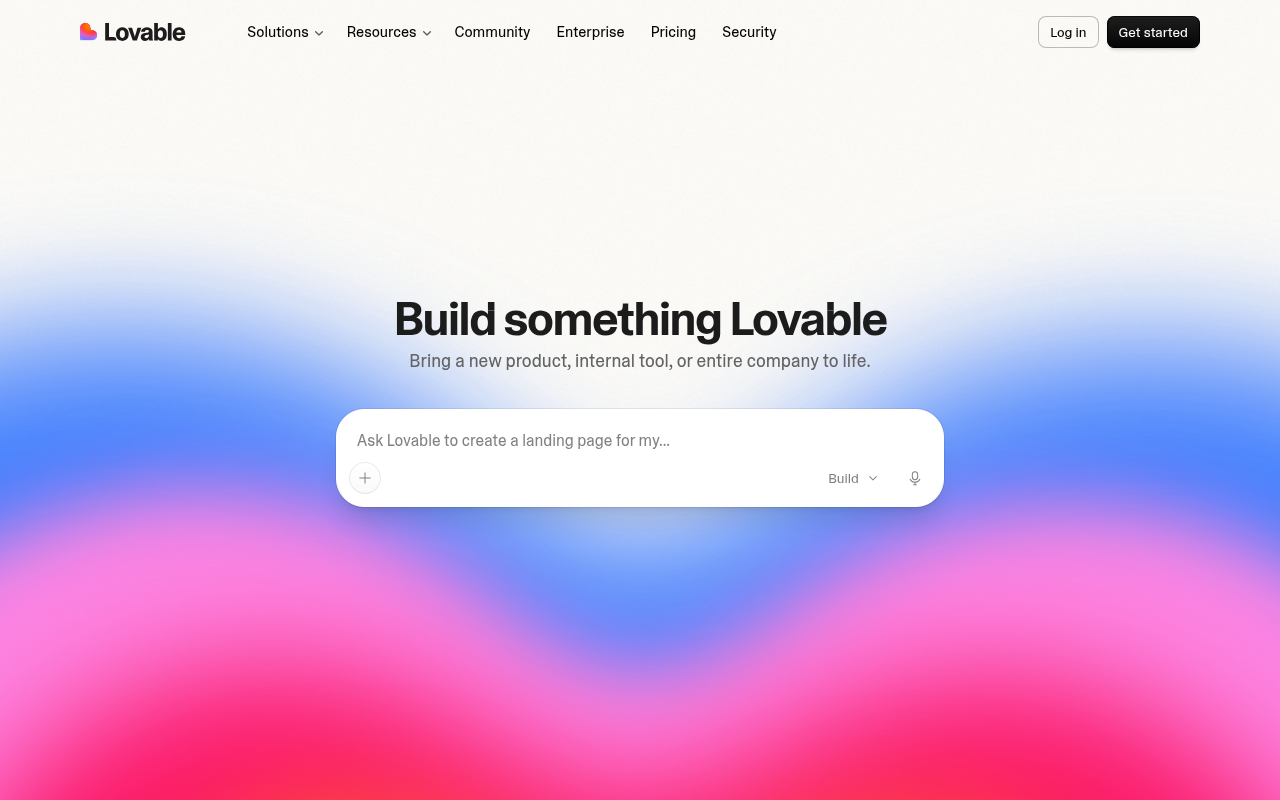
Everything Lovable builds is real code. Chat with it, and you get a working website or web app you can open, edit, and sync to GitHub, which is rare among AI website builders.
Lovable Cloud supplies the database, user accounts, and storage. Publishing takes one click. The Pro plan adds custom domains and removes the Lovable badge.
The free plan grants five build credits a day, up to 30 a month, and Pro is $25 per month with 100 credits.
One credit balance covers building, hosting, and any AI features inside the app, so a long debugging session draws on the same pool as a new page.
Design polish takes a few rounds of prompting, and output is web only, with no native mobile app.
Pros:
- Real, exportable code with GitHub sync and no per-seat pricing.
- Database, accounts, and storage included through Lovable Cloud.
- A free plan that publishes to a lovable.app address.
Cons:
- One credit balance covers building, hosting, and in-app AI.
- Visual polish needs extra prompting passes.
- Web only, with no native mobile output.
Bottom line
Lovable stands apart by handing you the code as well. Founders who want the site and its source code in the same afternoon should start here. Wix or Squarespace serve template fans better than a chat window will.
Benefits of AI Website Builders
AI website builders deliver measurable impact across the entire site creation process, from the first idea to a live, optimized launch.
- Faster website creation: These tools reduce build time from weeks to minutes. AI automatically generates layouts, text, and imagery, giving you a working site almost instantly.
- Accessible design for all skill levels: Natural‑language interfaces and guided setup make website design accessible to beginners. You can describe your vision and let the AI handle the technical steps, from layout to CSS styling.
- Integrated SEO and optimization: Built‑in SEO, sitemaps, and analytics ensure that every homepage, landing page, and template is optimized for visibility and performance.
- Cost‑effective and scalable: Many platforms include free plans, custom domains, hosting, and SSL certificates. Upgrading to low‑cost paid plans unlocks advanced automation and integrations without large upfront costs.
- Streamlined user experience: Drag‑and‑drop customization, tutorials, and real‑time previews simplify your workflow. You can fine‑tune text, imagery, or calls‑to‑action while seeing results instantly.
- Collaboration and support: Most platforms include community testimonials, live chat, and step‑by‑step onboarding to help you publish high‑quality sites faster.
By combining automation with flexibility, AI website builders transform traditional web development into a guided, conversational process, empowering anyone to create functional, professional websites without writing code.
Limitations and Solutions
Even the best AI website builders come with trade‑offs. Understanding these helps set realistic expectations and reveals when traditional development may still be the better option.
- Limited backend control: Most AI builders focus on design and content generation, offering minimal flexibility for managing custom databases, APIs, or advanced server logic. Projects requiring complex workflows may still need developer oversight.
- Template and design constraints: While templates speed up creation, they can limit creative freedom. Achieving a fully custom layout often requires manual adjustment or advanced editing beyond the AI’s generated structure.
- Offline and hosting restrictions: Many builders operate entirely in the cloud, meaning you can’t edit or host projects offline. Export options can be limited, creating some dependency on the platform’s servers and pricing models.
- Integration gaps: Some tools lack deep compatibility with niche plugins, third‑party apps, or enterprise systems, which can complicate larger web development workflows.
- Data security and ownership: Cloud‑based hosting raises concerns for teams managing private data or regulated information. Review platform policies on data storage, SSL, and exportability before committing long term.
Recognizing these limitations ensures you choose a platform that fits both your design goals and technical requirements.
How Replit addresses these: You can download projects as ZIPs or push to GitHub for full code ownership. Autoscale Deployments handle high traffic automatically, and effort‑based pricing keeps costs predictable. Enterprise users get SOC 2, SSO, and secure private hosting.
Which AI Website Builder Should You Choose?
The quickest way to choose is to start from how you want to work.
| Use case | Recommended tools | Notes |
|---|---|---|
| Keeping a familiar editor | Wix, Shopify | AI drafts the site, then the editor or admin takes over |
| Keeping costs low | Hostinger, Durable | Hosting, a domain, and the builder come as one plan |
| Design or code control | Framer, Lovable | Full design canvas, or a codebase you own |
| WordPress or Webflow sites | 10Web, Relume | 10Web hosts real WordPress, Relume exports to Webflow and Figma |
| Security team sign-off | Replit, Squarespace Premium | SOC 2 Type II compliance and SSO on both |
| Shipping a working product | Replit | Site ships with the database, logins, and hosting attached |
- A familiar editor matters most: Wix is the pick if you already know its drag-and-drop tools, because the AI drafts the site and the editor takes over. Shopify plays the same role for a store you already run, with Sidekick working inside the admin.
- Cost is the constraint: Hostinger keeps the whole bill low, since hosting, a domain, and the builder come as one plan. Durable also publishes from its free plan, enough to test a business idea.
- Control over the design or the code matters most: Framer hands designers a full canvas once the agent has drafted the site, with credits that show what each AI action costs. Lovable does the same for code, since every site it builds is a codebase you own.
- Your site lives in WordPress or Webflow: 10Web covers WordPress, since its agents build and host a real WordPress site. Relume answers for Webflow and Figma teams, because its sitemaps, wireframes, and sections export straight into both tools.
- The security team has to sign off: Replit clears review with SOC 2 Type II compliance, a Microsoft Azure partnership, and SAML SSO with private deployments on Enterprise plans. Squarespace Premium is the most governed template builder here, with SSO, SOC 2 Type II, and a dedicated success manager.
- Shipping a working product is the goal: that is the job we built Replit for, and Replit Agent delivers the site with the database, logins, and hosting attached. Starter is free with one live project.
Get Started with Replit
AI has made website creation conversational. Every tool on this list proves it in its own way. You describe, and the system builds.
Replit is one of the best AI website builder platforms making this possible. Replit Agent builds, tests, and publishes complete sites, with a database and logins when the site needs them. You keep developer-grade control, including full code export to GitHub.
The best AI website builder is the one that ships the site you described, backend included, whether that is your first AI-powered website or a customer portal. Build your first site free on Replit and publish it today.
FAQ
Are AI website builders reliable enough for production websites?
Yes. Leading tools like Replit and Framer are used for building live, production‑ready websites and even complete web apps. Replit supports autoscale deployments, secure SSL hosting, and full GitHub export, making it suitable for MVPs, corporate microsites, and internal tools.
How much customization do AI‑generated websites allow?
Most AI builders create a foundation you can fully edit. Platforms like Wix and Squarespace include drag‑and‑drop editors, allowing manual adjustments to layout, content, and design elements. For advanced control, tools like Framer offer design‑grade precision while maintaining AI assistance for rapid builds.
Which AI website builder works best for specific use cases?
For MVPs and internal tools, use Replit for full‑stack automation.
For WordPress workflows, 10Web automates design and plugin setup.
For ecommerce stores, Shopify generates AI‑optimized product pages.
For portfolio or creative sites, Framer and Squarespace provide premium templates and polished design functionality.
Each platform aligns with different goals, from quick launches to deep integrations and backend scalability.
What’s the difference between free and paid AI builder plans?
Free plans help you explore AI‑powered website creation with limited features, templates, or storage. Paid plans typically unlock custom domains, priority SEO optimization, SSL certificates, and enhanced AI functionality. Evaluate pricing tiers by checking resource limits, export flexibility, and whether collaboration tools or enterprise‑grade security are included.
Which is the best free AI website builder?
Wix, Framer, Durable, Relume, and Lovable publish from a free plan, and Replit's Starter includes one live project. Among the best AI website builders here, Wix gives a free site the most room, though the site carries Wix branding and a Wix subdomain. Hostinger, 10Web, Shopify, and Squarespace sell trials.