VR App Builder
Build a VR app in minutes for free with AI. Write in plain English or tap buttons to create your app.
How to Use the VR App Builder
Step 1: Share your VR app's features and requirements.
Step 2: Replit generates your app instantly.
Step 3: Customize features and user experience.
Step 4: Launch your new VR app.
VR App Builder Example
Built with Replit.
Build your vision in minutes for free without writing a single line of code.
Example
VR App Builder
Prompting the VR App Builder
Gaming VR App Builder Prompt
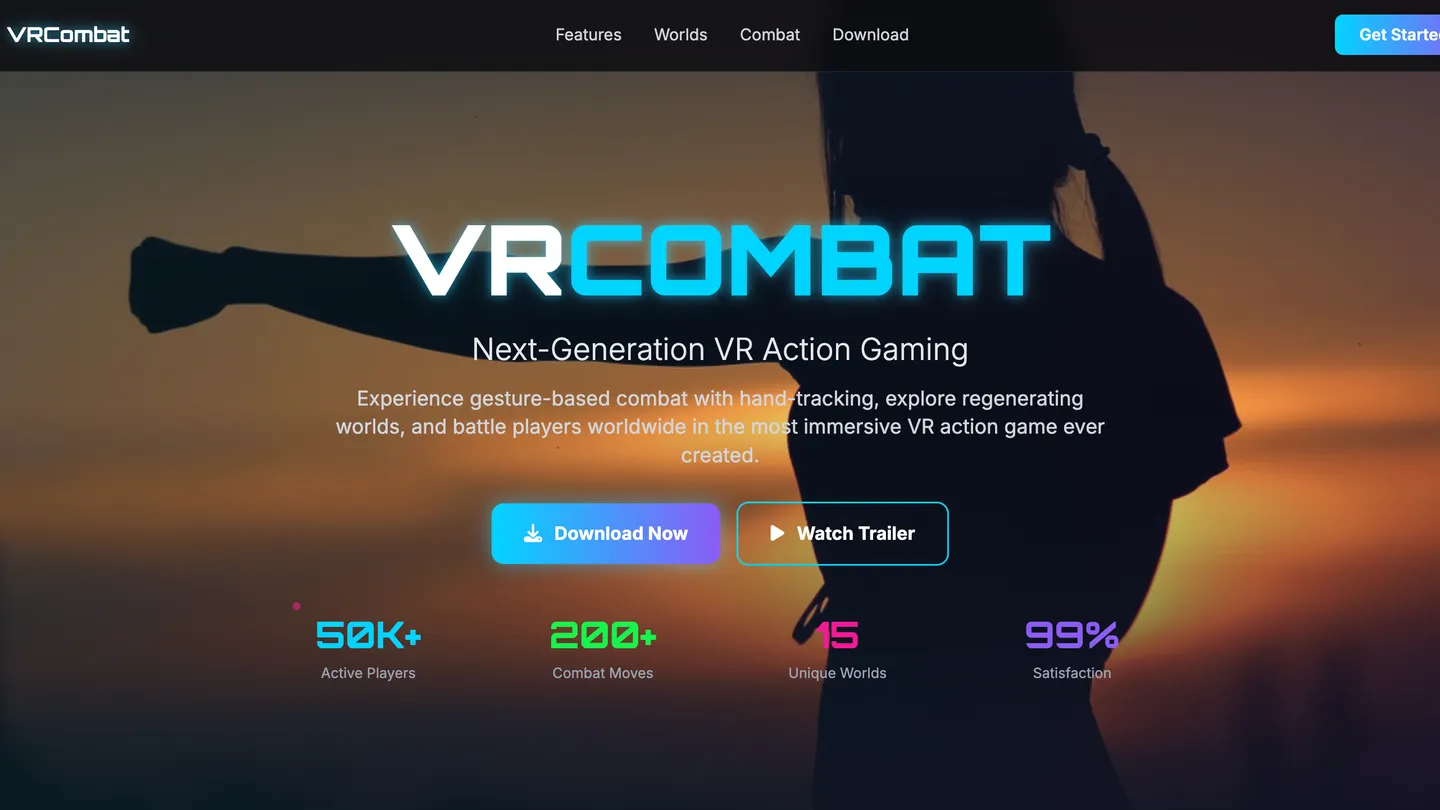
Build a VR action game with gesture combat via hand-tracking (attacks, blocks, combos), procedural worlds that regenerate each session, multiplayer lobbies for parties, voice chat, and matchmaking, and immersive haptic feedback mirroring in-game actions.
Use promptEducation VR App Builder Prompt
Build an education VR app with Virtual Labs simulating experiments and fieldwork using realistic tools and outcomes, Adaptive Paths that adjust difficulty and pacing in real time based on learner performance, Live Collaboration for group projects, shared whiteboards, and instructor-led sessions, and an Analytics Dashboard providing heatmaps, time-on-task, and mastery insights to guide targeted interventions.
Use promptHealthcare VR App Builder Prompt
Build a healthcare VR app with relaxation environments (breath pacing, gentle audio), clinical simulations (triage to procedural steps), patient education (3D visuals, interactive walkthroughs), and secure telepresence enabling private end-to-end encrypted consultations and group sessions to support stress reduction, clinician training, informed decisions, and compliance.
Use promptReal Estate VR App Builder Prompt
Build a real estate VR app with interactive true-scale property tours (floor-to-ceiling detail), a renovation planner for virtual staging/finishes/layout tweaks with real-time cost estimates, neighborhood layers overlaying schools/transit/noise heatmaps/walk times, and integrated lead capture, identity verification, and in-tour scheduling.
Use promptTop VR App Features by Type
Haptic Feedback
Integrates vibration and force cues that mirror in-game actions for deeper immersion. This elevates presence and makes interactions feel satisfying and memorable.
Multiplayer Lobbies
Lets players form parties, voice chat, and matchmake in shared VR spaces. Social play boosts retention and virality, driving organic growth.
Procedural Worlds
Generates fresh levels and environments each session for endless replayability. This keeps content feeling new without constant manual updates.
Gesture Combat
Uses hand-tracking to translate real motions into attacks, blocks, and combos. Natural controls increase engagement and reduce controller learning curves.
Virtual Labs
Simulates experiments and fieldwork with realistic tools and outcomes. Hands-on practice improves comprehension while lowering equipment costs and risks.
Adaptive Paths
Adjusts difficulty and pacing in real time based on learner performance. Personalization keeps students challenged without becoming overwhelmed.
Live Collaboration
Enables group projects, shared whiteboards, and instructor-led sessions in VR. Peer interaction and feedback raise motivation and learning outcomes.
Analytics Dashboard
Provides instructors with heatmaps, time-on-task, and mastery insights. Data-driven teaching helps target interventions where they matter most.
Relaxation Environments
Guides users through calming VR scenes with breath pacing and gentle audio. Stress reduction can support comfort and adherence to wellness routines.
Clinical Simulations
Offers realistic scenarios for clinician training, from triage to procedural steps. Safe practice builds confidence and consistency without patient risk.
Patient Education
Explains conditions and procedures with 3D visuals and interactive walkthroughs. Clear understanding helps patients make informed decisions and prepare.
Secure Telepresence
Facilitates private VR consultations and group sessions with end-to-end encryption. Compliance-focused design protects sensitive health information.
Interactive Tours
Lets buyers walk properties at true scale with floor-to-ceiling detail. Faster, richer viewing reduces in-person visits and accelerates decisions.
Renovation Planner
Applies virtual staging, finishes, and layout tweaks with real-time cost estimates. Buyers visualize potential and agents upsell value-add options.
Neighborhood Layers
Overlays schools, transit, noise heatmaps, and walk times in VR. Contextual data helps buyers assess lifestyle fit quickly.
Lead & Scheduling
Captures interest, verifies identity, and books showings from within the tour. Streamlined conversion boosts agent productivity and close rates.
The VR App of Your Dreams
Get started freeFAQ about the VR App Builder
How do I create my first VR app in the browser with AI?
Start a new project with Replit Agent and describe the VR scene you want; it will scaffold a WebXR app using your preferred stack like Three.js, Babylon.js, A-Frame, or React Three Fiber. Replit Assistant then helps refine the code with autocomplete, explanations, and targeted edits. Use the real-time preview in the browser to iterate quickly. When ready, ship with one-click deploy to share your VR experience.
Can I import existing designs or code to jump-start a VR project?
Import from Figma to generate React UIs, or pull in code with GitHub import to reuse your engine setup and components. You can Remix a community starter (fork) or continue in React or the Remix framework if that’s your stack. Upload assets and textures directly, including glTF and USDZ models, then wire them into your scene. The Agent can stitch these pieces together so you can focus on features.
What do I need to test a WebXR app on a headset?
Ensure your app runs over HTTPS in a secure context (Replit deployments provide this) and open it with a WebXR-compatible browser on your device. On Meta Quest, load the shareable URL, grant device permissions, and use motion controllers in-headset. For debugging, connect browser DevTools for remote/headset debugging and iterate from your laptop. This setup mirrors production behavior for reliable testing.
How can AI help add features, fix bugs, and improve performance in my VR app?
Use Replit Agent for end-to-end code generation and feature implementation, while Replit Assistant handles autocomplete, debugging, and quick fixes. Ask the AI to profile and optimize frame rate (FPS), streamline WebGL calls, or adjust shaders to reduce GPU load. Review diffs before applying changes to stay in control. If something regresses, restore instantly with checkpoints and rollbacks.
How do I add backends like auth, payments, or data storage to my VR experience?
Describe the integrations you want and the Agent wires up APIs with sensible defaults, including Replit Database or PostgreSQL for persistence. Add OAuth flows (e.g., Google OAuth) for authentication, and integrate Stripe for payments or Twilio for messaging. Configure environment variables in the Secrets manager for keys and tokens. Test endpoints from the real-time preview, then deploy when it’s working.
Can I collaborate with teammates and track changes safely?
Invite collaborators for real-time collaboration and use version control integration to keep history clear. Review diffs before merging AI-proposed edits and document changes as you go. Automatic checkpoints and one-click rollbacks provide an audit trail and instant recovery from mistakes. This lets teams experiment confidently without breaking the main app.
How do I deploy and share my VR app with a custom domain?
Deploy to the cloud in minutes with HTTPS and connection encryption for secure WebXR access. Attach a custom domain so your VR experience is easy to discover and share via a stable, shareable URL. Keep a dev preview as staging vs production by deploying only when ready. Updates are fast, so you can iterate and redeploy frequently.
Are there no-code or drag-and-drop options for building VR apps?
Replit offers a visual editor for UI tweaks with limited drag-and-drop, ideal for quick styling and text changes. The primary workflow is a code editor with AI-assisted edits, giving a low-code experience that remains fully flexible. Non-technical entrepreneurs can lean on AI to make changes, while developers keep full control in the IDE. This balance speeds up VR app delivery without locking you into a rigid tool.
What are you waiting for?
Build an app without knowing how to code. Tell Replit what you have in mind, then make it your own.