Nonprofit Website Builder
Build a nonprofit website in minutes for free with AI. Write in plain English or tap buttons to create your website.
How to Use the Nonprofit Website Builder
Step 1: Share your nonprofit website's features and requirements.
Step 2: Replit generates your website instantly.
Step 3: Customize features and user experience.
Step 4: Launch your new nonprofit website.
Nonprofit Website Builder Example
Built with Replit.
Build your vision in minutes for free without writing a single line of code.
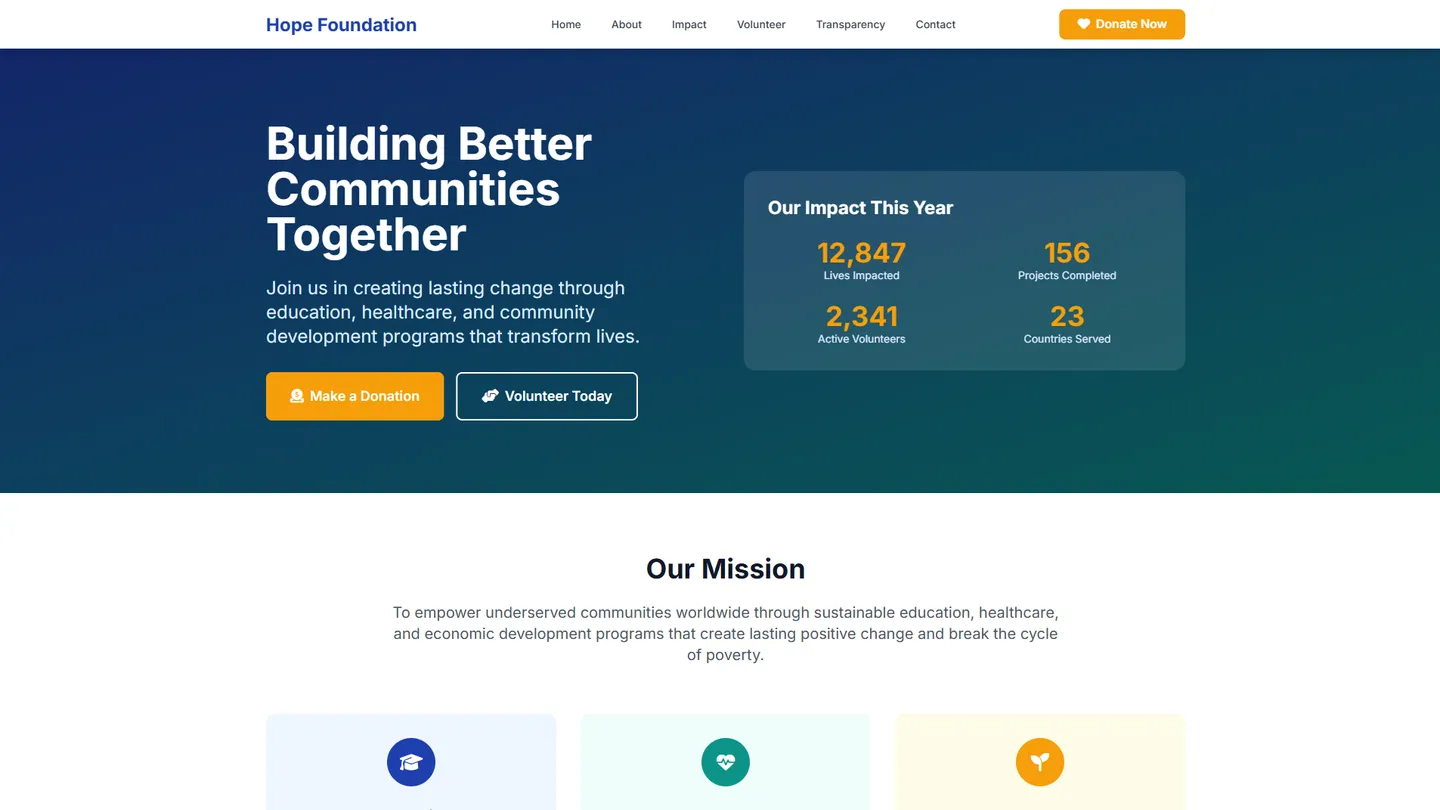
Example
Nonprofit Website Builder
Prompting the Nonprofit Website Builder
Charitable Organization Nonprofit Website Builder Prompt
Build a nonprofit charity website featuring a secure, mobile-friendly donation portal for one-time and recurring gifts, a regularly updated impact stories section with photos and outcomes, a role-based volunteer signup and shift management tool, and a financial transparency dashboard with audited reports, Form 990s, and program-to-overhead ratios.
Use promptRecreational Club Nonprofit Website Builder Prompt
Build a recreational club nonprofit website with an interactive event calendar (RSVPs, waitlists, reminders), a privacy-aware member directory (profiles, interests, messaging), self-serve facility booking (courts, rooms, gear with availability views), and media galleries of photos and videos organized by event and team.
Use promptEducational Nonprofit Website Builder Prompt
Build an educational nonprofit website with a searchable resource library (curricula, worksheets, videos), a scholarship portal (eligibility screening, document uploads, review workflows), mentor matching (by goals and availability), and integrated live workshops (registration, reminders, recordings).
Use promptAdvocacy Nonprofit Website Builder Prompt
Build an advocacy nonprofit site with a Campaign Hub centralizing each campaign’s goals, timelines, and progress to focus supporter energy, integrated Petitions & Pledges to create, sign, and share actions to rapidly grow supporter lists, a Legislator Lookup to find representatives and contact them via email, phone, or social for targeted, measurable pressure, and opt-in Action Alerts via email/SMS triggered by key policy moments with scripts and links to mobilize supporters at peak leverage times.
Use promptTop Nonprofit Website Features by Type
Donation Portal
A secure, mobile-friendly donation system that supports one-time and recurring gifts. It reduces friction for donors and increases predictable revenue for the charity.
Impact Stories
A regularly updated section showcasing beneficiary stories, photos, and outcomes. It builds trust and motivates giving by connecting donors to tangible results.
Volunteer Signup
A role-based volunteer registration and scheduling tool with shift management. It streamlines staffing needs and makes it easy for supporters to get involved quickly.
Financial Transparency
A dashboard with audited reports, Form 990s, and program-to-overhead ratios. It demonstrates accountability and reassures donors their contributions are well used.
Event Calendar
An interactive calendar with RSVPs, waitlists, and reminders for club activities. It boosts participation by making it simple to discover and join events.
Member Directory
A privacy-aware directory with profiles, interests, and messaging. It fosters community connections and makes it easy to find activity partners.
Facility Booking
Self-serve reservations for courts, rooms, or gear with availability views. It reduces admin work and prevents scheduling conflicts.
Media Gallery
Photo and video galleries organized by event and team. It celebrates members, attracts newcomers, and preserves club memories.
Resource Library
A curated, searchable library of curricula, worksheets, and videos. It centralizes materials and improves access for students and educators.
Scholarship Portal
An application system with eligibility screening, document uploads, and review workflows. It increases fairness and efficiency in awarding funds.
Mentor Matching
A matching tool that pairs learners with vetted mentors by goals and availability. It personalizes support and improves learner outcomes.
Live Workshops
Integrated webinars with registration, reminders, and recordings. It expands reach and enables ongoing, scalable instruction.
Campaign Hub
Centralized pages for each advocacy campaign with goals, timelines, and progress. It focuses supporter energy and makes impact visible.
Petitions & Pledges
Built-in tools to create, sign, and share petitions and pledges. It lowers barriers to action and grows supporter lists rapidly.
Legislator Lookup
A tool to find representatives and contact them via email, phone, or social. It turns awareness into targeted, measurable pressure.
Action Alerts
Opt-in email/SMS alerts triggered by key policy moments with scripts and links. It mobilizes supporters at peak leverage times.
The Nonprofit Website of Your Dreams
Get started freeFAQ about the Nonprofit Website Builder
Does a 501c3 need a nonprofit website?
Yes, a 501c3 nonprofit should have a website. It acts as a digital headquarters to establish credibility, share your mission, and accept online donations.
You can build and host a nonprofit website on Replit. A good starting point is to use a pre-built website template. From there, you can modify the HTML and CSS files in the workspace to match your organization's branding and content. If you need to add features like a donation form, adjust the layout, or generate new code, you can ask Agent3 for assistance. Once your site is ready, you can deploy it directly from your workspace.
Is there a 100% free nonprofit website builder?
Yes, it is possible to build and host a nonprofit website for free. Many platforms offer free plans, but these often come with limitations like advertisements, branded subdomains, or restricted features. A completely free website usually requires combining open-source tools with a hosting service that provides a free tier.
On Replit, you can create and deploy a nonprofit website at no cost. Start with a website template and use the workspace to edit your content. Free static hosting is included, so your site can be live on the web without charge. If you need to customize the design, add a donation button, or fix a bug, you can ask Agent3 to modify the code for you. This gives you a custom website without mandatory fees.
What features should a nonprofit website include?
A nonprofit website needs a clear mission statement, a secure way to accept donations, and details about its programs and impact.
These elements build trust by showing visitors what your organization does, why it matters, and how they can contribute. Including contact information and volunteer sign-up forms also helps grow your community.
You can build this on Replit by starting with a website template and editing the files to add your content. To accept donations, you will need to integrate a third-party payment processor by adding its code to your project. If you need to modify the template or fix code, you can ask Agent3 for assistance with specific tasks, such as adding a new page for program details or integrating a donation button.
How do I design a professional-looking nonprofit website?
To design a professional nonprofit website, focus on a clean layout, clear navigation, and a prominent call-to-action, such as a donation button.
A professional design builds trust with potential donors. It should clearly communicate your mission, showcase your impact with compelling stories or data, and make it simple for visitors to get involved. Key elements include high-quality images, consistent branding, and a design that works well on mobile devices.
On Replit, you can start with a website template and then customize the HTML and CSS files to match your organization's branding. For specific tasks, you can ask Agent3 to write or modify code. For instance, you could prompt it to “make the header sticky” or “create a three-column layout for testimonials.” Once your design is complete, you can deploy the site directly from the workspace.
What is the best way to optimize a nonprofit website for search engines?
The best way to optimize your website is to use relevant keywords and add descriptive metadata to your site's code. This helps search engines understand your content and show it to the right audience.
On Replit, you can directly edit your site’s HTML files to improve SEO. For example, you can modify the <title> tag and add a <meta name="description"> tag within the <head> section of your HTML. If you need help writing these tags, finding technical errors, or generating keyword ideas for your nonprofit, you can ask Agent3 to review your code or create the content for you.
What are you waiting for?
Build an app without knowing how to code. Tell Replit what you have in mind, then make it your own.