Insurance Website Builder
Build a insurance website in minutes for free with AI. Write in plain English or tap buttons to create your website.
How to Use the Insurance Website Builder
Step 1: Share your insurance website's features and requirements.
Step 2: Replit generates your website instantly.
Step 3: Customize features and user experience.
Step 4: Launch your new insurance website.
Insurance Website Builder Example
Built with Replit.
Build your vision in minutes for free without writing a single line of code.
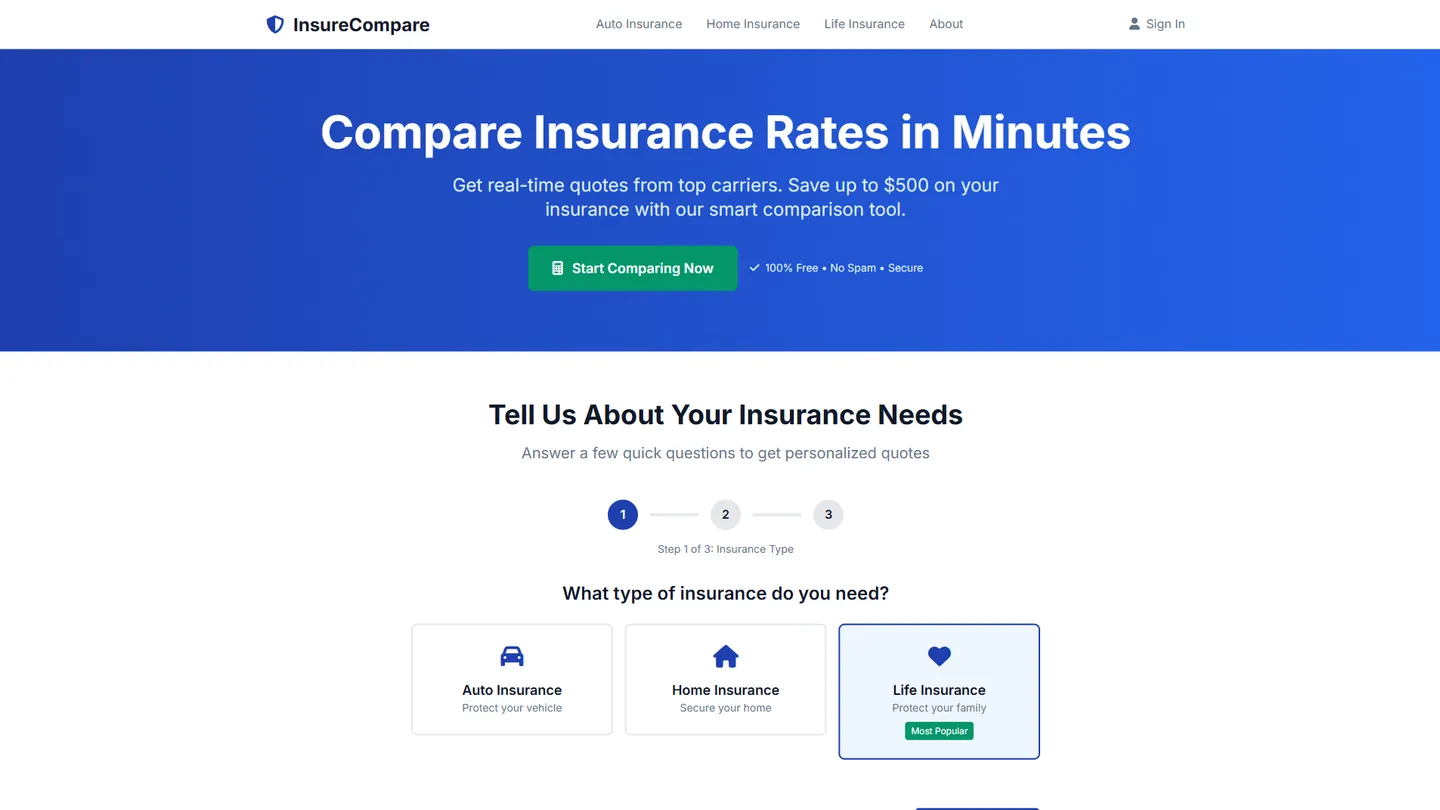
Example
Insurance Website Builder
Prompting the Insurance Website Builder
Comparison Insurance Website Builder Prompt
Build a responsive insurance comparison website that aggregates real-time quotes from multiple carriers based on user inputs, shows side-by-side plan comparisons (coverage limits, deductibles, exclusions), uses an adaptive smart questionnaire to refine risk and eligibility for more accurate pricing, and sends rate alerts when prices drop or new promotions match the user’s profile.
Use promptSelf-Service Portal Insurance Website Builder Prompt
Build a self-service insurance portal featuring a policy dashboard (active policies, ID cards, renewals, documents), digital claims (file/track/update with photo uploads and status timelines), billing & autopay (payments, installment plans, automatic withdrawals with reminders), and instant endorsements (self-service coverage changes—address, drivers, limits—with real-time pricing and immediate confirmations).
Use promptAgent & Broker Insurance Website Builder Prompt
Build an agent and broker insurance website that includes a Broker Rater for multi-carrier quoting with appetite filters, Lead Routing that assigns inbound leads by territory or product, CRM Integration syncing quotes/activities/documents with popular CRMs, and a Marketing Toolkit providing co-branded brochures, email templates, and social posts with compliance checks.
Use promptAgent & Underwriter Portal Insurance Website Builder Prompt
Build an agent–underwriter portal that standardizes intake with Submission Triage (validation and routing), enables secure UW Collaboration (chat, notes, file sharing per risk), manages Workflow & Endorsements (approvals, referrals, audit trails, SLAs), and includes an Appetite Finder to search carrier guidelines, classes, and exclusions for fit before submission.
Use promptTop Insurance Website Features by Type
Real-Time Quotes
Aggregates live premiums from multiple carriers based on user inputs. It helps consumers instantly find the best price without visiting dozens of sites.
Plan Comparison
Displays side-by-side comparisons of coverage limits, deductibles, and exclusions. This makes complex differences easy to understand and boosts conversion.
Smart Questionnaire
Asks adaptive questions to refine risk details and eligibility. Better inputs yield more accurate quotes and fewer surprises for shoppers.
Rate Alerts
Notifies users when prices drop or new promotions fit their profile. Timely nudges bring shoppers back and increase close rates.
Policy Dashboard
Centralizes active policies, ID cards, renewals, and documents. It reduces support calls by putting everything in one place.
Digital Claims
Lets customers file, track, and update claims with photo uploads and status timelines. Faster, transparent claims handling builds trust and loyalty.
Billing & Autopay
Supports payments, installment plans, and automatic withdrawals with reminders. Fewer late payments mean happier customers and lower admin costs.
Instant Endorsements
Enables self-service coverage changes like address updates, drivers, or limits with real-time pricing. Immediate confirmations improve satisfaction and reduce back-office workload.
Broker Rater
Provides multi-carrier quoting for common lines with appetite filters. Agents save time and present competitive options to clients.
Lead Routing
Captures inbound leads and distributes them to producers based on territory or product. Faster response boosts win rates and producer satisfaction.
CRM Integration
Syncs quotes, activities, and documents with popular CRMs. Unified data streamlines follow-ups and reduces duplicate entry.
Marketing Toolkit
Offers co-branded brochures, email templates, and social posts with compliance checks. It helps brokers market effectively while staying on-brand.
Submission Triage
Standardizes intake, validates data, and routes submissions to the right underwriter. Clean submissions accelerate decisions and reduce back-and-forth.
UW Collaboration
Provides secure chat, notes, and file sharing between agents and underwriters on each risk. Real-time collaboration shortens cycle times and improves clarity.
Workflow & Endorsements
Manages approvals, referrals, and endorsements with audit trails and SLAs. Consistent processes reduce errors and ensure compliance.
Appetite Finder
Searches carrier guidelines, classes, and exclusions to confirm fit before submission. Better targeting raises hit ratios and reduces declinations.
The Insurance Website of Your Dreams
Get started freeFAQ about the Insurance Website Builder
Is there a free insurance website designer?
Yes, it is possible to design and launch an insurance website for free.
While some platforms offer no-code templates, a more flexible approach is using a code-based template that you can fully customize. This gives you complete control over the design and functionality.
On Replit, you can start with a website template and edit the files directly. If you need help with the code, you can ask Agent3 to make changes, fix errors, or add new sections. For example, prompt it to “add a contact form for insurance quotes.” Once finished, you can deploy the site directly from your workspace.
What features should an insurance website include?
An insurance website should include a quote generator, detailed policy information, a claims submission form, a customer portal, and clear contact options. These features provide essential services, allowing users to get quotes, understand coverage, and manage their policies online.
You can build these features on Replit by starting with a website template and customizing it in the workspace. The front-end for forms and pages can be built with HTML, CSS, and JavaScript. For back-end functionality like quote logic and user databases, you can use a server and database directly within your project.
If you need to add a feature or fix a bug, you can ask Agent3 to modify the code. For example, you could ask it to "write a Python function to calculate an insurance premium" or "debug my login form." Once ready, you can deploy the site using Replit's built-in hosting.
How do I design a professional-looking insurance website?
To design a professional insurance website, focus on a clean layout, intuitive navigation, and content that builds trust. This involves combining visual design with clear communication.
A professional site uses a consistent color palette, high-quality images, and readable fonts. It should also be mobile-friendly and make it easy for visitors to find information, get a quote, or contact you. The goal is to project reliability and competence.
You can start by using a website template. From there, edit the HTML and CSS files in the workspace to customize the design. If you need help, you can ask Agent3 to perform specific tasks like "update the logo and color scheme" or "add a section for customer testimonials." Agent3 can also help debug your code or make the site responsive. Once you are satisfied, you can deploy your website directly from the workspace.
What is the best way to optimize an insurance website for search engines?
The best way to optimize an insurance website is by using relevant keywords, creating helpful content, and ensuring the site is technically sound. This involves targeting terms potential clients use, such as specific policy types or local service areas.
Search Engine Optimization (SEO) helps search engines understand and rank your site. For insurance, this means building trust through clear, informative content, using descriptive meta tags, and having a fast, mobile-friendly design so customers can find you easily.
You can edit your site’s HTML files directly in the workspace to add keywords and update meta tags like <title> and <meta name="description">. For technical improvements, you can ask Agent3 to "optimize my site for mobile" or "add schema markup for an insurance business." Agent3 can also help modify code to improve loading times or fix errors that impact SEO.
How can I customize the layout of my insurance website?
You can customize your website's layout by editing its HTML and CSS files. This allows you to change the structure, positioning, and style of your site's elements.
Website layouts are controlled by code. HTML files define the content and structure, while CSS files control the visual presentation, including colors, fonts, and element placement. Modifying these files is the standard way to alter a site's appearance.
In your workspace, you can directly edit the HTML and CSS files for your insurance website template. To change the layout, open the relevant files in the editor and modify the code. If you need help, you can ask Agent3 to write or modify the code for you. For example, you could prompt it to "change the header to be a fixed navigation bar" or "rearrange the sections on the homepage." Agent3 can also help debug any layout issues that arise from your changes.
What are you waiting for?
Build an app without knowing how to code. Tell Replit what you have in mind, then make it your own.