Funnel Website Builder
Build a funnel website in minutes for free with AI. Write in plain English or tap buttons to create your website.
How to Use the Funnel Website Builder
Step 1: Share your funnel website's features and requirements.
Step 2: Replit generates your website instantly.
Step 3: Customize features and user experience.
Step 4: Launch your new funnel website.
Funnel Website Builder Example
Built with Replit.
Build your vision in minutes for free without writing a single line of code.
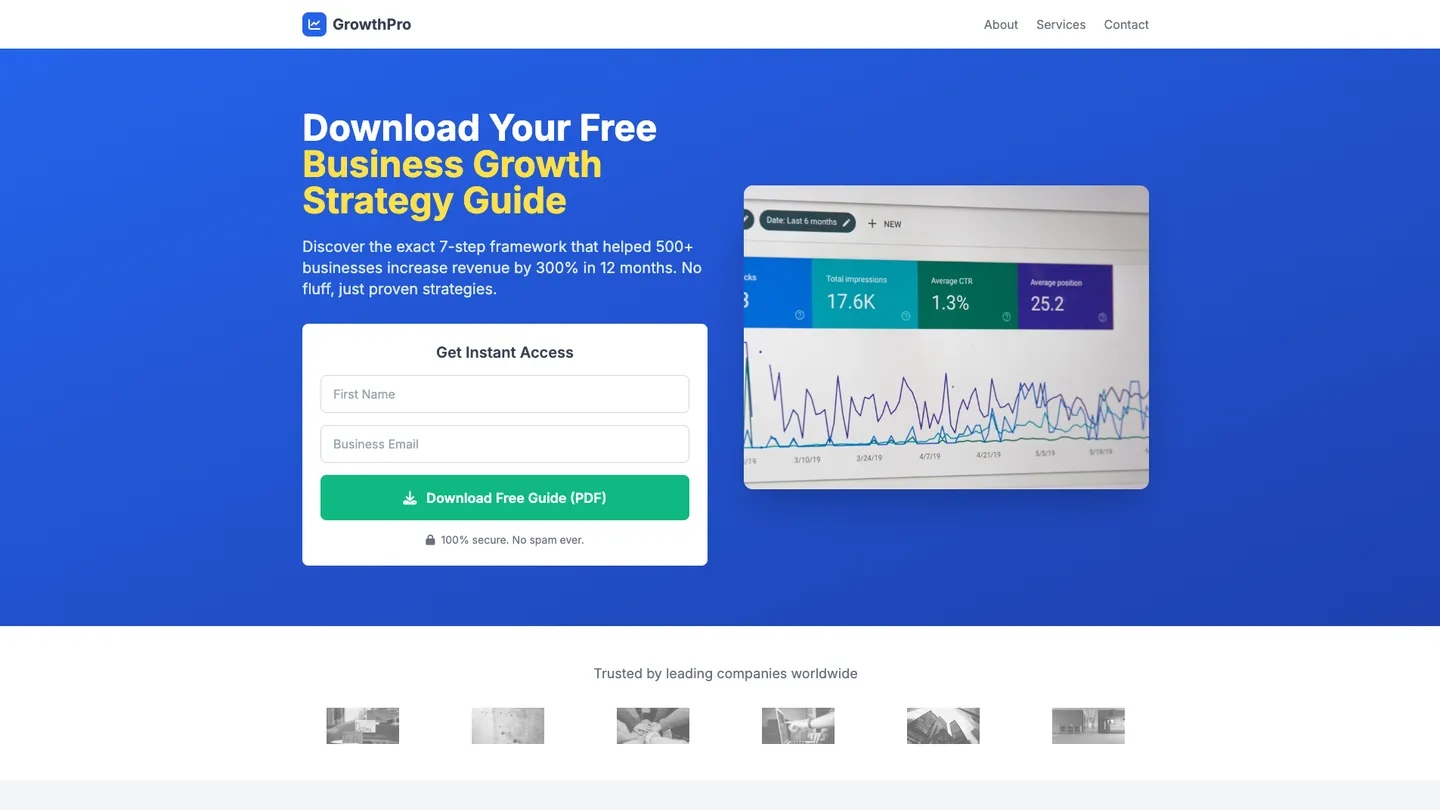
Example
Funnel Website Builder
Prompting the Funnel Website Builder
Lead Generation Funnel Website Builder Prompt
Build a high-converting lead generation funnel website with a hero lead magnet opt-in exchanging email for value, a short multi-step quiz to segment and personalize, a social proof strip with testimonials/logos/trust badges, and an exit-intent pop-up offering a last-chance incentive to recover abandoning visitors.
Use promptSales Page Funnel Website Builder Prompt
Build a high-converting sales funnel page featuring structured long-form copy (headline, story, benefits, proof, offer), an embedded concise video sales letter demonstrating outcomes, a one-click order bump at checkout, and a dynamic scarcity countdown for limited-time pricing or bonuses.
Use promptWebinar Registration Funnel Website Builder Prompt
Build a high-converting webinar registration funnel with a sign-up scheduler offering live or just-in-time sessions with automatic timezone detection, one-click Add to Calendar buttons for Google, Outlook, and Apple, a Presenter & Agenda section with concise bio, credentials, and session outline, and automated email and SMS reminders at key pre-event intervals.
Use promptTop Funnel Website Features by Type
Lead Magnet Opt-in
A compelling hero section offers a valuable lead magnet in exchange for an email address. This captures contact information efficiently and increases list growth with a clear value proposition.
Quiz Funnel
A short multi-step quiz personalizes the experience and segments leads by intent. This improves conversion rates and enables tailored follow-ups that resonate with each segment.
Social Proof Strip
A section featuring testimonials, logos, and trust badges builds credibility instantly. This reduces skepticism and nudges visitors to submit their details.
Exit-Intent Pop-up
A smart pop-up triggers when a user is about to leave, offering a last-chance incentive. This recovers abandoning traffic and boosts opt-in rates without being intrusive.
Long-Form Copy
A structured page with headline, story, benefits, proof, and offer clarifies value and addresses objections. This guides prospects through a persuasive narrative that leads to the purchase.
Video Sales Letter
A concise video explains the offer and demonstrates outcomes visually. This increases engagement and conversion by simplifying complex value propositions.
Order Bump
A small, complementary add-on is offered at checkout with a single click. This lifts average order value with minimal friction.
Scarcity Timer
A dynamic countdown communicates limited-time pricing or bonuses. This ethically increases urgency and drives decisive action.
Registration Scheduler
A sign-up form lets users choose live or just-in-time sessions with automatic timezone detection. This maximizes attendance by fitting the webinar into each visitor’s schedule.
Add to Calendar
One-click calendar buttons for Google, Outlook, and Apple add the event with reminders. This reduces no-shows by keeping the webinar top of mind.
Presenter & Agenda
A concise bio, credentials, and session outline clarify what attendees will learn. This builds trust and sets clear expectations to increase registrations.
Automated Reminders
Email and SMS reminders go out at key intervals before the event. This improves attendance rates by reducing forgetfulness and last-minute drop-off.
The Funnel Website of Your Dreams
Get started freeFAQ about the Funnel Website Builder
How do I create a funnel for my website?
To create a funnel, you design a series of pages that guide visitors toward a specific action, such as signing up or making a purchase.
A website funnel maps the journey a visitor takes from their first visit to a final goal. Each step, or page, is designed to move them closer to that conversion, filtering out those who are not interested.
In your Replit project, you can build a funnel by creating separate files for each stage (e.g., landing.html, pricing.html, checkout.html) and linking them together. If you need to add a form, style a button, or connect pages, you can ask Agent3 for help. For example, prompt it to "create a signup form in my index.html" or "add a link from the landing page to the pricing page."
What features should a funnel website include?
A funnel website should include a clear call-to-action (CTA), a simple lead capture form, and content that guides visitors toward one specific goal.
These sites are designed to convert visitors by minimizing distractions and creating a focused path. This typically involves a strong headline, benefit-driven text, and a prominent CTA button that directs users to a form or purchase page.
You can create a funnel site by starting with a template or building your own HTML and CSS files. To handle form submissions, you will need a backend script or an integration with a third-party service. If you need help with the code, you can ask Agent3 to write or modify it for you. For instance, you can prompt it to "create a lead capture form and a Python backend to save submissions." After building, you can deploy your site with one click.
How do I design a professional-looking funnel website?
To design a professional Funnel website, use a clean layout, consistent branding, and clear calls-to-action. Replit provides templates and tools to help you customize your site's code.
A professional design ensures your site is easy to navigate and visually appealing. This involves consistent use of colors and fonts, a logical structure, and high-quality images that reflect your brand.
Start with a Funnel template. You can directly edit the HTML and CSS files in the workspace to customize the design. To change the color palette or adjust the layout, you can modify the code yourself. For assistance, ask Agent3 to write or modify the CSS for you. If your design looks broken, you can also ask Agent3 to identify and fix errors in your code.
What is the best way to optimize a funnel website for search engines?
The best way to optimize a Funnel website for search engines is by editing its HTML to include relevant keywords and meta tags.
Search engine optimization (SEO) helps search engines understand your site's content, making it more likely to appear in relevant search results. This involves adding specific information to your site's code, like a title and description.
In your workspace, open the index.html file to edit the code directly. You can modify the <title> tag and add <meta> tags for description and keywords inside the <head> section. If you need help, ask Agent3 to generate the code for you with a prompt like, "Write SEO meta tags for a landing page about a new mobile app." Agent3 can also help identify and fix code errors that might impact your site's visibility.
How can I customize the layout of my funnel website?
You can customize your Funnel website's layout by editing its HTML and CSS files directly in the Replit workspace.
A website's layout is controlled by its underlying code. HTML files determine the structure and content, while CSS files manage the visual styling, such as colors, fonts, and spacing. To change the layout, you must modify these files.
In your Funnel project, open the file tree to find and edit files like index.html and style.css. If you are unsure how to write the code, Agent3 can assist. You can ask it to perform specific tasks, such as "change the header background to black" or "make the images responsive." It will generate or modify the code to apply your requested changes.
What are you waiting for?
Build an app without knowing how to code. Tell Replit what you have in mind, then make it your own.