Florist Website Builder
Build a florist website in minutes for free with AI. Write in plain English or tap buttons to create your website.
How to Use the Florist Website Builder
Step 1: Share your florist website's features and requirements.
Step 2: Replit generates your website instantly.
Step 3: Customize features and user experience.
Step 4: Launch your new florist website.
Florist Website Builder Example
Built with Replit.
Build your vision in minutes for free without writing a single line of code.
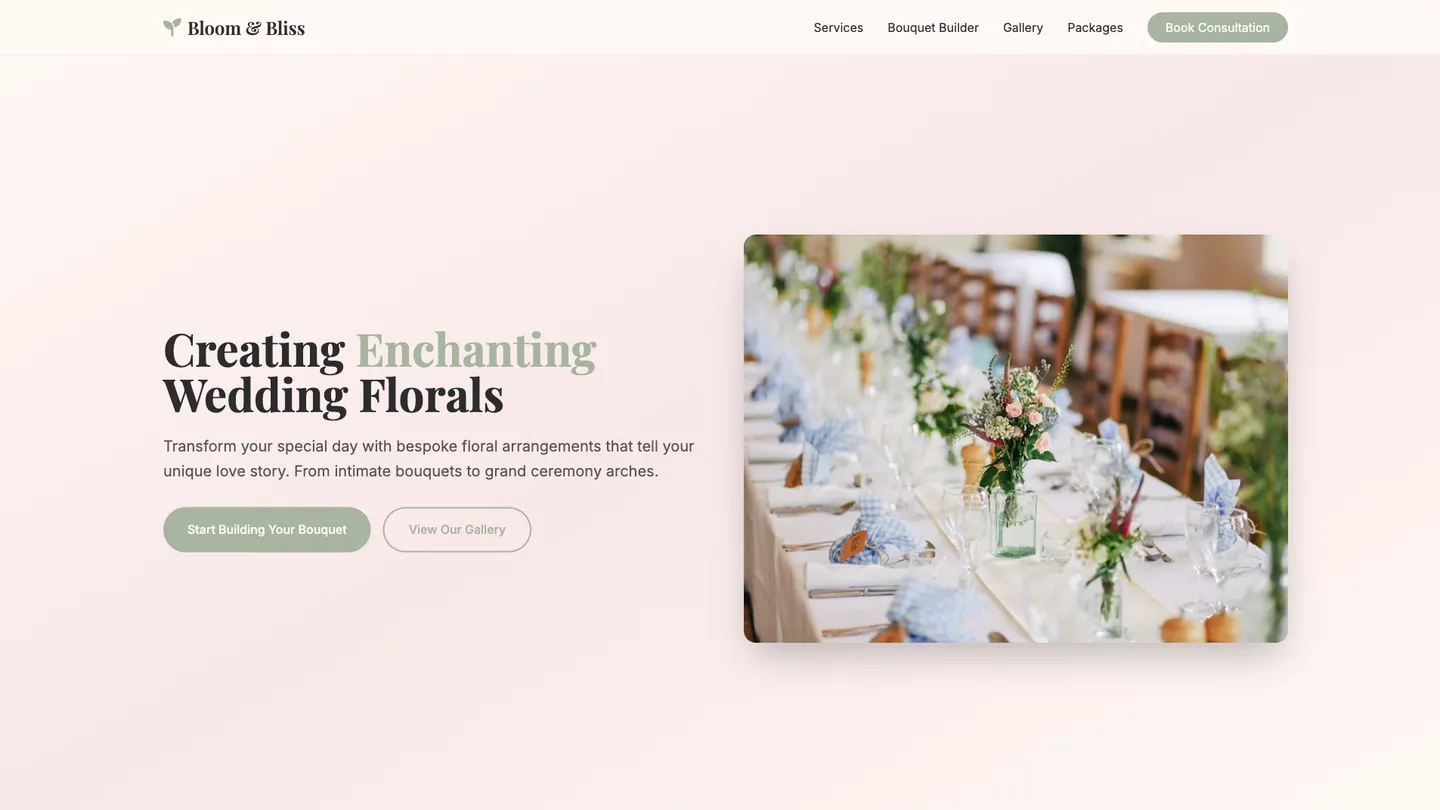
Example
Florist Website Builder
Prompting the Florist Website Builder
Wedding Florists Florist Website Builder Prompt
Build a wedding florist website featuring an interactive Bouquet Builder for mixing flowers/palettes/styles, a Real Wedding Gallery with filters by venue/season/palette, an Availability & Consults date checker with instant booking, and a transparent Package Calculator with tiers and add-ons (arches, boutonnières, centerpieces).
Use promptEvent Florists Florist Website Builder Prompt
Create a florist event website with Event Templates (pre-built for galas, conferences, launches, and fundraisers to align goals and budgets), a Bulk Order Planner (SKU-based to match centerpieces, stage pieces, and breakouts to guest and room layouts), a Logistics Dashboard (live tracking of delivery windows, load-in details, and on-site contacts), and Branding Integration (color-matching and logo uploads for cohesive sponsor and corporate visuals).
Use promptOnline Flower Delivery Florist Website Builder Prompt
Build an online flower delivery website with real-time live order tracking (prep, pickup, map ETA), a ZIP-code based same-day delivery countdown timer, flexible weekly/monthly gift subscriptions with pause/skip, and smart occasion reminders tied to contacts and dates with one-click rebuys.
Use promptCustom Floral Design Florist Website Builder Prompt
Build a custom floral design florist website featuring: a guided design questionnaire capturing style, palette, venue, constraints, and image uploads; live preview sessions with real-time photo/AR mockups for composition and scale; a seasonal materials library of stems, greenery, vessels, and textures with availability notes; and interactive quotes with line-item breakdowns, versioning, and e-sign approval.
Use promptTop Florist Website Features by Type
Bouquet Builder
An interactive bouquet builder lets couples mix flowers, palettes, and styles to visualize their arrangements. It reduces uncertainty and speeds decisions by turning inspiration into tangible design previews.
Real Wedding Gallery
A curated gallery showcases past weddings with filters for venue, season, and palette. It builds trust and sparks ideas by showing real outcomes in similar settings.
Availability & Consults
A date checker tied to a booking calendar confirms availability and schedules consultations instantly. This streamlines inquiries and captures serious leads at their highest intent.
Package Calculator
A pricing calculator presents transparent tiers with add-ons like arches, boutonnières, and centerpieces. Clarity on cost boosts conversions and filters out mismatched budgets early.
Event Templates
Pre-built floral templates for galas, conferences, launches, and fundraisers speed planning. They align designs with event goals while ensuring consistency and budget control.
Bulk Order Planner
A SKU-based planner handles quantities for centerpieces, stage pieces, and breakouts at scale. It prevents shortages and overages by matching counts to guest and room layouts.
Logistics Dashboard
A live dashboard tracks delivery windows, load-in details, and on-site contacts. It minimizes day-of friction by keeping vendors and coordinators aligned in real time.
Branding Integration
Color-matching and logo upload features align florals with brand guidelines. This ensures cohesive visuals for sponsors and corporate clients, elevating perceived professionalism.
Live Order Tracking
Real-time courier tracking shows preparation, pickup, and ETA with map updates. Transparency reduces support tickets and boosts buyer confidence for time-sensitive gifts.
Same-Day Timer
A dynamic countdown timer displays same-day delivery cutoff by ZIP code. It drives urgency and improves fulfillment accuracy by setting clear expectations.
Gift Subscriptions
Flexible weekly or monthly plans with pause and skip options make gifting effortless. Recurring revenue stabilizes the business while delighting recipients regularly.
Occasion Reminders
Smart reminders tied to contacts and dates prompt timely orders with one-click rebuys. Customers never miss birthdays or anniversaries, increasing repeat purchases.
Design Questionnaire
A guided brief captures style, palette, venue, and constraints with image uploads. It aligns expectations early and reduces back-and-forth revisions.
Live Preview Session
Real-time virtual sessions with photo or AR mockups show composition and scale. Seeing options instantly speeds decisions and builds client confidence.
Materials Library
A seasonal catalog displays stems, greenery, vessels, and textures with availability notes. It educates clients on what’s feasible and inspires distinctive combinations.
Quote & Revisions
Interactive quotes break down line items with versioning and e-sign approval. Clear scope control keeps projects on budget and timelines on track.
The Florist Website of Your Dreams
Get started freeFAQ about the Florist Website Builder
How to make a florist website?
To make a florist website, you can start with a template and then customize it with your own text, images, and branding.
Building a website generally involves creating the structure with HTML, styling it with CSS, and adding interactivity with JavaScript. These files are then hosted on a server to make the site accessible online.
On Replit, you can begin with a portfolio or e-commerce template. You can edit the files directly in the workspace to add your flower photos, business information, and prices. If you need to change the layout, add a contact form, or fix an error, you can ask Agent3 to modify the code for you. Once finished, you can deploy the website directly from your workspace.
What features should a florist website include?
A florist website should include an online store, a gallery of arrangements, contact information, and delivery details. These features allow customers to view your products, place orders, and find your business information.
An effective site combines high-quality images of your floral designs with simple e-commerce functions. This creates a smooth experience for visitors who want to make a purchase.
You can build this by starting with a website template in the workspace. Customize the HTML and CSS files to add your photos and business details. For an online store, you will need to integrate a third-party service for payments. If you need help, ask Agent3 to modify your code with prompts like, “Add a photo gallery to my HTML file” or “Help me fix the styling on my contact form.” When your site is ready, you can deploy it from the workspace.
How do I design a professional-looking florist website?
To design a professional-looking florist website, focus on a clean layout, high-quality images, and consistent branding. A professional design builds customer trust through easy navigation, readable text, and a color palette that matches your floral business. It is also essential that the design works well on mobile devices.
You can start with a website template and customize it in the workspace. Edit the HTML and CSS files to change the layout, colors, and fonts. Upload your own high-quality photos to showcase your arrangements. If you need to modify the code or fix an error, you can ask Agent3 for assistance. When your design is ready, you can deploy the site directly from the workspace.
What is the best way to optimize a florist website for search engines?
The best way to optimize a florist website is by using local keywords, creating helpful content, and ensuring your site is technically correct. This helps customers in your area find you through search engines.
Search Engine Optimization (SEO) involves making your site easy for search engines to understand. For a florist, this means including terms like "fresh flower delivery in [Your City]" and having a fast, mobile-friendly website.
You can edit your site’s HTML files in the Replit workspace to add these keywords to page titles and descriptions. If you need help, ask Agent3 to modify the code for you. For example, prompt it to "add local SEO meta tags for a florist to my HTML." Agent3 can also help optimize images for faster loading or identify and fix code errors that hurt your site's performance.
How can I customize the layout of my florist website?
You can customize your Florist website's layout by editing its HTML and CSS files. This gives you full control over the structure and style of your pages.
Website layouts are defined by HTML for structure and CSS for styling. Modifying these files allows you to change the arrangement of sections, colors, fonts, and spacing.
In your Replit workspace, locate the HTML and CSS files in the file tree. Open them to make direct edits. For example, to change the background color, you would edit the background-color property in your CSS file. If you need help with specific code or encounter errors, you can ask Agent3. A prompt like, "Change the navigation bar to be fixed at the top of the page," will instruct Agent3 to modify the code for you.
What are you waiting for?
Build an app without knowing how to code. Tell Replit what you have in mind, then make it your own.