Event Website Builder
Build a event website in minutes for free with AI. Write in plain English or tap buttons to create your website.
How to Use the Event Website Builder
Step 1: Share your event website's features and requirements.
Step 2: Replit generates your website instantly.
Step 3: Customize features and user experience.
Step 4: Launch your new event website.
Event Website Builder Example
Built with Replit.
Build your vision in minutes for free without writing a single line of code.
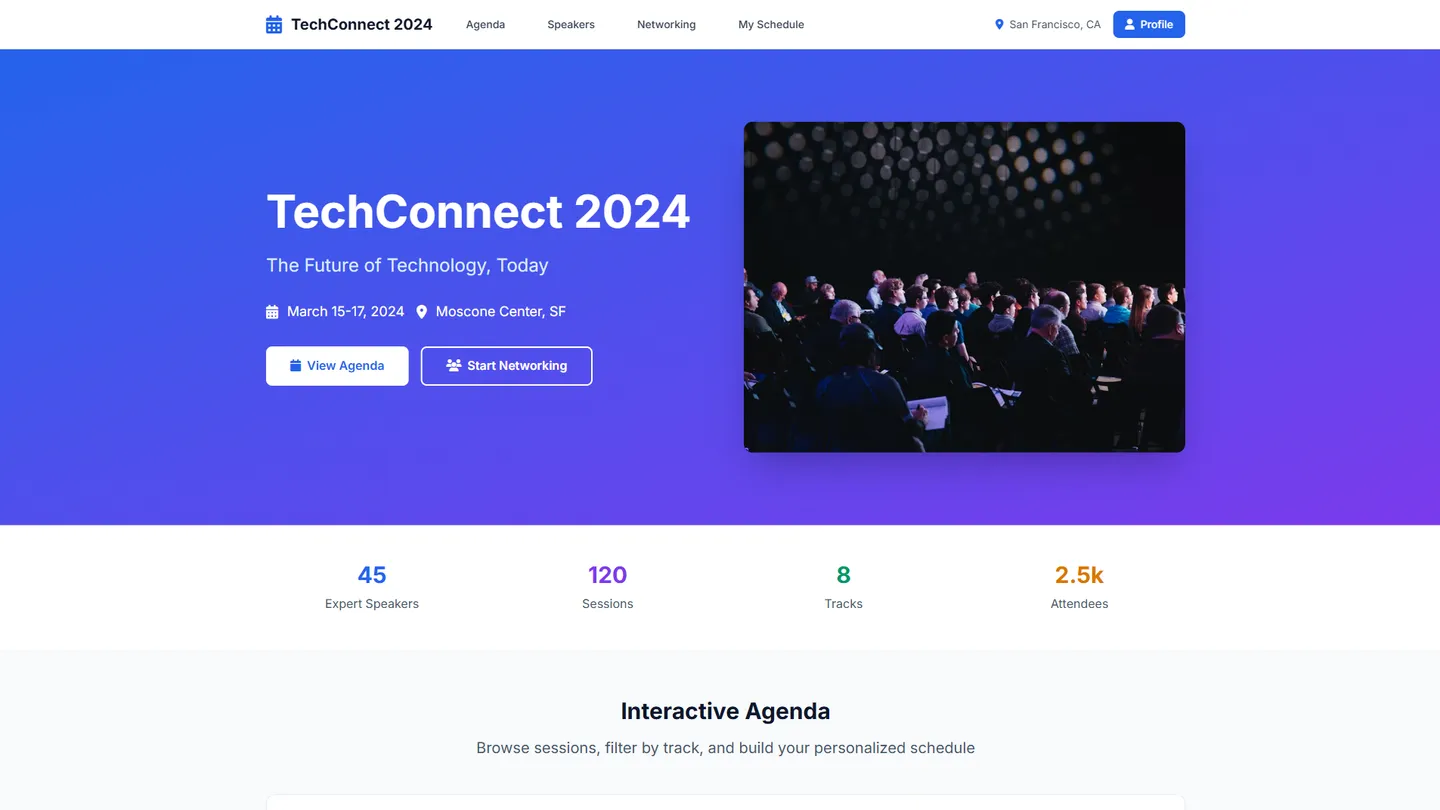
Example
Event Website Builder
Prompting the Event Website Builder
Conference Event Website Builder Prompt
Build a conference website with an interactive agenda to browse tracks, filter by topic, and create personalized schedules; rich speaker profiles with bios, talk topics, and related content; session RSVP for limited-capacity bookings with organizer capacity insights; and a networking lounge that matches peers and supports 1:1 meeting requests.
Use promptTrade Show Event Website Builder Prompt
Build a trade show website with an interactive zoomable floor map (booth locations, categories, routes), a searchable exhibitor directory (profiles with products, demos, contacts, shortlist), lead retrieval via digital badge scanning (contacts and notes to exhibitors instantly), and a meeting scheduler for attendees and exhibitors to propose times and book meetings in designated zones.
Use promptFundraiser Event Website Builder Prompt
Build a fundraiser event website featuring a secure, streamlined donation checkout (cards, wallets, recurring gifts), a live goal thermometer showing progress to target, a real-time donor wall with optional names/messages/amounts, and peer-to-peer personal fundraising pages with shareable links to expand reach.
Use promptWebinar Event Website Builder Prompt
Build a webinar event site with one-click registration (calendar invite + time-zone detection), moderated live Q&A, in-session polls/surveys for real-time feedback and segmentation, and automatic on-demand replay for registrants after the live event.
Use promptTop Event Website Features by Type
Interactive Agenda
An agenda tool lets attendees browse tracks, filter by topic, and build a personalized schedule. It helps conference-goers maximize learning and reduces confusion across many concurrent sessions.
Speaker Profiles
Rich profiles highlight bios, talk topics, and related content for each speaker. This boosts credibility and helps attendees choose sessions that match their interests.
Session RSVP
Attendees can reserve seats for limited-capacity sessions and workshops. Organizers gain capacity insights and can better allocate rooms and resources.
Networking Lounge
A matchmaking hub suggests relevant peers and enables 1
Interactive Floor Map
A zoomable map shows booth locations, categories, and routes. It helps visitors find exhibitors fast and increases traffic to targeted booths.
Exhibitor Directory
Searchable profiles showcase products, demos, and contacts for each exhibitor. Buyers can shortlist vendors, driving more qualified conversations on-site.
Lead Retrieval
Digital badge scanning captures contact info and notes at booths. Exhibitors get clean leads instantly, improving follow-up speed and conversion.
Meeting Scheduler
Attendees and exhibitors can propose times and book meetings in designated zones. Pre-booked appointments make trade show time more productive and predictable.
Secure Donations
A streamlined checkout supports cards, wallets, and recurring gifts. Easy giving increases conversion and average donation size for fundraisers.
Goal Thermometer
A live progress bar displays funds raised versus the target. Visible momentum motivates donors and encourages social sharing to hit goals.
Donor Wall
A real-time feed showcases donor names, messages, and amounts if opted in. Public recognition builds community and reinforces giving behavior.
Peer-to-Peer Pages
Supporters can create personal fundraising pages with shareable links. Network effects expand reach and unlock donations your core audience might miss.
One-Click Registration
Frictionless sign-up with calendar invites and time-zone detection. Higher registration and attendance rates are critical for webinar success.
Live Q&A
Moderated questions let attendees engage speakers in real time. Interactivity keeps viewers attentive and increases perceived value of the content.
Polls and Surveys
In-session polls collect feedback and segment interests on the fly. Presenters tailor content instantly and gather post-event insights for follow-up.
On-Demand Replay
Automatic recording is available for registrants after the live event. It extends reach across time zones and captures those who could not attend live.
The Event Website of Your Dreams
Get started freeFAQ about the Event Website Builder
How to make a website for an event?
To make a website for an event, use a template and customize it with your event's specific details.
An event website acts as a central source of information for attendees. It should clearly present essential details like the event's purpose, date, time, location, and schedule. It can also include features like registration forms or links to ticketing services.
You can start by forking an event website template on Replit. In the workspace, edit the HTML and CSS files to replace the placeholder content with your own text and images. If you need to make changes to the code, such as adding a new section or fixing a bug, you can ask Agent3 for assistance. For example, you can prompt it to "add a Google Maps embed for the venue location." When your site is ready, you can deploy it with a single click.
Can I create an event website for free?
Yes, you can create and host a basic event website for free.
This typically involves using a platform that provides free hosting and templates. You can then customize the template with your event's information, such as the date, location, and schedule.
On Replit, you can start with a website template and edit the files in the workspace to add your event details. If you need to modify the design or add features like an RSVP form, you can ask Agent3 to write or fix the code. When you're finished, you can deploy your site with a public URL at no cost.
What features should an event website include?
An event website needs key information: what the event is, when and where it will be, and how to register. These details help people decide to attend and make it easy for them to sign up.
Effective event sites typically feature a schedule, speaker information, and venue details. Some also include sections for frequently asked questions, sponsor recognition, or photo galleries from past events. The goal is to give potential attendees all the information they need in one place.
You can build your event website in the Replit workspace by starting with a template or a new project. Edit the HTML and CSS files to add pages and sections for your event's details. If you need to add a feature like a countdown timer or fix a layout issue, you can ask Agent3 to write the code. For ticket sales or RSVPs, you can embed forms from third-party services. When finished, deploy your website with a single click.
How do I design a professional-looking event website?
To design a professional-looking event website, focus on a clean layout, consistent branding, and intuitive navigation.
A professional appearance builds credibility. This typically involves using high-quality images, readable typography, and a cohesive color scheme. It is also essential that the site is responsive and functions correctly on both mobile and desktop devices.
You can start with a website template and modify its HTML and CSS files in the workspace. To customize the design, ask Agent3 to suggest code for a new layout, generate a color palette, or debug CSS issues. When your design is complete, you can deploy the site directly from your project.
What is the best way to optimize an event website for search engines?
The best way to optimize an event website for search engines is by adding Event schema markup, a form of structured data, to your site’s code. This helps search engines understand and feature your event details.
SEO for events focuses on making key information—like the event name, date, and location—easily discoverable. Using structured data allows search engines to display this information in rich results, increasing visibility.
In your Replit project, you can edit the HTML files directly to add this schema. Open your main page file, such as index.html, and insert the structured data script into the <head> section. If you are unsure how to create this code, ask Agent3 to generate it for you. For example, prompt: "Create Event schema for a webinar on November 5th and tell me where to add it." Agent3 can also help you find and fix errors in your code.
What are you waiting for?
Build an app without knowing how to code. Tell Replit what you have in mind, then make it your own.