Cross-Platform App Builder
Build a cross platform app in minutes for free with AI. Write in plain English or tap buttons to create your app.
How to Use the Cross-Platform App Builder
Step 1: Share your cross platform app's features and requirements.
Step 2: Replit generates your app instantly.
Step 3: Customize features and user experience.
Step 4: Launch your new cross platform app.
Cross-Platform App Builder Example
Built with Replit.
Build your vision in minutes for free without writing a single line of code.
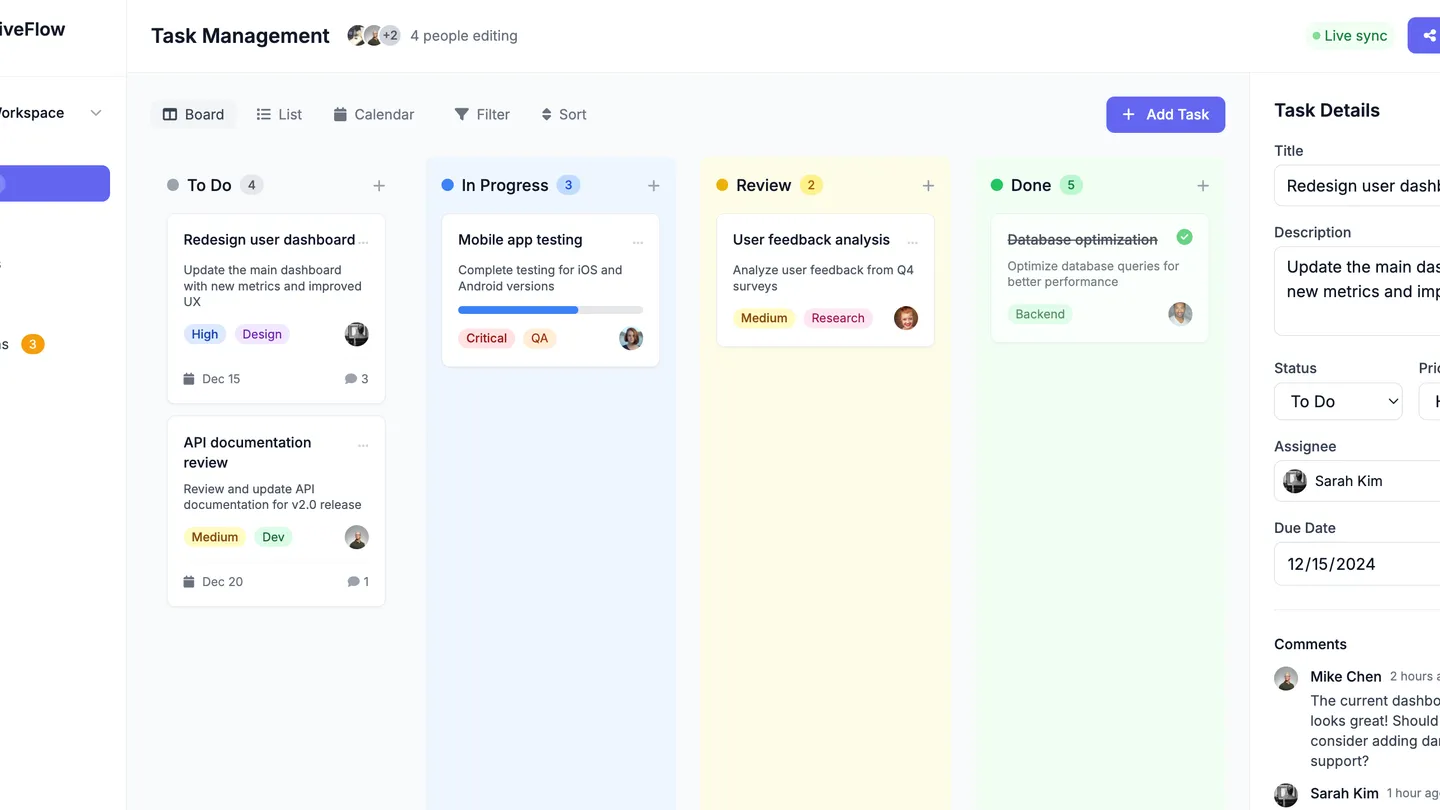
Example
Cross-Platform App Builder
Prompting the Cross-Platform App Builder
Mobile Games Cross-Platform App Builder Prompt
Build a cross-platform mobile game app with seamless cross-progression across mobile, tablet, and desktop, skill-based matchmaking for fair competitive play, offline core gameplay with automatic cloud sync, and adaptive controls featuring customizable touch, controller, and keyboard mappings with haptics.
Use promptSocial Media Cross-Platform App Builder Prompt
Build a cross-platform social media app with unified messaging (real-time DMs, group chats, voice notes synced across devices), a creator studio (built-in editing, filters, and post/story scheduling), granular privacy controls (per-post and profile audience, visibility, and data permissions), and a smart feed that personalizes content via interest-based ranking and cross-device learning.
Use promptProductivity Tools Cross-Platform App Builder Prompt
Build a cross-platform productivity app for tasks, notes, and documents with instant cross-device sync (phone, tablet, desktop), full offline editing with auto-merge, reusable templates and no-code automations, and real-time collaboration with presence, comments, and version history.
Use promptE-Commerce Platforms Cross-Platform App Builder Prompt
Build a cross-platform e-commerce app featuring universal checkout with a single cart and payment across app, web, and in-store QR; personalized recommendations from user behavior and preferences; AR try-on with 3D viewers on any device; and live order tracking with real-time shipment updates via push notifications.
Use promptTop Cross Platform App Features by Type
Cross-Progression
Save and resume gameplay seamlessly across mobile, tablet, and desktop. This keeps players engaged wherever they are and reduces churn.
Skill Matchmaking
Match players of similar skill levels for fair, competitive play across platforms. This improves retention and encourages social sharing.
Offline Mode
Allow core gameplay offline with automatic cloud sync when connected. This ensures playability on the go and broadens your audience.
Adaptive Controls
Offer customizable touch, controller, and keyboard mappings with haptics. This enhances accessibility and comfort across devices.
Cross-Device Sync
Keep tasks, notes, and documents instantly consistent on phone, tablet, and desktop. This removes friction and supports flexible workflows.
Offline Editing
Enable full editing without internet and auto-merge changes later. This boosts reliability and productivity during travel or outages.
Templates & Automations
Provide reusable templates and no-code workflows for common tasks. This speeds setup and reduces repetitive work.
Real-Time Collaboration
Allow multi-user editing with presence, comments, and version history. This improves team alignment and reduces back-and-forth.
Universal Checkout
Keep a single cart and payment flow across app, web, and in-store QR. This reduces abandonment and increases conversion.
Personalized Recs
Use behavior and preferences to suggest products across devices. This lifts AOV and repeat purchases.
AR Try-On
Let shoppers preview items with AR and 3D viewers on any device. This reduces returns and increases confidence.
Live Order Tracking
Provide real-time shipment updates with push notifications. This builds trust and reduces support tickets.
The Cross Platform App of Your Dreams
Get started freeFAQ about the Cross-Platform App Builder
What platforms can I target when building a cross-platform app here?
Replit is optimized for Web apps and lets you ship a PWA quickly from your browser. You can also develop cross-platform codebases for Desktop via Electron or Tauri and for mobile with React Native, Flutter, or Expo targeting iOS and Android, then build and distribute using their respective toolchains outside Replit. Many teams prototype the shared logic here and handle native packaging in CI or local environments. This approach lets you maintain one codebase while targeting Web, PWA, Desktop, and mobile ecosystems.
What are the quickest ways to start my project?
Spin up a Replit Workspace and choose Create with Agent to generate a starter app in minutes, or Build from Scratch for full control. Remix community projects to jump-start features fast. Import from GitHub to bring in existing code, or Import from Figma to convert designs to React UI. You can also accelerate onboarding with Bolt migration or Lovable migration.
How do the AI Agent and Assistant accelerate cross-platform development?
The AI Agent handles end-to-end code generation from natural language, while the Assistant provides autocomplete, debugging help, and in-editor documentation. When needed, web search fetches up-to-date docs and examples to keep implementations current. Automatic checkpoints let you experiment safely, and rollbacks restore your project if a change isn’t right. Together they shorten build cycles across platforms and stacks.
How should I set up the backend and APIs to serve multiple clients?
Build REST or GraphQL endpoints (and real-time via WebSocket) using Node.js or Python in the same Replit project. Persist data with Replit Database or a managed PostgreSQL instance. Keep secrets and environment variables secure in the Secrets manager. This lets Web, PWA, mobile, and Desktop clients consume the same APIs from one backend.
Can I turn designs into code and make the UI responsive across devices?
Use Figma import to generate a React project with components, styles, and assets—an AI-powered design-to-code jumpstart. Make responsive design adjustments with CSS and component patterns, and ask the Agent to refine breakpoints. The Visual Editor lets you click-to-edit text, images, and styles directly in the live preview. Iterate quickly across device sizes while keeping everything in real code.
How do I add authentication, payments, and messaging integrations?
Describe what you need and the Agent can wire up OAuth flows like Google OAuth, Firebase Auth, or Replit Auth. For payments, it can scaffold Stripe or PayPal integrations end-to-end. Add messaging and notifications with Twilio, SendGrid, or Slack. Store API keys securely in the Secrets manager and deploy with confidence.
How do I deploy, secure, and share my app across platforms?
Use one-click deploy to cloud hosting with built-in database hosting when needed. Connect a custom domain and get automatic HTTPS/SSL. Share preview and share links for quick feedback and testing across devices. You can iterate rapidly and redeploy in minutes.
Is this a no-code drag-and-drop builder, and what are the limitations?
Replit is an online IDE with a full code editor and AI, offering a low-code experience rather than pure no-code. The Visual Editor is great for UI tweaks but has limits and provides no full drag-and-drop logic. Complex data flows, state, and integrations remain code-based customization. This balance gives flexibility for developers while staying approachable for non-technical builders.
What are you waiting for?
Build an app without knowing how to code. Tell Replit what you have in mind, then make it your own.