Catering Website Builder
Build a catering website in minutes for free with AI. Write in plain English or tap buttons to create your website.
How to Use the Catering Website Builder
Step 1: Share your catering website's features and requirements.
Step 2: Replit generates your website instantly.
Step 3: Customize features and user experience.
Step 4: Launch your new catering website.
Catering Website Builder Example
Built with Replit.
Build your vision in minutes for free without writing a single line of code.
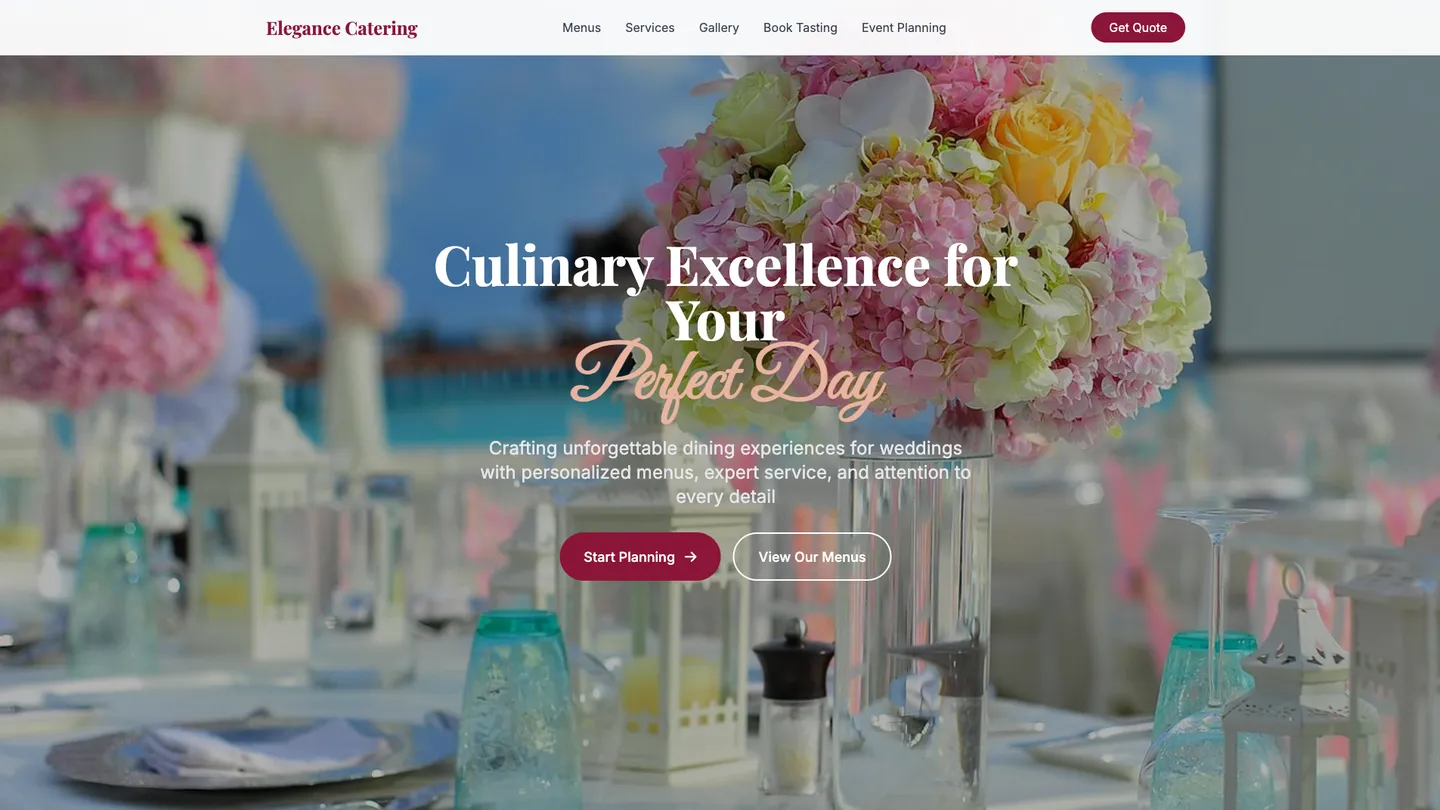
Example
Catering Website Builder
Prompting the Catering Website Builder
Wedding Catering Website Builder Prompt
Build a wedding catering website where couples and guests can customize menus (courses, cuisines, service styles) with live pricing, book tasting appointments via availability calendar with reminders, plan ceremony, cocktail hour, and reception timelines with smart prompts, and collect guest dietary needs (vegan, gluten-free, allergies) to auto-generate labeled menus.
Use promptCorporate Events Catering Website Builder Prompt
Build a corporate events catering website featuring a per-head Budget Calculator that filters menus/services in real time, Headcount Import via CSV/calendar sync, a Logistics Dashboard for delivery windows/load-in/badges/room assignments, and Invoicing & Compliance with PO numbers, tax IDs, net terms, and COI uploads.
Use promptPrivate Parties Catering Website Builder Prompt
Build a private parties catering site with preset Party Packages by guest count including menu/service/cleanup, on-demand Staff Booking for servers, bartenders, and chefs with clear hourly rates, Theme Menus for tapas/BBQ/cocktail socials, and a Rentals Manager to reserve tables, chairs, linens, heaters, and tableware with instant availability.
Use promptFood Truck Catering Website Builder Prompt
Build a food truck catering website with a Live Tracker (real-time location, ETA, daily route), a Pre-order Queue (timed orders with pickup notifications), an Event Booker (hosts submit date, expected headcount, and power needs for quotes), and a Permit Checker (auto-check local permits, parking rules, and health requirements by location).
Use promptTop Catering Website Features by Type
Menu Builder
Guests or couples can customize courses, cuisines, and service styles with live pricing. This ensures the wedding menu matches tastes and budgets without endless back-and-forth.
Tasting Scheduler
Couples can book tasting appointments with calendar availability and reminders. It streamlines planning and boosts conversion by reducing friction before booking.
Timeline Planner
Plan ceremony, cocktail hour, and reception service times with smart prompts. This keeps vendors aligned and prevents delays on the wedding day.
Dietary Manager
Collect guest dietary needs (vegan, gluten-free, allergies) and auto-generate labeled menus. It increases guest satisfaction and reduces risk for sensitive diets.
Budget Calculator
Set per-head budgets and instantly see menu and service options that fit. It helps planners control costs and get approvals faster.
Headcount Import
Upload attendee lists via CSV or connect calendars to sync headcounts. This minimizes manual data entry and improves ordering accuracy at scale.
Logistics Dashboard
Centralize delivery windows, load-in details, badges, and room assignments. It reduces onsite confusion and keeps facility teams aligned.
Invoicing & Compliance
Generate invoices with PO numbers, tax IDs, and net terms, plus require COI uploads. It meets corporate procurement standards and speeds payment.
Party Packages
Offer preset bundles for guest counts with menu, service, and cleanup included. This makes planning simple and transparent for hosts.
Staff Booking
Add servers, bartenders, and chefs on-demand with clear hourly rates. It ensures the right support level without calling multiple vendors.
Theme Menus
Curated menus for themes like tapas night, BBQ, or cocktail socials. It inspires hosts and speeds decisions with proven combinations.
Rentals Manager
Reserve tables, chairs, linens, heaters, and tableware with instant availability. This consolidates vendors and avoids last-minute shortages.
Live Tracker
Show real-time truck location, ETA, and daily route. It drives foot traffic and reduces inbound 'where are you' messages.
Pre-order Queue
Guests place timed orders and get pickup notifications to avoid lines. It increases throughput and improves customer satisfaction at events.
Event Booker
Hosts request truck bookings with date, expected headcount, and power needs. It captures leads and automates quoting for private events.
Permit Checker
Auto-check local permits, parking rules, and health requirements by location. It prevents fines and last-minute cancellations.
The Catering Website of Your Dreams
Get started freeFAQ about the Catering Website Builder
How to create a website for catering business?
To create a catering website, start with a pre-built template and customize it with your business details.
A standard catering website needs pages for menus, services, a photo gallery, and contact information. Building one involves editing HTML for content and structure, CSS for visual styling, and sometimes JavaScript for interactive features like a contact form.
You can begin by forking a website template in the Replit workspace. From there, you can directly edit the files to add your menu, photos, and business details. If you need to add a new feature or fix an error in your code, you can ask Agent3 to write or modify it for you. Once the site is complete, you can deploy it directly from the workspace.
How to create your own food catering website?
You can create a food catering website by starting with a template and then customizing it with your menu, photos, and business details.
A typical catering website includes pages for your services, a menu, a gallery of your food, and a contact form for inquiries and bookings.
To start, you can fork a website template. Use the workspace to edit the HTML and CSS files, replacing the placeholder content with your own. For custom features, like an interactive menu or a booking form, you can ask Agent3 to write the necessary code. Once your site is ready, you can deploy it directly from the workspace.
How much does a food catering website cost?
A food catering website can cost from nothing to over $10,000.
The final price depends on factors like custom design, development, and specific features such as online ordering or booking systems. Using a pre-made template is typically less expensive than hiring a developer for a custom site.
You can build and host a basic site on Replit for free by starting with a template. For custom features, you can ask Agent3 to write code, add a menu page, or fix errors. This workflow helps you avoid developer costs. Your main expense would be for optional paid hosting plans if you need more power or a custom domain.
Can I create a catering website for free?
Yes, you can create and host a basic catering website for free. Free website creation typically involves using a platform's free hosting tier, which may include a branded domain and have certain usage limits.
On Replit, you can start with a website template. Use the workspace to edit the files and customize the content, such as adding your menu, photos, and contact information. If you need to change the design, fix a bug, or add a new feature like an order form, you can ask Agent3 to write or modify the code for you.
Once your site is ready, you can deploy it for free directly from your workspace. Your website will be live on a replit.dev URL.
What features should a catering website include?
A catering website should include a menu, a photo gallery of past events, customer testimonials, and a contact form for inquiries. These features allow potential customers to see your offerings, view the quality of your work, and easily get in touch. A professional site builds trust and helps attract new business.
You can start with a website template in the workspace. Customize the HTML and CSS files to add sections for your menu, gallery, and services. For a functional contact form, you will need a simple backend, which you can build using Python or JavaScript. If you need help with the code, ask Agent3 to generate the HTML for a menu, create a photo gallery, or fix errors in your contact form logic.
What are you waiting for?
Build an app without knowing how to code. Tell Replit what you have in mind, then make it your own.