Author Website Builder
Build a author website in minutes for free with AI. Write in plain English or tap buttons to create your website.
How to Use the Author Website Builder
Step 1: Share your author website's features and requirements.
Step 2: Replit generates your website instantly.
Step 3: Customize features and user experience.
Step 4: Launch your new author website.
Author Website Builder Example
Built with Replit.
Build your vision in minutes for free without writing a single line of code.
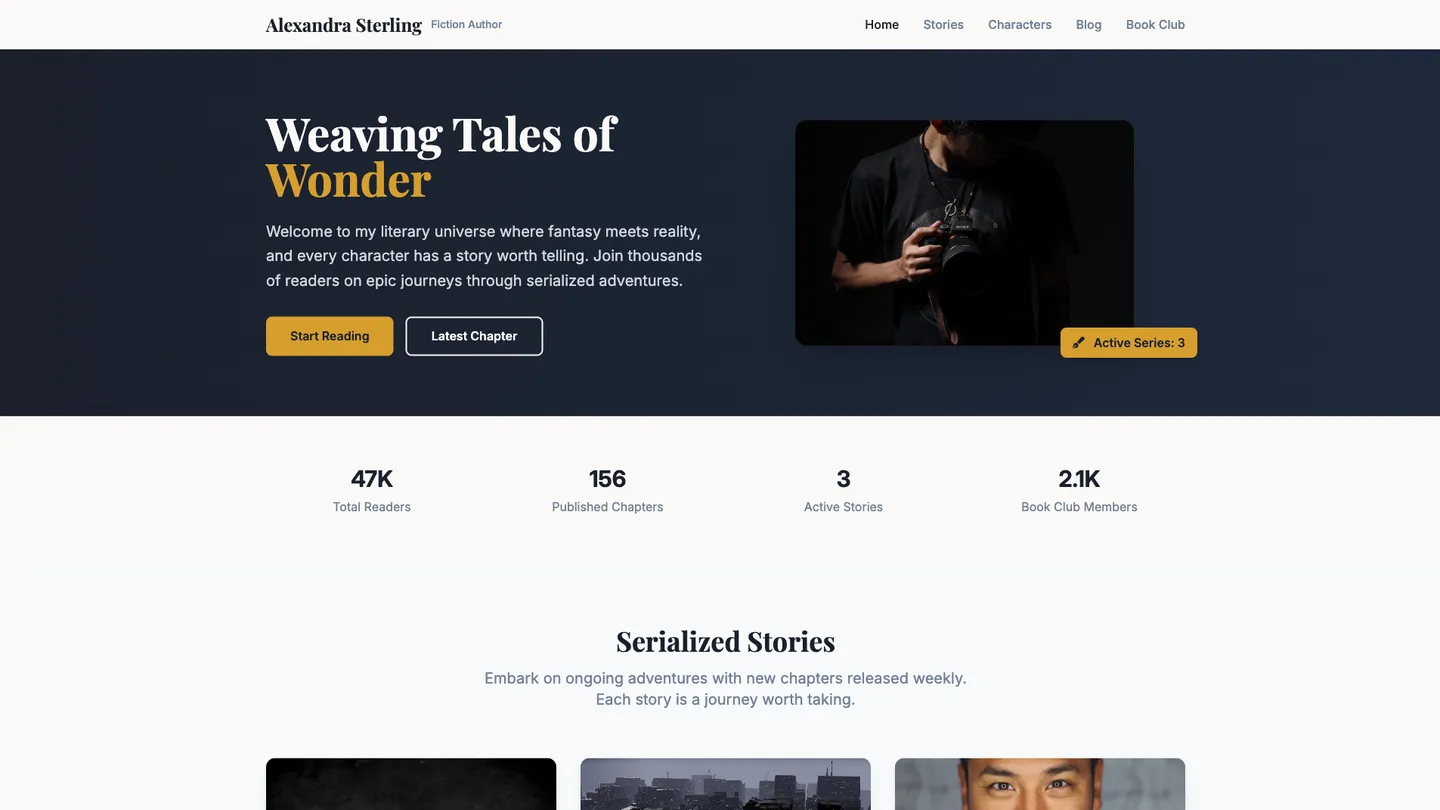
Example
Author Website Builder
Prompting the Author Website Builder
Fiction Writer Author Website Builder Prompt
Build a fiction author website featuring Serialized Stories with release schedules, a Character Encyclopedia of characters/timelines/worlds with artwork and notes, a Behind-the-Scenes Blog sharing inspiration/drafts/process insights, and a Book Club Hub with discussion guides, event listings, and virtual meetups.
Use promptNon-Fiction Author Author Website Builder Prompt
Build a non-fiction author website featuring a Research Library with curated sources and citations per book, Case Studies showcasing real-world outcomes and takeaways, a Speaking & Workshops booking page with topics, formats, reels, and availability, and an Insight Newsletter delivering summaries, frameworks, and timely analysis.
Use promptChildren'S Book Author Author Website Builder Prompt
Build a children's book author website featuring author-led or animated read-aloud videos with captions and pacing controls, printable coloring pages of characters and scenes, kid-safe no-login mini games themed to the books to reinforce story concepts, and parent & teacher guides with lesson plans, discussion prompts, and reading level info.
Use promptSelf-Help Writer Author Website Builder Prompt
Build a self-help author website that turns book advice into action with a daily Habit Tracker (streaks and reminders), offers Guided Exercises with downloadable worksheets and audio prompts, showcases Success Stories with before-and-after details and steps taken, and provides Coaching Booking with a calendar and payment gateway for 1:1 or group sessions.
Use promptTop Author Website Features by Type
Serialized Stories
A section where readers can follow ongoing story installments with release schedules. It builds anticipation and keeps fans returning regularly.
Character Encyclopedia
A browsable guide to characters, timelines, and worlds with artwork and notes. It deepens immersion and rewards loyal readers with lore.
Behind-the-Scenes Blog
Posts sharing inspiration, drafts, and writing process insights. It humanizes the author and strengthens the author-reader connection.
Book Club Hub
A page with discussion guides, event listings, and virtual club meetups. It encourages community and boosts word-of-mouth sales.
Habit Tracker
A simple tool for daily habits with streaks and reminders. It turns book advice into measurable action.
Guided Exercises
Downloadable worksheets and audio prompts for common challenges. It provides structure and boosts completion rates.
Success Stories
Curated testimonials with before-and-after details and steps taken. It builds trust and motivates new readers to start.
Coaching Booking
A calendar and payment gateway for 1
The Author Website of Your Dreams
Get started freeFAQ about the Author Website Builder
What is the best website builder for authors?
The best website builder for an author depends on their technical comfort. No-code builders offer simplicity, while coding provides complete creative control.
Website builders like Squarespace or Wix are user-friendly but can limit customization. Building a site with code (HTML, CSS, JavaScript) offers unlimited flexibility to create a unique online presence that matches your author brand perfectly.
Replit is a code-based environment. You can start with a portfolio template and then customize it. If you're not a coder, you can ask Agent3 to make changes for you. For example, prompt it to "add a section for my new book" or "change the color scheme to match my book cover." Agent3 can write the code, explain it, and help you fix errors, making it possible to build a custom site without deep programming knowledge.
How to build a website as an author?
To build an author website, you create the files that define its content and appearance. This typically involves using HTML for the site’s structure, CSS for styling, and sometimes JavaScript for interactive elements. These files work together to display your pages in a web browser.
On Replit, you can start with a website template. This provides a working site that you can customize in the workspace by editing the files to add your biography, book details, and contact information. For code changes you are unsure how to make, you can instruct Agent3 to modify the code, fix errors, or add new sections. Once your site is ready, you can deploy it directly from the workspace.
How much does an author website cost?
An author website can cost anywhere from free to several hundred dollars annually. With Replit, you can create and host a basic site at no cost.
Typical expenses for a website include a domain name (usually $10–$20 per year), hosting fees, and design. While DIY options can be free, custom development can be expensive.
Replit provides free hosting for static websites. You can begin with a template and modify the files directly in the workspace. If you encounter issues or want to add features, you can ask Agent3 to write or debug the code. The primary cost would be for a custom domain name, which you can purchase separately and link to your deployment.
Do first time authors need a website?
Yes, a website is a valuable tool for a first-time author. It helps you build a readership, share updates about your work, and establish a professional online presence. A simple site with a biography, book information, and contact details is often enough to start.
You can build and host a website directly on Replit. Start by forking a website template from the Templates tab. Edit the content in the HTML and CSS files to personalize your site. If you encounter errors or want to make changes, you can ask Agent3 to help you debug code or add new features. When your site is ready, deploy it with a few clicks from the workspace.
What features should an author website include?
An author website should include a biography, a portfolio of works, a blog, and a contact method. These features establish your professional presence and connect you with readers.
A standard author site acts as a central hub. An "About Me" page introduces your background, a "Books" or "Portfolio" section showcases your publications, a blog engages your audience, and a contact form allows agents, publishers, and readers to connect with you.
You can build this on Replit by starting with a portfolio template, which provides the basic structure. Edit the HTML and CSS files in the workspace to add your biography, book details, and blog posts. To add a new feature, like an email signup form, you can ask Agent3 to write the code. Agent3 can also help fix errors or modify the site's design. When finished, you can deploy your website directly from the workspace.
What are you waiting for?
Build an app without knowing how to code. Tell Replit what you have in mind, then make it your own.