

Hvac Website Builder
Build a HVAC website in minutes for free with AI. Write in plain English or tap buttons to create your website.







How to Use the HVAC Website Builder
HVAC Website Builder Example
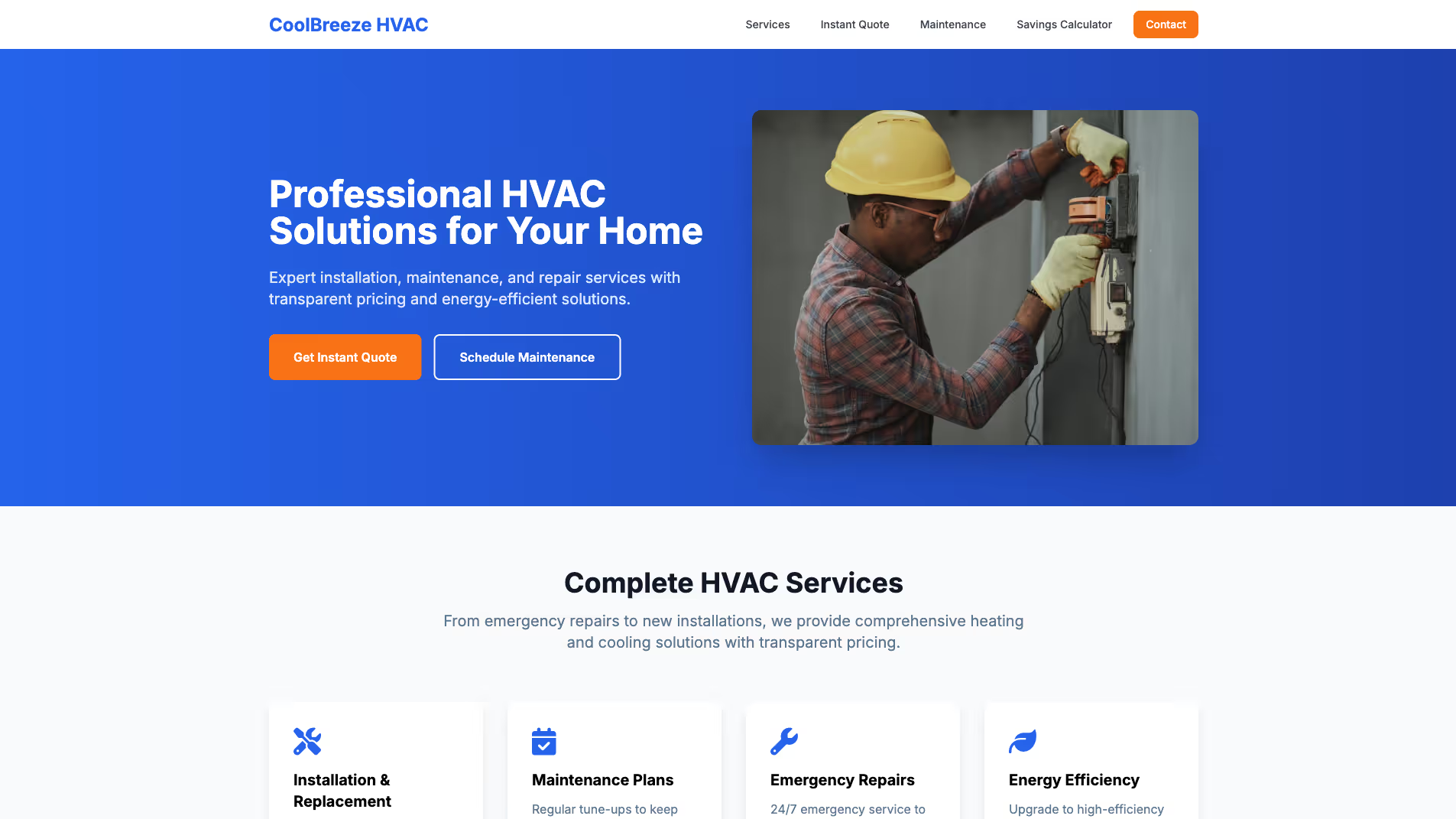
Built with Replit.
Build your vision in minutes for free without writing a single line of code.
Prompting the HVAC Website Builder
Create a residential HVAC website that includes an Instant Quote Tool for installs/replacements with transparent price ranges, a Comfort Plan Scheduler for tune-ups and maintenance, an Energy Savings Calculator comparing current bills to high-efficiency savings, and a System Match Wizard recommending furnace/AC or heat pumps by home size, climate, and budget.
Build a commercial HVAC website for property managers that includes a Facility ROI Planner for lifecycle cost and ROI modeling, a Multi-Site Service Portal for tickets/assets/warranties/schedules, a Compliance & Documentation tracker for permits/EPA/safety/inspections, and a BAS Integration Showcase with interactive demos and case studies.
Build an HVAC repair services website with a Rapid Dispatch Button for one-tap emergency requests capturing issue details, photos, and preferred time; Live Technician Tracking with real-time map and ETA updates; a Troubleshoot Assistant guided checklist for common issues and safe pre-visit steps; and a Warranty & Parts Lookup to instantly verify equipment coverage and match available OEM parts.
Build an HVAC installation services website that includes a Load Calculation Wizard for Manual J/S sizing, an Installation Timeline Tracker with milestones, prep tasks, and permit status, an Equipment Configurator for brands, SEER/AFUE, add-ons, and financing, and a Post-Install Quality Checklist logging airflow, refrigerant, and thermostat verification.
Top HVAC Website Features by Type
Instant Quote Tool
A guided form that estimates costs for common residential HVAC installations and replacements. It reduces friction for homeowners and increases lead conversions by providing immediate, transparent pricing ranges.
Comfort Plan Scheduler
An online booking calendar for tune-ups, filter changes, and seasonal maintenance. Easy scheduling builds trust and encourages recurring service revenue while keeping systems efficient.
Energy Savings Calculator
An interactive tool comparing current utility bills with projected savings from high-efficiency units. It helps homeowners justify upgrades by visualizing long-term cost reductions.
System Match Wizard
A quiz that recommends the best furnace/AC or heat pump based on home size, climate, and budget. Personalized recommendations speed decision-making and reduce overwhelm.
Facility ROI Planner
A calculator modeling lifecycle costs, downtime risk, and efficiency ROI for large systems. It helps property managers build business cases for upgrades and budget approvals.
Multi-Site Service Portal
A dashboard to manage service tickets, assets, warranties, and maintenance schedules across locations. Centralization streamlines operations and reduces administrative overhead.
Compliance & Documentation
A library and tracker for permits, EPA compliance, safety certifications, and inspection logs. It minimizes risk and keeps audits smooth for regulated facilities.
BAS Integration Showcase
Interactive demos and case studies of integrating with Building Automation Systems and IoT sensors. Demonstrated interoperability reassures stakeholders and shortens sales cycles.
Rapid Dispatch Button
One-tap emergency request that captures issue, photos, and preferred time. Faster triage improves first-time fix rates and customer satisfaction during breakdowns.
Live Technician Tracking
Real-time map and ETA updates once a repair is scheduled. Transparency reduces no-shows and support calls while building trust.
Troubleshoot Assistant
A guided checklist to identify common issues and safe pre-visit steps. It prevents unnecessary visits and prepares technicians with better context.
Warranty & Parts Lookup
Instant verification of equipment warranties and available OEM parts. Faster parts matching shortens downtime and avoids surprise costs.
Load Calculation Wizard
An interactive tool to gather home/building data for Manual J/S calculations. Proper sizing leads to efficient installs and fewer callbacks.
Installation Timeline Tracker
A step-by-step project timeline with milestones, prep tasks, and permit status. Clear expectations reduce anxiety and keep projects on schedule.
Equipment Configurator
A selector for brands, SEER/AFUE ratings, add-ons, and financing options. Guided choices increase upsells while aligning with customer needs.
Post-Install Quality Checklist
Digital commissioning checklist with airflow, refrigerant, and thermostat verification logs. Documented quality ensures performance and supports warranties.
The HVAC Website of Your Dreams
FAQ about the Hvac Website Builder
What is the best website builder for hvac?
The best website builder depends on your technical comfort. If you prefer to work with code for greater flexibility, a platform like Replit is a strong choice. Otherwise, a no-code, drag-and-drop builder may be more suitable.
Website builders provide the tools to create and publish a site. For an HVAC business, this typically includes pages for services, contact information, and customer testimonials. Some builders offer pre-made templates, while others give you a blank canvas to code from scratch.
You can build an HVAC website on Replit by starting with a web template. From the workspace, you can edit the HTML and CSS files to add your company’s branding, service details, and contact forms. If you need to modify the design or fix a bug, you can ask Agent3 to help you with the code. When your site is complete, you can deploy it with a single click.
How much does a hvac website cost?
An HVAC website can cost from a few hundred dollars for a template-based site to over $10,000 for a custom build. The price varies based on design complexity, the number of pages, and special features like online booking systems.
You can build and host a basic website on Replit for free. Start with a website template and edit the files to add your business information. If you need to change the layout, add a services page, or fix errors in the code, you can ask Agent3 for assistance. Once the site is ready, you can deploy it directly from the workspace. While basic hosting is included, a paid plan is required for custom domains and additional resources.
How to build a hvac website?
You can build and host an HVAC website by starting with a template and customizing it with your business details.
A typical business website includes pages for services, company information, and contact details. The process involves editing code and content files to match your brand and list your offerings.
To start, select a business or portfolio template. In the workspace, you can edit the HTML and CSS files to add your specific services, photos, and contact information. If you need to modify the code or fix an error, you can ask Agent3 for assistance. Once the site is ready, you can deploy it directly from your project.
How much does it usually cost to pay someone to build a hvac website?
Paying a developer to build a custom HVAC website typically costs from a few thousand to over ten thousand dollars. The final price depends on the site's complexity, including custom features like online booking or service quote calculators.
You can build the website yourself on Replit. Start with a business website template and edit the files to add your content. If you need to add a feature or fix an error, you can ask Agent3 to write or modify the code for you. Once the site is complete, you can deploy it directly from your workspace.
What features should a hvac website include?
An effective HVAC website needs a list of services, contact information with a form or booking tool, customer reviews, and an "About Us" page. These elements build trust and make it easy for potential clients to hire you.
You can build your site on Replit by starting with a website template. From the workspace, you can edit the HTML and CSS files to add your specific services, company details, and testimonials. For features like a contact form or an online scheduler, you can integrate a third-party tool or build your own.
If you need help customizing your site, Agent3 can modify the code for you. For example, you can ask it to "add a contact form that sends submissions to my email" or "fix the layout on my services page." When your site is ready, you can deploy it with a single click.