CRM With Website Builder
Build a CRM website in minutes for free with AI. Write in plain English or tap buttons to create your website.
How to Use the CRM With Website Builder
Step 1: Share your CRM website's features and requirements.
Step 2: Replit generates your website instantly.
Step 3: Customize features and user experience.
Step 4: Launch your new CRM website.
CRM With Website Builder Example
Built with Replit.
Build your vision in minutes for free without writing a single line of code.
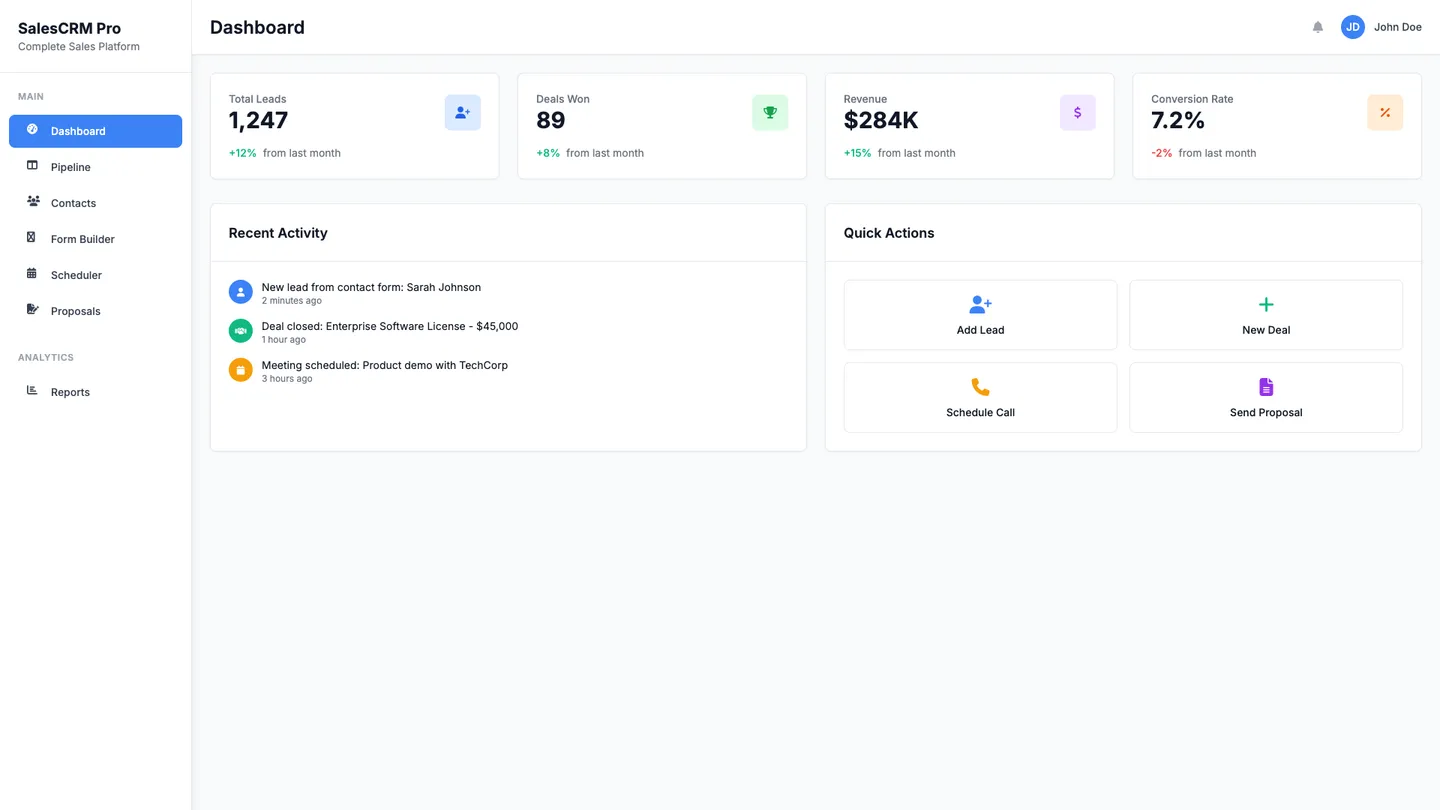
Example
CRM With Website Builder
Prompting the CRM With Website Builder
Sales CRM CRM With Website Builder Prompt
Build a sales CRM with a website builder that embeds customizable web-to-lead forms to instantly create and score leads, displays a drag-and-drop pipeline deal board synced to website lead sources, includes a meeting scheduler widget that books directly to rep calendars and logs in the CRM, and offers a proposal e-sign portal with web-hosted proposals/contracts, secure signatures, and view/sign tracking.
Use promptMarketing CRM CRM With Website Builder Prompt
Build a no-code marketing CRM with an integrated landing page builder for fast mobile-optimized pages tied to CRM segments, email/SMS automation triggered by website behavior, on-site popups/CTAs (exit-intent, sticky bars, dynamic offers) connected to the CRM, and SEO/content analytics tracking keyword rankings, page performance, and engagement linked to leads and revenue.
Use promptCustomer Service CRM CRM With Website Builder Prompt
Build a customer service CRM website that includes a searchable knowledge base tied to CRM articles, a secure ticketing portal for submitting/tracking/updating cases synced to the CRM, real-time live chat with an AI chatbot that surfaces CRM data and escalates to agents, and a public status/incident page integrated with CRM notifications.
Use promptAnalytical CRM CRM With Website Builder Prompt
Build an analytical CRM with an integrated website builder that unifies CRM, website, and transactional data into interactive Customer 360 executive dashboards, implements multi-touch web attribution from pageviews, UTMs, and events tied to CRM outcomes, performs cohort LTV analysis by acquisition source, content, and behavior, and delivers predictive churn scoring from behavioral and support signals to enable targeted retention plays.
Use promptTop CRM Website Features by Type
Web-to-Lead Forms
Embed customizable forms on your website that instantly create and score leads in the CRM. This streamlines capture and ensures reps prioritize the highest-intent visitors.
Pipeline Deal Board
Visualize every opportunity in a drag-and-drop pipeline synced with website lead sources. It helps sales teams forecast accurately and focus on deals that came from high-performing pages.
Meeting Scheduler
Place a calendar widget on your site that books meetings directly to rep calendars and logs them in the CRM. This removes back-and-forth emails and accelerates speed-to-lead.
Proposal E‑Sign Portal
Share web-hosted proposals and contracts with secure e-sign integrated to the CRM. It shortens the sales cycle and gives visibility into when buyers view and sign.
Landing Page Builder
Spin up fast, mobile-optimized pages tied directly to CRM segments. This enables targeted campaigns and improves conversion tracking from click to customer.
Email SMS Automation
Orchestrate multi-step email and SMS journeys triggered by website behavior. It nurtures visitors at the right moment and lifts campaign ROI.
On‑Site Popups CTAs
Deploy exit-intent popups, sticky bars, and dynamic CTAs connected to the CRM. This captures more subscribers and personalizes offers by segment.
SEO Content Analytics
Track keyword rankings, content performance, and on-site engagement linked to leads and revenue. It shows which pages drive pipeline so you invest in what works.
Knowledge Base
Publish a searchable self-service help center on your website tied to CRM articles. This deflects repetitive tickets and gives customers 24/7 answers.
Ticketing Portal
Offer a secure web portal where customers submit, track, and update cases synced to the CRM. It increases transparency and reduces back-and-forth emails.
Live Chat Chatbot
Provide real-time chat with an AI chatbot that surfaces CRM data and escalates to agents. This speeds resolution and improves first-contact success.
Status Page
Host a public status and incident page integrated with your CRM notifications. It proactively informs users and cuts inbound volume during outages.
Customer 360 Dashboards
Unify CRM, website, and transactional data into interactive executive dashboards. This reveals full-funnel performance and supports data-driven decisions.
Web Attribution Modeling
Build multi-touch attribution using pageviews, UTMs, and events tied to CRM outcomes. It clarifies which channels and pages truly drive revenue.
Cohort LTV Analysis
Analyze cohorts by acquisition source, content, and behavior to measure lifetime value. This guides budget allocation to the highest-yield segments.
Predictive Churn Scoring
Use behavioral and support signals from the website and CRM to forecast churn risk. It enables proactive saves with targeted retention plays.
The CRM Website of Your Dreams
Get started freeFAQ about the CRM With Website Builder
Does hubspot have a crm with website builder?
Yes, HubSpot provides a CRM with an integrated website builder, which is part of its CMS Hub. This allows users to build and manage a website that is natively connected to their customer data.
On Replit, you can build a custom website from a template or from scratch and connect it to any CRM you choose. This is typically done by writing code that interacts with the CRM's API. For assistance, you can ask Agent3 to generate the necessary integration code, help you understand API documentation, or debug any errors in your setup.
Do I need a crm if I have a crm with website?
Yes, you will need a separate CRM. While you can build and host a website on Replit, it does not include a built-in Customer Relationship Management (CRM) tool.
A CRM system stores customer information, tracks interactions, and helps manage sales or user engagement. It is a vital tool for any website that needs to manage relationships with a growing audience.
To connect a CRM, you can add an integration snippet from a third-party provider into your site's code. If you encounter issues or need to build a custom connection, you can ask Agent3 to write or debug the code for you. For instance, you could ask it to create a contact form that sends submissions to your CRM via its API.
What features should a crm with website include?
A CRM with a website should include contact management, lead capture forms, and communication tracking.
These features allow you to collect information from website visitors, organize contacts, and manage interactions centrally. This helps streamline sales and marketing by providing a clear view of customer relationships.
You can build a website with these CRM features on Replit using a template or by coding it yourself. Create lead capture forms with HTML and connect them to a backend that saves data to ReplitDB. For tracking communications, you can integrate a third-party service API. If you need help, ask Agent3 to write code for a new feature or fix errors. For instance, you could ask it to "create a Python backend to save form data to ReplitDB."
How do I design a professional-looking crm with website?
You can design a professional-looking website by starting with a clean template and then customizing its visual elements. Professional design typically involves a consistent color palette, readable typography, and an uncluttered layout.
In Replit, begin by selecting a website template that fits your project. You can then modify the design by editing the HTML and CSS files in the workspace. For help with coding, you can ask Agent3 to make specific changes. For instance, prompt it to "change the site's font to 'Inter'" or "create a two-column layout for the main content area." Agent3 can also help fix styling errors or suggest code to improve your design's responsiveness.
What is the best way to optimize a crm with website for search engines?
The best way to optimize your website for search engines is by using relevant keywords in high-quality content and ensuring your site has a clean technical structure, including meta tags.
Search Engine Optimization (SEO) helps search engines understand and rank your site. Good SEO makes your website appear higher in search results, which brings more visitors.
In your Replit project, you can edit the HTML files directly to improve SEO. Add descriptive <title> and <meta name="description"> tags to your index.html file. You can also ask Agent3 to help with these tasks. For example, prompt Agent3 to "suggest keywords for a portfolio website" or "write a meta description for this page." Agent3 can also review your code to find and fix technical issues or add missing SEO elements like alt tags for images.
What are you waiting for?
Build an app without knowing how to code. Tell Replit what you have in mind, then make it your own.