For sales teams
Replit for Sales
Win more customers with account research, personalized follow-up, and clearer deal plans.

Live workspace
Connect your stack. Build what's missing.
Bring account records, call context, and sales plans into one working app.

 Salesforce
 HubSpot
 Gong
Gong Google Drive
 ReplitYour team's
working tools
 Google Docs
 Google Sheets
'%3e%3cpath%20fill='%23f4b400'%20d='M44.823%200h-38.1C3.026%200%200%203.026%200%206.723v85.165c0%203.697%203.026%206.723%206.723%206.723h58.27c3.699%200%206.724-3.026%206.724-6.723V26.894L56.03%2015.688z'/%3e%3c/g%3e%3cg%20mask='url(%23SVGOJaYrdyS)'%3e%3cpath%20fill='%23f1f1f1'%20d='M50.426%2044.823H21.291a3.37%203.37%200%200%200-3.362%203.362V77.32a3.37%203.37%200%200%200%203.362%203.362h29.135a3.37%203.37%200%200%200%203.362-3.362V48.185a3.37%203.37%200%200%200-3.362-3.362m-1.12%2025.774H22.412V54.909h26.894z'/%3e%3c/g%3e%3cg%20mask='url(%23SVGOJaYrdyS)'%3e%3cpath%20fill='url(%23SVGHjkXJesw)'%20d='M46.79%2024.927L71.717%2049.85V26.894z'/%3e%3c/g%3e%3cg%20mask='url(%23SVGOJaYrdyS)'%3e%3cpath%20fill='%23fada80'%20d='M44.823%200v20.17a6.72%206.72%200%200%200%206.724%206.724h20.17z'/%3e%3c/g%3e%3cg%20mask='url(%23SVGOJaYrdyS)'%3e%3cpath%20fill='%23fff'%20fill-opacity='.1'%20d='M44.823%200v.56l26.334%2026.334h.56z'/%3e%3c/g%3e%3cg%20mask='url(%23SVGOJaYrdyS)'%3e%3cpath%20fill='%23fff'%20fill-opacity='.2'%20d='M6.723%200C3.026%200%200%203.026%200%206.723v.56C0%203.587%203.026.56%206.723.56h38.1V0z'/%3e%3c/g%3e%3cg%20mask='url(%23SVGOJaYrdyS)'%3e%3cpath%20fill='%23bf360c'%20fill-opacity='.2'%20d='M64.994%2098.05H6.724C3.025%2098.05%200%2095.026%200%2091.328v.56c0%203.698%203.026%206.724%206.723%206.724h58.27c3.699%200%206.724-3.026%206.724-6.723v-.56c0%203.697-3.025%206.723-6.723%206.723'/%3e%3c/g%3e%3cg%20mask='url(%23SVGOJaYrdyS)'%3e%3cpath%20fill='%23bf360c'%20fill-opacity='.1'%20d='M51.547%2026.894a6.72%206.72%200%200%201-6.724-6.723v.56a6.72%206.72%200%200%200%206.724%206.723h20.17v-.56z'/%3e%3c/g%3e%3cpath%20fill='url(%23SVG6dpJadoi)'%20d='M44.823%200h-38.1C3.026%200%200%203.026%200%206.723v85.165c0%203.697%203.026%206.723%206.723%206.723h58.27c3.699%200%206.724-3.026%206.724-6.723V26.894z'/%3e%3cdefs%3e%3cradialGradient%20id='SVG6dpJadoi'%20cx='0'%20cy='0'%20r='1'%20gradientTransform='translate(2.272%201.96)scale(115.643)'%20gradientUnits='userSpaceOnUse'%3e%3cstop%20stop-color='%23fff'%20stop-opacity='.1'/%3e%3cstop%20offset='1'%20stop-color='%23fff'%20stop-opacity='0'/%3e%3c/radialGradient%3e%3clinearGradient%20id='SVGHjkXJesw'%20x1='59.255'%20x2='59.255'%20y1='27.067'%20y2='49.852'%20gradientUnits='userSpaceOnUse'%3e%3cstop%20stop-color='%23bf360c'%20stop-opacity='.2'/%3e%3cstop%20offset='1'%20stop-color='%23bf360c'%20stop-opacity='.02'/%3e%3c/linearGradient%3e%3c/defs%3e%3c/g%3e%3c/svg%3e) Google Slides
Google Slides Slack
SlackPersonalized sponsor and renewal materials
Build draft decks, summaries, and invitations from approved customer context. Keep offers, account facts, and final messages subject to review.

1 of 4 — Personalized sponsor and renewal materials
Prioritize accounts. Personalize follow-up. Protect pipeline.

Workflow 01
Account research and deal strategy
Win more customers by focusing sellers on the right accounts and next actions.
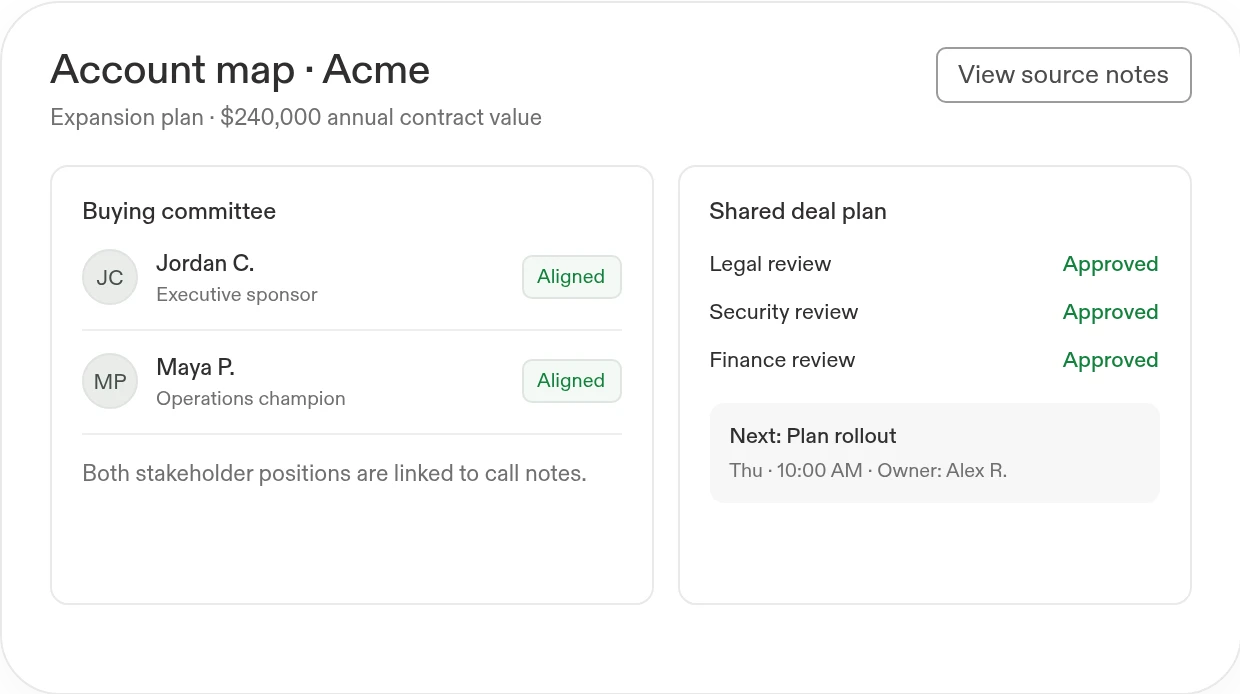
- Prioritize accounts and map stakeholdersCombine fit, activity, and approved account signals. Identify decision-makers, relationships, buying priorities, and gaps in the account map.
- Build a shared deal planTurn buyer priorities, competitors, objections, and internal commitments into a deal strategy with owners and next actions. Share a source-linked team summary.
Know the next step.
What you'll build
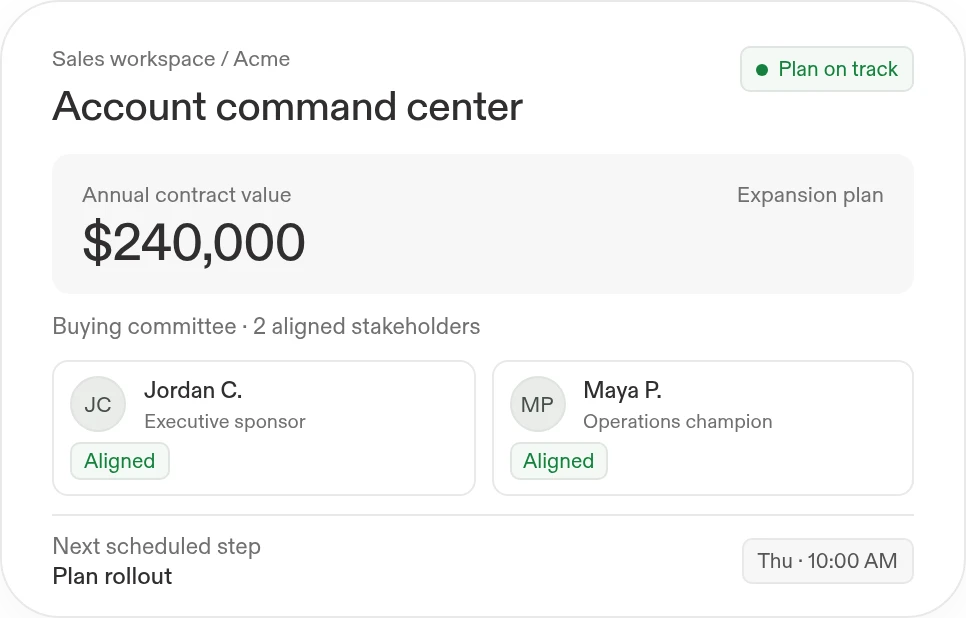
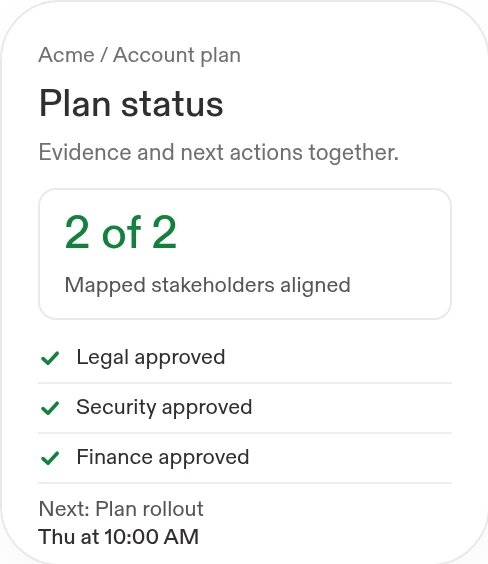
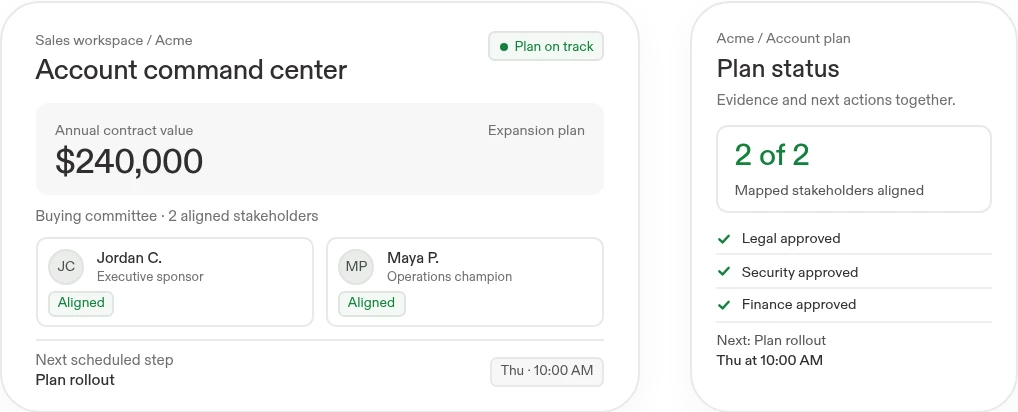
A live account map, prioritized action queue, and team summary that sellers can update as the opportunity develops.
Build an account command center from our CRM, call notes, and account documents. Map stakeholders, identify blockers, recommend a deal strategy, and create a shared execution plan.
Works withSalesforceHubSpotGongGoogle DriveGoogle DocsSlack
SalesforceHubSpotGongGoogle DriveGoogle DocsSlackBuild with Replit.
Workflow 02
Meeting preparation and personalized follow-up
Save sellers preparation time and keep more customer conversations moving.
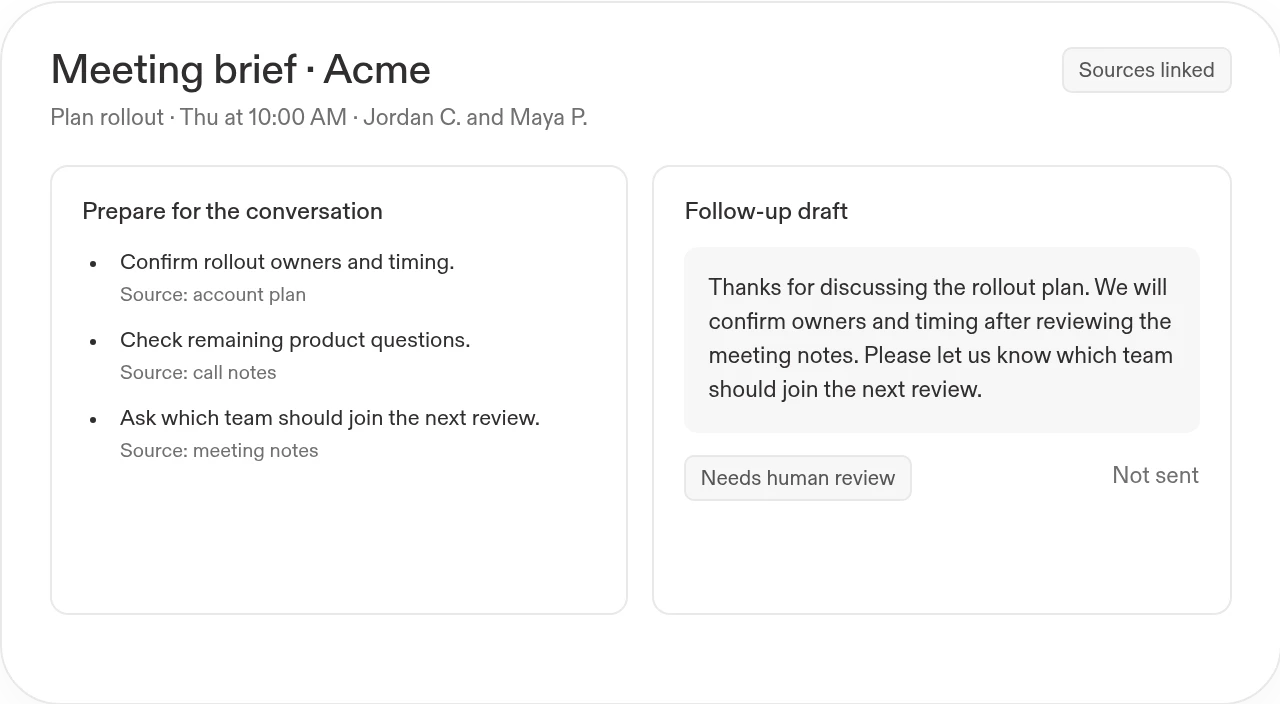
- Prepare a source-linked meeting briefSummarize account history, recent conversations, open questions, and relevant product material. Highlight what the seller should verify with the customer.
- Follow up on what the buyer actually saidDraft an email, account summary, or sponsor deck using approved context. Track promised actions and leave pricing, commitments, and sending to an authorized person.
Routine
Start customer meetings with a prepared brief
Prepare linked briefs for customer meetings with objectives, risks, decisions, and preparation questions.
Create a Routine named "Daily meeting prep" for weekdays at 7:10 AM in my timezone. Before scheduling, confirm my calendar, Gmail account, approved Drive folders, scopes, and timezone. Review today’s external and decision-oriented meetings and gather relevant recent correspondence and account documents. Return a brief here for each meeting: objective, attendees, recent interactions, open decisions, risks, and three preparation questions. Link the event and every supporting source; flag missing or conflicting context. Do not change calendar events, send messages, or edit files. Prepare one sample before enabling the schedule.

Less time
preparing
with buyers
preparing
What you'll build
An account brief and reviewable follow-up package, with the original sources beside each recommendation.
Create a meeting-prep workspace for this account. Show the latest buyer priorities and unresolved questions, then draft a follow-up with agreed actions, owners, and due dates.
Works withGongSalesforceHubSpotGoogle DocsGoogle SlidesGoogle Drive
GongSalesforceHubSpotGoogle DocsGoogle SlidesGoogle DriveWorks withGongSalesforceHubSpotGoogle DocsGoogle SlidesGoogle Drive
GongSalesforceHubSpotGoogle DocsGoogle SlidesGoogle Drivewith buyers

Live workspace
Workflow 03
Pipeline reviews and forecast risk
Protect revenue by catching stalled deals and forecast gaps before the quarter closes.
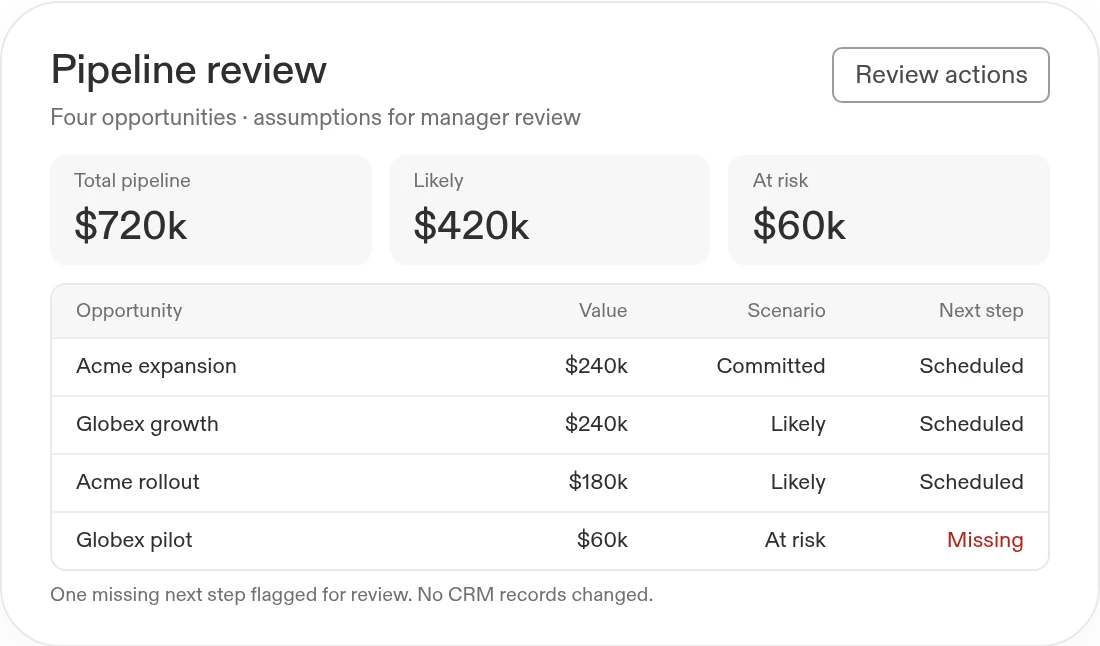
- Find the deals that need attentionFlag stale activity, missing next steps, shifting close dates, and inconsistent stages. Show the supporting record rather than silently changing a deal.
- Review the path to the targetCompare committed, likely, and at-risk opportunities. Let managers inspect assumptions, assign follow-ups, and track the decisions made in the review.
What you'll build
A reviewable pipeline workspace with exception flags, forecast scenarios, and accountable next actions.
Build a pipeline-review app from our CRM and sales plan. Flag stalled opportunities and missing next steps, show the assumptions behind the forecast, and create an action queue for managers.
Works withSalesforceHubSpotGoogle SheetsGongSlack
SalesforceHubSpotGoogle SheetsGongSlack ↗From
↗Fromguesswork.
To focus.
↗From
guesswork.
guesswork.
What you'll build
A reviewable pipeline workspace with exception flags, forecast scenarios, and accountable next actions.
Start with this prompt
Build a pipeline-review app from our CRM and sales plan. Flag stalled opportunities and missing next steps, show the assumptions behind the forecast, and create an action queue for managers.
Works withSalesforceHubSpotGoogle SheetsGongSlack
SalesforceHubSpotGoogle SheetsGongSlackTo focus.
Spend more time with buyers.Less time assembling account information.

Before
Sellers rebuild the same brief before every meeting. Follow-ups lose context, account plans become stale, and managers reconcile pipeline in a separate spreadsheet.
 With Replit
Build a reusable account workspace around your sales process. Keep evidence, drafts, and next actions connected, while sellers retain responsibility for the customer relationship.
Keep account plans and follow-ups current
Prioritize renewal risks with evidence, confidence, and recommended next actions for account owners.
Create a Routine named "Renewal risk watch" that runs every Monday at 9:40 AM in my confirmed timezone. Before scheduling, connect and authorize approved Salesforce accounts, a health or usage Google Sheet, Gmail, Gong, and account documents; confirm the renewals-next-120-days scope, permissions, and timezone. Consider usage decline, support friction, champion changes, unanswered Gmail threads, and stalled next steps. Rank at-risk accounts with renewal date, contract value when available, source-linked evidence and timestamps, missing next step, confidence, and one recommended play. Label unknowns; do not infer. Return ranked list in this Replit conversation; sellers/managers review; do not email customers or modify Salesforce, pricing, stages, or terms.