For AI transformation and CIOs
Replit for AI Transformation and CIOs
Save time and reduce software costs with apps built for your business.

Live workspace
Connect your stack. Build what's missing.
Bring approved knowledge, business data, and follow-ups into apps with clear access and owners.

 SharePoint
 Notion
 Google Drive
 Salesforce
 ReplitYour team's
working tools
 Gong
Gong Google Sheets
 Snowflake
 Slack
SlackFinance continuity and close support
Create intake, reconciliation, and exception workflows that support finance during a constrained process or system outage, with explicit validation.

1 of 5 — Finance continuity and close support
Build apps. Answer questions. Improve daily work.

Workflow 01
Department-built business apps
Help non-technical teams turn their knowledge into apps that save time.
- Turn a business process into an appBuild budget-review tools, revenue workspaces, intake queues, and department portals with working screens, data, and business logic.
- Let the people doing the work shape itHave process owners test the app, refine its rules, and agree on the data, review, and support arrangements before it enters daily use.
Put teams in control.
What you'll build
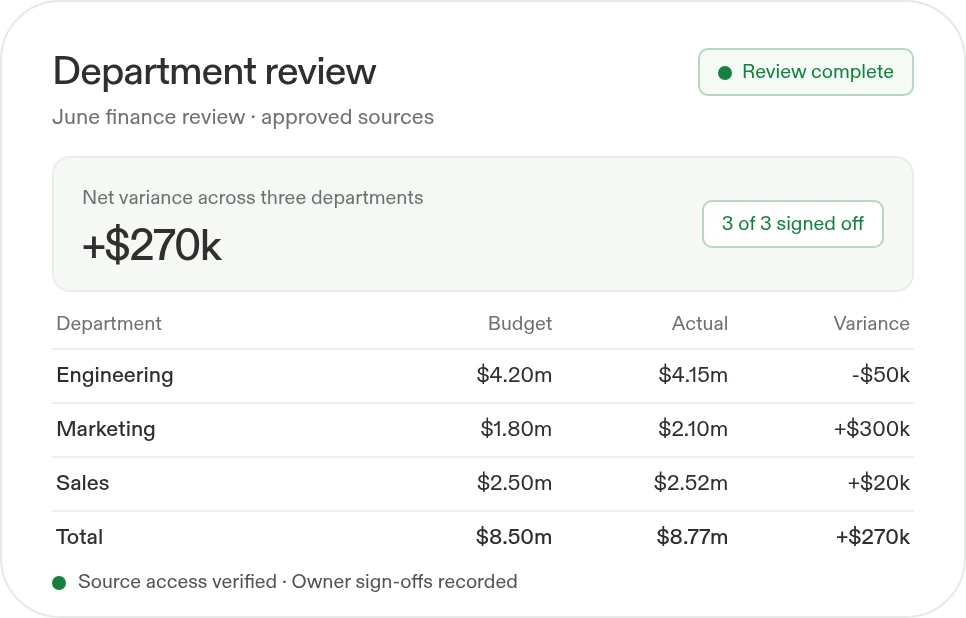
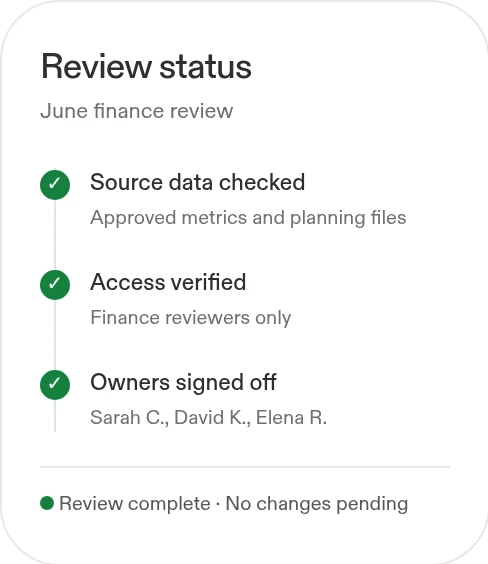
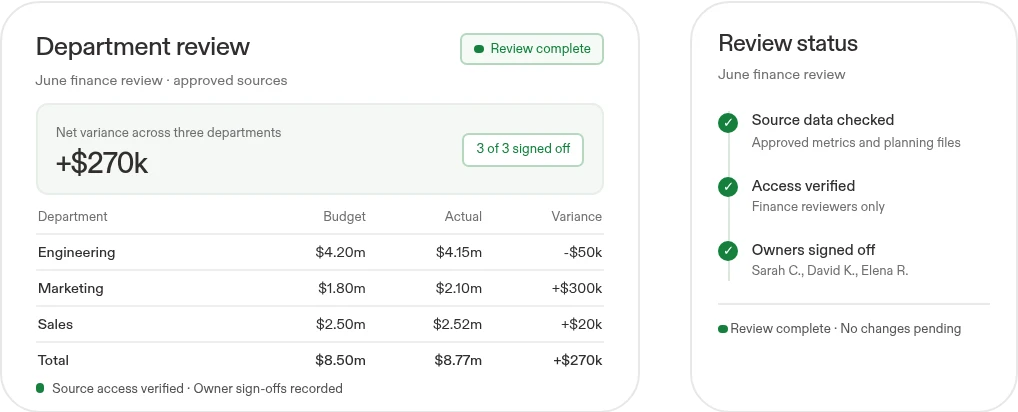
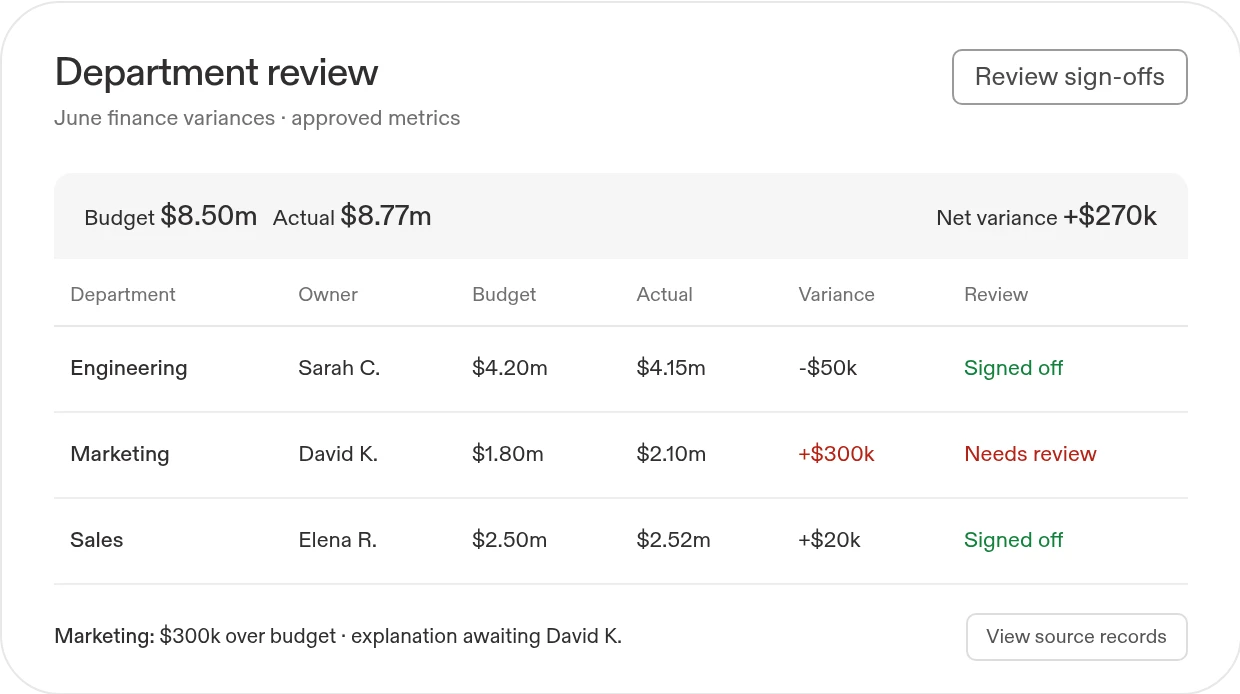
A full-stack departmental app that the business team can test and use, with drill-downs, assigned follow-ups, and a defined review path.
Help our non-technical finance team build a department review app from approved metrics and planning documents. Show variances, who owns them, and decisions requiring sign-off. Guide us through testing and access setup before rollout.
Works withGoogle SheetsSnowflake BigQueryNotion
 Google DocsSlack
Google SheetsSnowflakeBigQueryNotionGoogle DocsSlackBuild with Replit.
Workflow 02
Business answers from connected knowledge
Give employees source-linked answers and the context to take action.
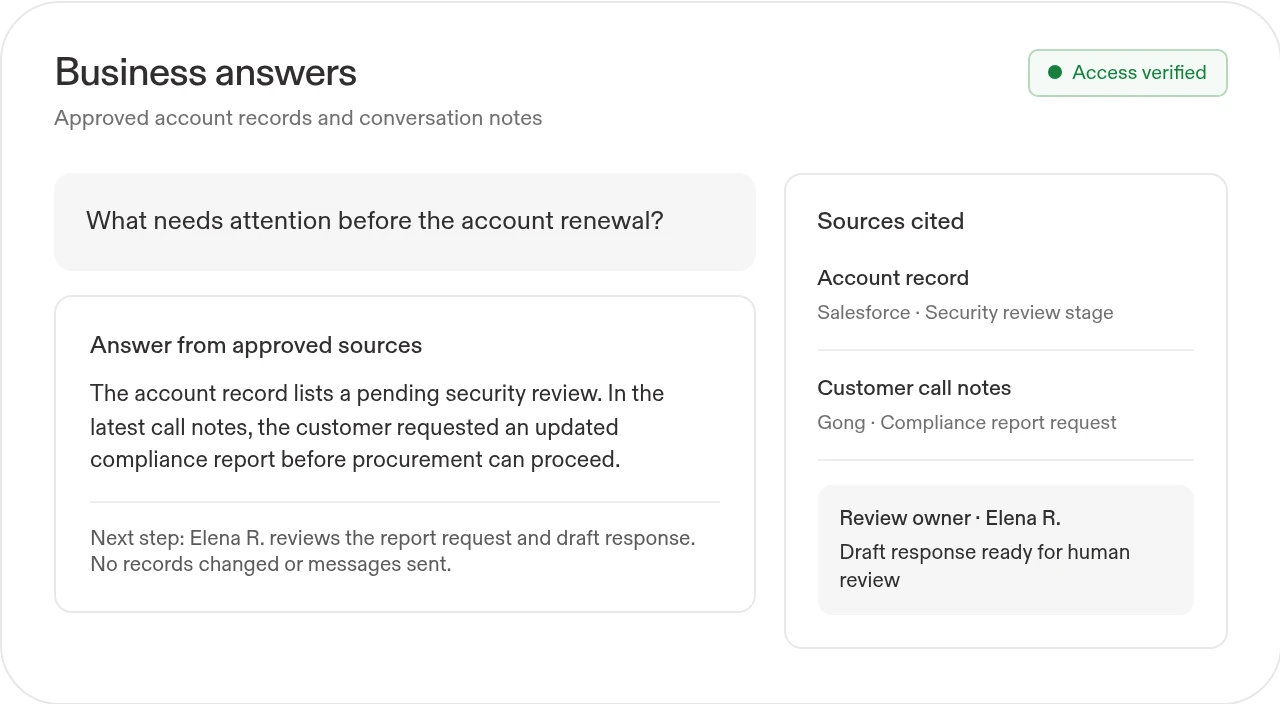
- Ask business questions in plain languageBring approved policies, account records, call notes, and operating data into a workspace that explains its answers and cites the source.
- Turn answers into the next taskPrepare account briefs, identify follow-up owners, and draft responses or action plans for review. Make unanswered questions visible instead of inventing missing context.

Scattered
answers
context
answers
What you'll build
An internal app employees can use to find company context and prepare their next action, with source links, visible unknowns, and a named owner.
Build a workspace where sales, support, and operations can ask questions about customers and policies. Use approved sources, define each app user's access rules, cite the evidence, and prepare suggested next steps for review. Validate access before rollout.
Works withSharePointNotionSalesforceGongSlack
SharePointNotionSalesforceGongSlackWorks withSharePointNotionSalesforceGongSlack
SharePointNotionSalesforceGongSlackcontext

Live workspace
Workflow 03
Repeatable workflows across departments
Reduce manual work and replace poorly fitting tools with apps built around the business.
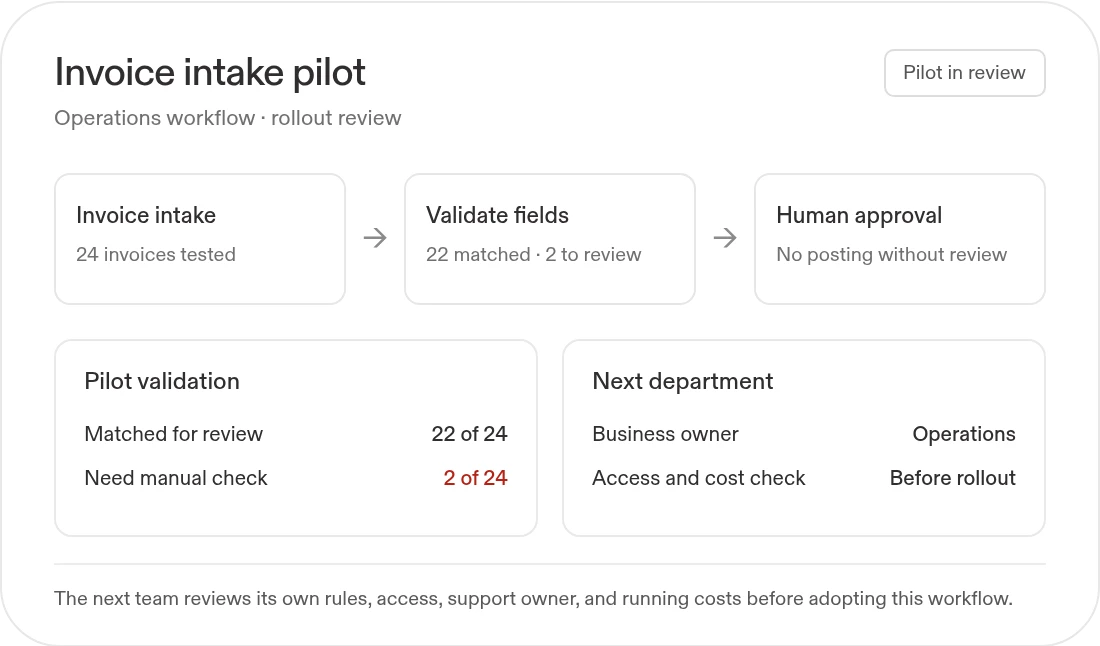
- Reuse the working patternAdapt intake forms, approval paths, reporting apps, and knowledge workflows to each department's rules rather than asking every team to start again.
- Expand with clear owners and cost checksName the business owner, validate access and reliability, and compare the full time and software costs. Migrate or retire an existing tool only after a controlled review.
Routine
Turn everyday email into a clear action list
Turn important emails into a clear, prioritized action list.
Create a Routine named "Morning inbox actions" for weekdays at 7:40 AM in my timezone. Before scheduling, confirm the Gmail account, included labels, permission scope, and timezone. Read new messages since the previous run and return three lists here: reply today, handle this week, and reference only. Include the sender, source link, stated deadline, and next action for each item. Mark missing context and uncertain urgency. Do not send, archive, delete, or label mail. Let me review one sample action list before enabling the schedule.
What you'll build
A tested business app, a reusable workflow pattern, and a rollout plan for enabling more teams.
Help our operations team turn this spreadsheet-and-email process into a business app, then show how a second department could reuse the workflow. Define the business owner, access rules, validation checks, and full running costs before we replace the current process.
Works withGoogle SheetsSharePoint GitHub
Google SheetsSharePointGitHub ↻From
↻Frommanual work.
To reuse.
↻From
manual work.
manual work.
What you'll build
A tested business app, a reusable workflow pattern, and a rollout plan for enabling more teams.
Start with this prompt
Help our operations team turn this spreadsheet-and-email process into a business app, then show how a second department could reuse the workflow. Define the business owner, access rules, validation checks, and full running costs before we replace the current process.
Works withGoogle SheetsSharePointGitHub
Google SheetsSharePointGitHubTo reuse.
Move beyond the workshop.Give each app an owner.

Before
AI experiments stay with a small technical group, while other departments still rely on manual reports, scattered documents, and software that does not fit their work.
 With Replit
Give employees across departments a way to build apps, answer business questions, and complete recurring work with AI. Pair broader participation with source access, validation, ownership, and measurable business results.
Keep the adoption program visible with Replit Routines
Summarize cross-functional decisions, changes, blockers, owners, and adoption needs in a linked weekly digest.
Create a Routine named "Cross-functional weekly digest" that runs every Monday at 8:20 AM in my confirmed timezone. Before scheduling, connect and authorize approved Notion pages, Slack channels, and Google Docs across participating departments; confirm scopes, department coverage, and timezone. Review updates since the prior run and organize by team: decisions, milestone changes, blockers, dependencies, named owner, and due dates only when explicitly stated. Link every item to its source and timestamp, flag conflicts, omit routine noise, and label unknowns. Include non-technical employees' Replit-built app activity, unresolved requests, and refresh failures. Return the digest in this Replit conversation; IT, security, and owners review; no edits/posts.