UX Portfolio Website Builder
Build a UX portfolio website in minutes for free with AI. Write in plain English or tap buttons to create your website.
How to Use the UX Portfolio Website Builder
Step 1: Share your UX portfolio website's features and requirements.
Step 2: Replit generates your website instantly.
Step 3: Customize features and user experience.
Step 4: Launch your new UX portfolio website.
UX Portfolio Website Builder Example
Built with Replit.
Build your vision in minutes for free without writing a single line of code.
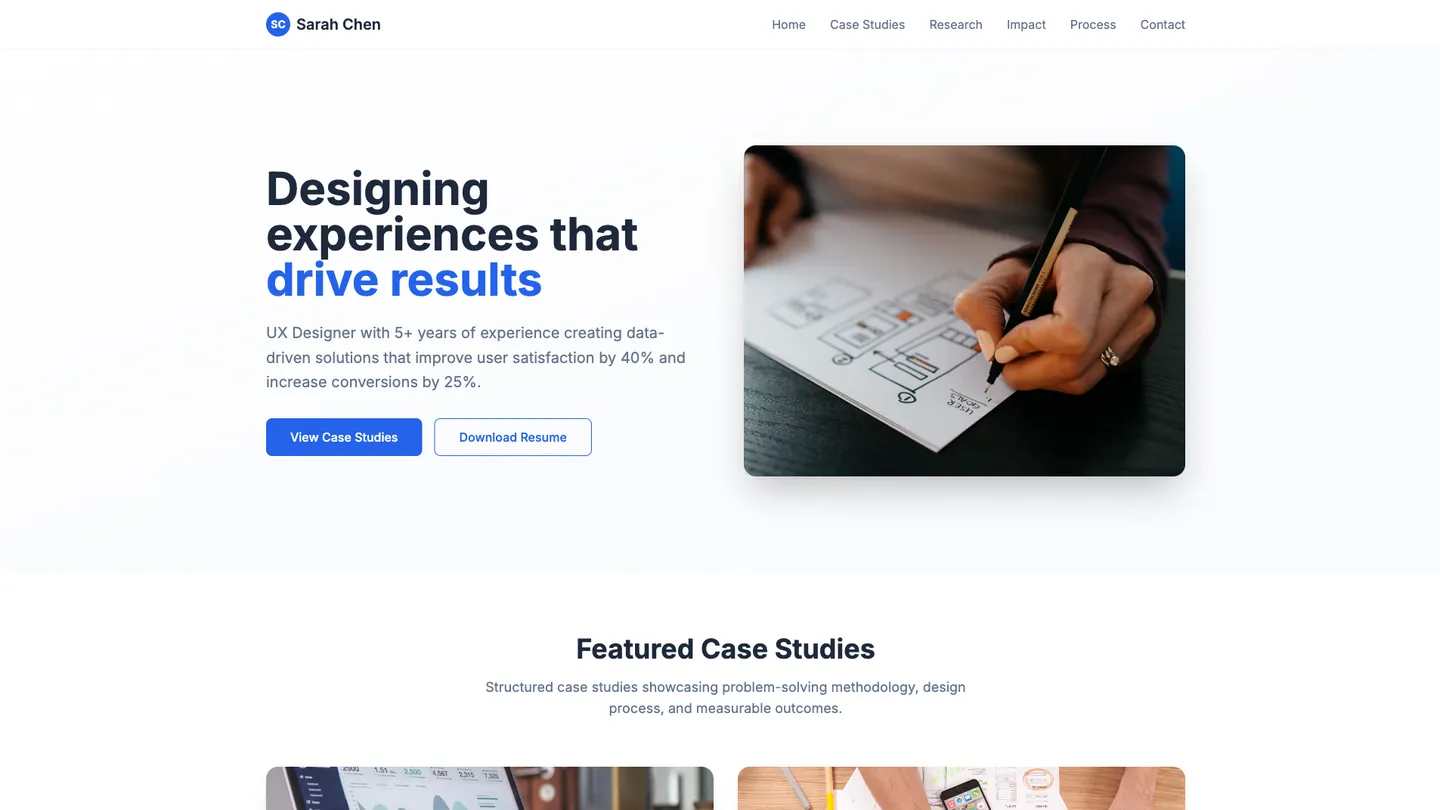
Example
UX Portfolio Website Builder
Prompting the UX Portfolio Website Builder
Case Study Focused UX Portfolio Website Builder Prompt
Build a UX portfolio website that features structured case studies (problem, role, constraints, process, outcomes), a research artifacts hub (user interviews, affinity maps, usability findings) traceable to design decisions, an outcome metrics dashboard (conversion lift, task success, time-on-task) to quantify impact, and a visual process timeline mapping phases, milestones, and iterations to communicate scope and collaboration.
Use promptVisual Showcase UX Portfolio Website Builder Prompt
Build a visual UX portfolio site with a full-bleed gallery for immersive first impressions, a responsive masonry grid for varied aspect ratios, an interactive before/after slider to compare legacy vs. redesigned visuals, and lightbox details with captions, specs, and color/type tokens.
Use promptInteractive Experience UX Portfolio Website Builder Prompt
Build an interactive UX portfolio with a filterable, drill-down Case Explorer (by industry, role, and methods), live-embedded Figma/web prototypes with guided hotspots, device simulators for phone/tablet/desktop with live resizing, and a Microinteraction Playground of reusable components with state and motion toggles highlighting accessibility.
Use promptMinimalist Design UX Portfolio Website Builder Prompt
Build a minimalist UX portfolio with a typography-first layout (clean hierarchy, readable type scales, minimal ornamentation), ultra-fast static pages using optimized assets, minimal scripts, and lazy-loading, focused top-level navigation with three to five clear destinations, and contextual contact hooks inline near project conclusions and in the footer.
Use promptTop UX Portfolio Website Features by Type
Structured Case Studies
Each project presents a consistent narrative with problem, role, constraints, process, and outcomes. This makes evaluation easy for hiring managers seeking depth and critical thinking.
Research Artifacts Hub
Centralized repository of user interviews, affinity maps, and usability findings. It proves rigor and traceability from insight to design decisions.
Outcome Metrics Dashboard
Clear display of KPIs like conversion lift, task success, and time-on-task changes. Quantifying impact strengthens credibility and business alignment.
Process Timeline
Visual timeline mapping phases, milestones, and iterations. It communicates scope management and collaboration across the project lifecycle.
Full-bleed Gallery
Edge-to-edge imagery that highlights visual polish and craft. It creates an immersive first impression ideal for visually driven work.
Masonry Grid
Responsive grid that optimizes space for varied aspect ratios. It showcases breadth without cropping or awkward padding.
Before/After Slider
Interactive slider comparing legacy and redesigned visuals. It instantly communicates improvement and aesthetic decisions.
Lightbox Details
Tap-to-expand images with captions, specs, and color/type tokens. It keeps the browsing flow visual while offering optional depth.
Interactive Case Explorer
Filterable, drill-down interface to explore cases by industry, role, and methods. It invites play and discovery, mirroring UX thinking.
Prototype Live Embeds
Embedded Figma or web prototypes with guided hotspots. Experiencing flows firsthand conveys interaction quality better than screenshots.
Device Simulators
Simulated phone, tablet, and desktop frames with live resizing. It demonstrates responsive behavior and edge-case handling.
Microinteraction Playground
Gallery of reusable components with toggles for states and motion. It highlights craft in feedback, timing, and accessibility.
Typography-First Layout
Clean hierarchy with readable type scales and minimal ornamentation. It reflects restraint and attention to content clarity.
Ultra-Fast Pages
Static, optimized assets with minimal scripts and lazy-loading. Speed supports focus and communicates engineering mindfulness.
Focused Navigation
Simple top-level nav with three to five clear destinations. It reduces cognitive load and keeps attention on the work.
Contextual Contact
Inline contact hooks near project conclusions and the footer. It enables effortless outreach without cluttering the interface.
The UX Portfolio Website of Your Dreams
Get started freeFAQ about the UX Portfolio Website Builder
How fast can I launch a UX portfolio website with AI?
Start instantly in a browser-based workspace with no installation, so it’s beginner-friendly from the first click. Describe your design portfolio to the Replit AI Agent and watch a working site spin up with a real-time preview. Refine copy, visuals, and layout on the fly, then one-click deploy to go live in minutes.
Can I import my Figma designs to generate my UX portfolio site?
Yes—import from Figma to automatically convert your frames into functional React components. Replit brings over assets and components, translating your layout, styles, and typography into code for a design-to-code workflow. The AI can help you tune responsive design and continue iterating directly in the editor.
How much design customization and branding control do I have?
Use the Visual Editor to tweak text, images, spacing, and styles, then fine-tune with CSS for precise control. Define theming, typography, and color systems to lock in brand consistency, or let AI propose sensible defaults you can override. You remain in charge of design decisions with code-level access whenever you need it.
How can I showcase my design process and case studies?
Create rich case studies that tell your design process with clear storytelling and structured sections. Embed image/video assets and host interactive demos directly in your site so stakeholders can click through your work. Use the AI Assistant to draft documentation, captions, and summaries that connect the dots for readers.
Do I need to code, or is this a no-code UX portfolio builder?
Replit is beginner-friendly and AI-powered, offering an AI Agent and AI Assistant that make it a low-code experience. It’s not a drag-and-drop builder; the primary interface is a code editor, so there is a learning curve. You can ship without writing much code, then dive into the editor for deeper customization when you’re ready.
How do I deploy, secure, and share my portfolio?
Deploy in minutes and connect a custom domain with SSL for secure, professional hosting. Shareable links make it easy to preview or showcase your site anywhere. For privacy, add authentication (e.g., Replit Auth or Google OAuth) or implement simple password protection in your app’s code.
How do collaboration, versioning, and rollbacks work?
Collaborate in real-time with teammates right in the browser, no setup needed. Use built-in version control and GitHub import to manage your code history. Automatic checkpoints capture your project state, and one-click rollbacks let you restore any point in the history with confidence.
Can AI help me create visuals like images, icons, or logos?
Yes—use AI image generation to produce on-brand assets, illustrations, and logos for your portfolio. Quickly create hero images or icons, iterate on style and color, and insert them into your project files automatically. This keeps your branding cohesive without leaving the workspace.
What are you waiting for?
Build an app without knowing how to code. Tell Replit what you have in mind, then make it your own.