Headless CMS Page Builder
Build a headless cms page in minutes for free with AI. Write in plain English or tap buttons to create your website.
How to Use the Headless CMS Page Builder
Step 1: Share your headless cms page's features and requirements.
Step 2: Replit generates your website instantly.
Step 3: Customize features and user experience.
Step 4: Launch your new headless cms page.
Headless CMS Page Builder Example
Built with Replit.
Build your vision in minutes for free without writing a single line of code.
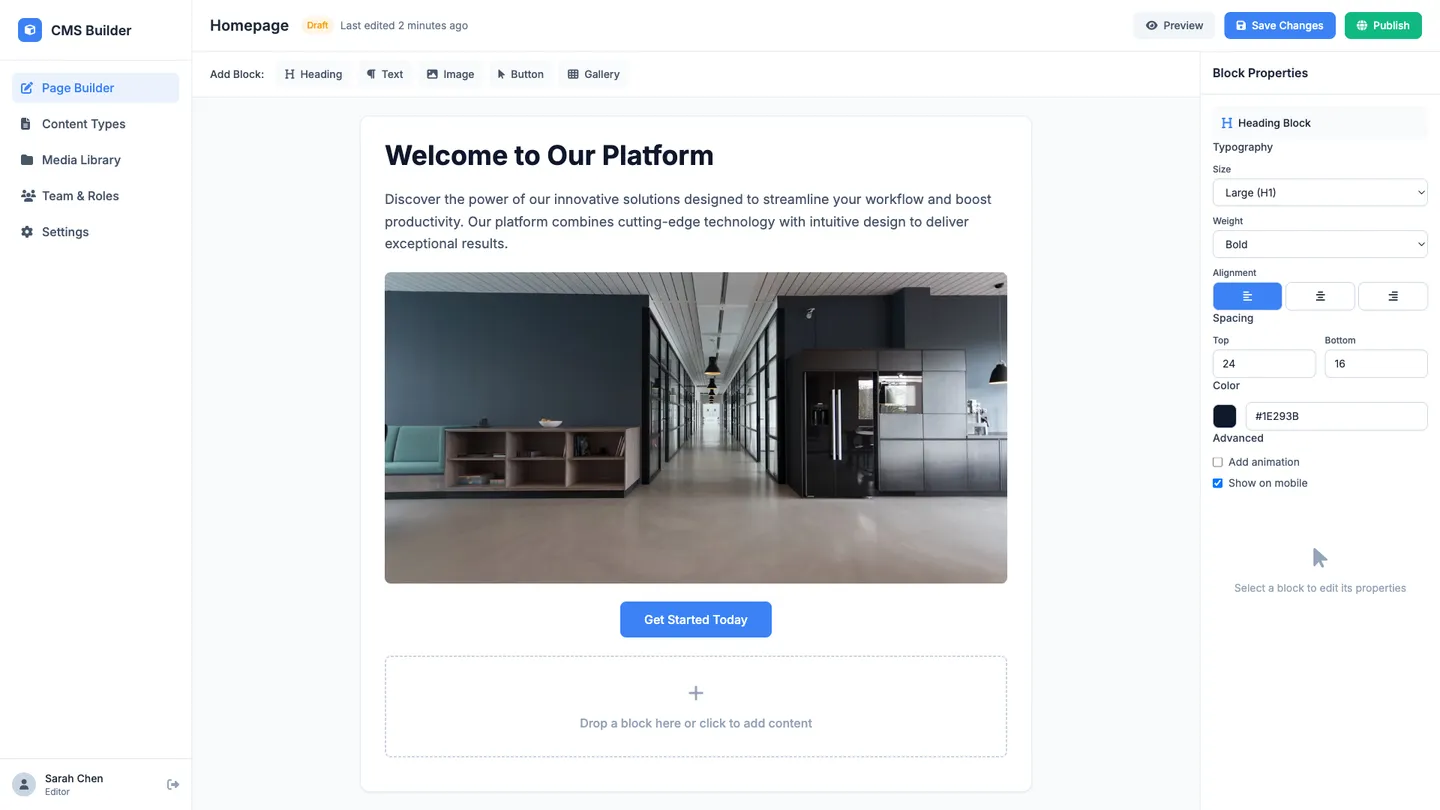
Example
Headless CMS Page Builder
Prompting the Headless CMS Page Builder
Content Management Headless CMS Page Builder Prompt
Build a headless CMS page builder with a rich block-based visual editor for non-technical authors, reusable content modeling (types, fields, relationships), role-based editorial workflow for drafting/review/approval/scheduling, and in-context live preview to ensure brand consistency and reduce errors.
Use promptAPI-First Headless CMS Page Builder Prompt
Build an API-first headless CMS page builder that exposes strictly versioned REST and GraphQL endpoints, emits webhooks/events on content create/update/delete, provides typed SDKs with OpenAPI/GraphQL schemas, and enforces OAuth2/JWT or API keys with granular scopes and rate limiting.
Use promptDecoupled Architecture Headless CMS Page Builder Prompt
Build a decoupled, presentation-agnostic headless CMS page builder that separates content from the front end for any framework, provides first-class SSG/ISR, leverages CDN edge caching, and offers multichannel previews across web, mobile, and IoT.
Use promptMicroservices-Based Headless CMS Page Builder Prompt
Build a microservices-based headless CMS page builder with autonomous content, search, media, and auth services using clear contracts; an event-driven message bus propagating content changes to indexing, personalization, and delivery; containerized services with autoscaling for horizontal scaling; and a centralized observability stack (logs, metrics, traces, alerting) to ensure reliability and SLA adherence.
Use promptTop Headless Cms Page Features by Type
Visual Editor
A rich, block-based editor lets non-technical users create and update content without touching code. This speeds up publishing cycles and reduces dependency on developers.
Content Modeling
Admins define reusable content types, fields, and relationships to structure data consistently. This enforces content quality and makes content portable across channels.
Editorial Workflow
Draft, review, approve, and schedule content with roles and permissions. Clear workflows improve governance and reduce publishing errors.
Live Preview
Editors can preview content in context before publishing. This reduces mistakes and ensures brand consistency across pages.
Versioned APIs
Expose both REST and GraphQL endpoints with strict versioning. This prevents breaking changes and lets clients upgrade on their own timeline.
Webhooks & Events
Fire events on content create/update/delete to trigger downstream automations. It keeps integrations in sync and enables reactive architectures.
SDKs & Schemas
Provide typed SDKs and OpenAPI/GraphQL schemas for quick client generation. Developers integrate faster and with fewer implementation bugs.
Auth & Throttling
Support OAuth2/JWT, API keys, and granular scopes with rate limiting. Strong security and fair usage protect the platform and clients.
Presentation Agnostic
Separate content from the front-end so any framework can consume it. This maximizes flexibility to adopt new UI tech without migrating content.
SSG/ISR Support
First-class support for static site generation and incremental static regeneration. It delivers fast pages while keeping content fresh with minimal rebuilds.
Edge Caching
A CDN-backed delivery layer caches content near users. This reduces latency and offloads traffic from the origin for better resilience.
Multichannel Preview
Preview how content renders across web, mobile, and IoT targets. It ensures consistency and reduces surprises when content goes live on different fronts.
Service Autonomy
Content, search, media, and auth run as independent services with clear contracts. Teams ship faster and scale parts independently.
Event-Driven Pipeline
Use a message bus to propagate content changes to indexing, personalization, and delivery services. It decouples dependencies and improves reliability under load.
Horizontal Scaling
Containerized services with autoscaling handle spikes predictably. This optimizes cost while maintaining performance during traffic surges.
Observability Stack
Centralized logs, metrics, and traces across services with alerting. It speeds up troubleshooting and keeps SLAs on track.
The Headless Cms Page of Your Dreams
Get started freeFAQ about the Headless CMS Page Builder
How does the page builder connect to my headless CMS and data sources?
On Replit, your page builder connects to any headless CMS or headless content management system through the provider’s REST API or GraphQL API. Replit Agent can scaffold the code, add SDKs, and wire up integrations while you add keys in Secrets for a seamless integration. You can install official or community plugins/packages (npm, pip, etc.) to talk to data sources and services. Real-time preview and instant deploy make testing data flows fast.
Can non-developers build pages without code?
Non-developers can get a near no-code experience by describing pages to Replit Agent and refining them in the visual editor. While it isn’t a full drag and drop site builder, you can start from templates, generate sections with AI, and make user-friendly edits right on the page. Visual editing lets you tweak copy, images, and styles without touching code. This delivers a quick start, with deeper customization available in code when needed.
Which front-end frameworks and tech stacks are supported?
Replit works with most front-end stacks, including Next.js, Nuxt, React, Vue, and Svelte. You choose the tech stack, and Agent sets up routing, data fetching, and build tooling. Bring your own custom components and ship full-stack web apps alongside your UI. Use it as a flexible website builder without lock-in.
How do I model and structure content for scalable pages?
Model content in your CMS first with a clear content model, then fetch that structured content in your Replit app. Keep content structure decoupled from presentation by mapping fields to reusable components. Agent can scaffold types, fetchers, and page builder sections so web pages stay consistent across use cases. This approach remains scalable as entries grow and layouts evolve.
How do marketing teams and content editors collaborate on pages?
Marketing teams and content editors work in the CMS, while developers build and wire pages in Replit with real-time collaboration. Share preview URLs and deploy updates in minutes to keep the workflow moving. The visual editor supports user-friendly copy and style tweaks without filing tickets. Permissions and version control help teams coordinate safely.
Is it suitable for ecommerce sites and SEO best practices?
Yes—build ecommerce functionality by asking Agent to integrate payments (e.g., Stripe) and carts, then deploy with HTTPS and custom domains. For SEO, use framework features (head tags, sitemaps, meta, OG) and add integrations for analytics and edge caching. Start from templates or remix a repo to accelerate setup. Replit’s cloud deploys are production-ready and can meet many enterprise-grade expectations depending on your architecture.
Can I import designs from Figma and keep consistency with my design system?
Yes—import from Figma to generate clean React components, then align tokens and components to your design system. Start from templates or the imported scaffold and refine visuals with the visual editor. This shortens development time by turning designs into code you can ship. It’s a quick start that stays editable in code for long-term maintainability.
Which headless CMS platforms are compatible?
Any API-first CMS that exposes REST or GraphQL API will work, including Strapi, Storyblok, and other headless CMSs. Replit apps consume SDKs or HTTP calls, so open-source and self-hosted options are fine. You can scaffold connectors with Agent and manage secrets in the workspace. Review each vendor’s docs, pricing, and case studies to choose the best fit.
What are you waiting for?
Build an app without knowing how to code. Tell Replit what you have in mind, then make it your own.