For designers
Replit for Design
Turn static designs into full-stack production apps teams can test and refine.

Live workspace
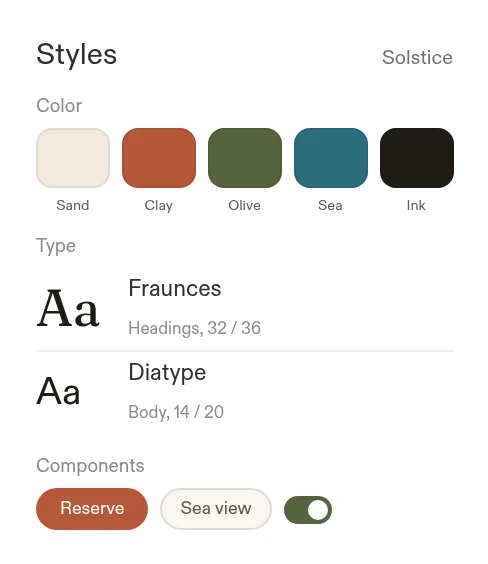
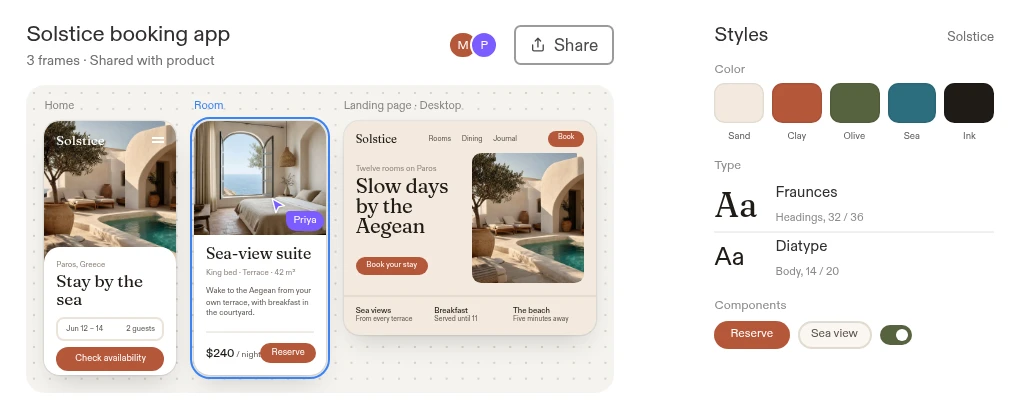
Connect your stack. Build what's missing.
Bring design exports, brand assets, briefs, and delivery tools together in one working app.

'%3e%3cpath%20fill='%230acf83'%20d='M13.333%2080c7.36%200%2013.334-5.973%2013.334-13.333V53.334H13.333C5.973%2053.334%200%2059.307%200%2066.667S5.973%2080%2013.333%2080'/%3e%3cpath%20fill='%23a259ff'%20d='M0%2040c0-7.36%205.973-13.333%2013.333-13.333h13.334v26.666H13.333C5.973%2053.333%200%2047.36%200%2040'/%3e%3cpath%20fill='%23f24e1e'%20d='M0%2013.333C0%205.973%205.973%200%2013.333%200h13.334v26.667H13.333C5.973%2026.667%200%2020.693%200%2013.333'/%3e%3cpath%20fill='%23ff7262'%20d='M26.667%200H40c7.36%200%2013.333%205.973%2013.333%2013.333S47.36%2026.667%2040%2026.667H26.667z'/%3e%3cpath%20fill='%231abcfe'%20d='M53.333%2040c0%207.36-5.973%2013.333-13.333%2013.333S26.667%2047.36%2026.667%2040S32.64%2026.667%2040%2026.667S53.333%2032.64%2053.333%2040'/%3e%3c/g%3e%3cdefs%3e%3cclipPath%20id='SVGDSYAXqcP'%3e%3cpath%20fill='%23fff'%20d='M0%200h53.333v80H0z'/%3e%3c/clipPath%3e%3c/defs%3e%3c/g%3e%3c/svg%3e) Figma
Figma Google Drive
 Notion
 Google Docs
 ReplitYour team's
working tools
'%3e%3cpath%20fill='%23f4b400'%20d='M44.823%200h-38.1C3.026%200%200%203.026%200%206.723v85.165c0%203.697%203.026%206.723%206.723%206.723h58.27c3.699%200%206.724-3.026%206.724-6.723V26.894L56.03%2015.688z'/%3e%3c/g%3e%3cg%20mask='url(%23SVGOJaYrdyS)'%3e%3cpath%20fill='%23f1f1f1'%20d='M50.426%2044.823H21.291a3.37%203.37%200%200%200-3.362%203.362V77.32a3.37%203.37%200%200%200%203.362%203.362h29.135a3.37%203.37%200%200%200%203.362-3.362V48.185a3.37%203.37%200%200%200-3.362-3.362m-1.12%2025.774H22.412V54.909h26.894z'/%3e%3c/g%3e%3cg%20mask='url(%23SVGOJaYrdyS)'%3e%3cpath%20fill='url(%23SVGHjkXJesw)'%20d='M46.79%2024.927L71.717%2049.85V26.894z'/%3e%3c/g%3e%3cg%20mask='url(%23SVGOJaYrdyS)'%3e%3cpath%20fill='%23fada80'%20d='M44.823%200v20.17a6.72%206.72%200%200%200%206.724%206.724h20.17z'/%3e%3c/g%3e%3cg%20mask='url(%23SVGOJaYrdyS)'%3e%3cpath%20fill='%23fff'%20fill-opacity='.1'%20d='M44.823%200v.56l26.334%2026.334h.56z'/%3e%3c/g%3e%3cg%20mask='url(%23SVGOJaYrdyS)'%3e%3cpath%20fill='%23fff'%20fill-opacity='.2'%20d='M6.723%200C3.026%200%200%203.026%200%206.723v.56C0%203.587%203.026.56%206.723.56h38.1V0z'/%3e%3c/g%3e%3cg%20mask='url(%23SVGOJaYrdyS)'%3e%3cpath%20fill='%23bf360c'%20fill-opacity='.2'%20d='M64.994%2098.05H6.724C3.025%2098.05%200%2095.026%200%2091.328v.56c0%203.698%203.026%206.724%206.723%206.724h58.27c3.699%200%206.724-3.026%206.724-6.723v-.56c0%203.697-3.025%206.723-6.723%206.723'/%3e%3c/g%3e%3cg%20mask='url(%23SVGOJaYrdyS)'%3e%3cpath%20fill='%23bf360c'%20fill-opacity='.1'%20d='M51.547%2026.894a6.72%206.72%200%200%201-6.724-6.723v.56a6.72%206.72%200%200%200%206.724%206.723h20.17v-.56z'/%3e%3c/g%3e%3cpath%20fill='url(%23SVG6dpJadoi)'%20d='M44.823%200h-38.1C3.026%200%200%203.026%200%206.723v85.165c0%203.697%203.026%206.723%206.723%206.723h58.27c3.699%200%206.724-3.026%206.724-6.723V26.894z'/%3e%3cdefs%3e%3cradialGradient%20id='SVG6dpJadoi'%20cx='0'%20cy='0'%20r='1'%20gradientTransform='translate(2.272%201.96)scale(115.643)'%20gradientUnits='userSpaceOnUse'%3e%3cstop%20stop-color='%23fff'%20stop-opacity='.1'/%3e%3cstop%20offset='1'%20stop-color='%23fff'%20stop-opacity='0'/%3e%3c/radialGradient%3e%3clinearGradient%20id='SVGHjkXJesw'%20x1='59.255'%20x2='59.255'%20y1='27.067'%20y2='49.852'%20gradientUnits='userSpaceOnUse'%3e%3cstop%20stop-color='%23bf360c'%20stop-opacity='.2'/%3e%3cstop%20offset='1'%20stop-color='%23bf360c'%20stop-opacity='.02'/%3e%3c/linearGradient%3e%3c/defs%3e%3c/g%3e%3c/svg%3e) Google Slides
Google Slides Linear
 Jira
Jira GitHub
Campaign concepts and mood boards
Explore campaign directions using approved brand assets, references, and messaging; choose the strongest concept before producing the full set.

1 of 4 — Campaign concepts and mood boards
Make designs testable. Compare directions. Refine the experience.

Workflow 01
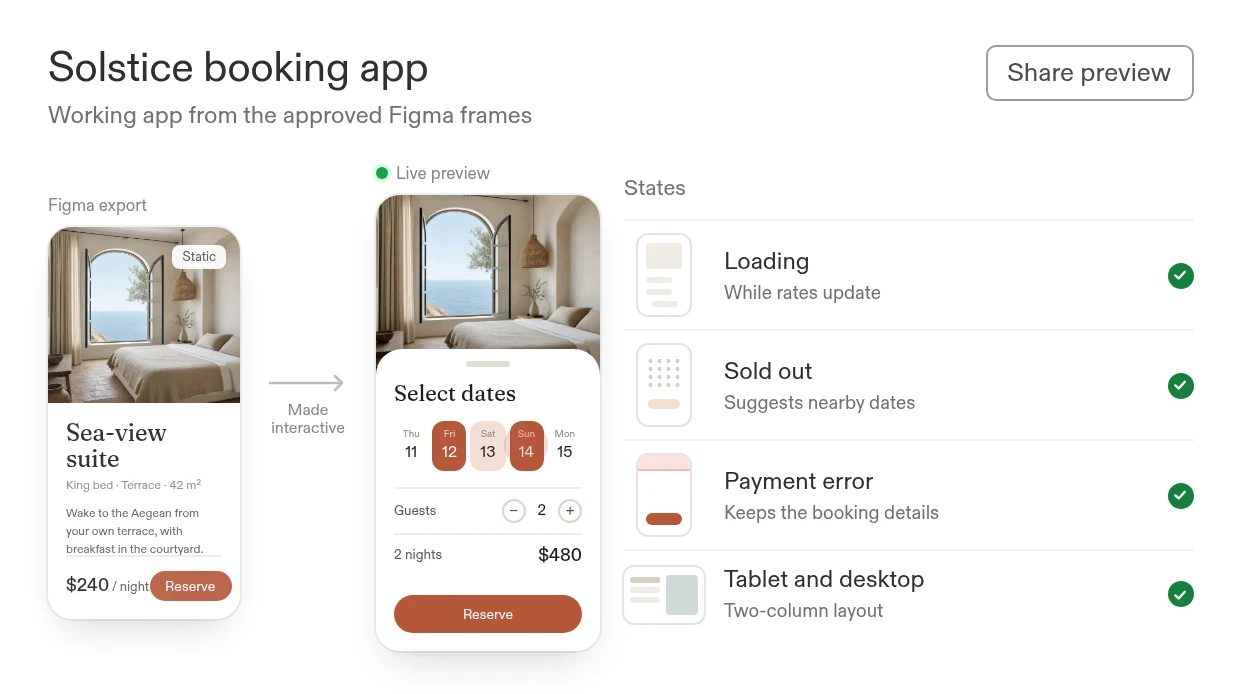
Screenshot and Figma export to a working app
Let users and product managers try the design instead of interpreting static screens.
- Make static designs testableTurn a static design into a working app with functional navigation, inputs, and test data.
- Show what happens after the clickInclude loading, empty, error, and responsive states so reviewers can try the behavior.
Make every screen work.
What you'll build
A shareable, multi-screen app that designers, product managers, and researchers can use for feedback and refinement.
Turn this approved screen into a working app customers can try. Make each card open its detail view, add loading, empty, and error states, and persist approved test data for review.
Works withFigmaGoogle DriveNotion
FigmaGoogle DriveNotionBuild with Replit.
Workflow 02
Idea and website to design directions
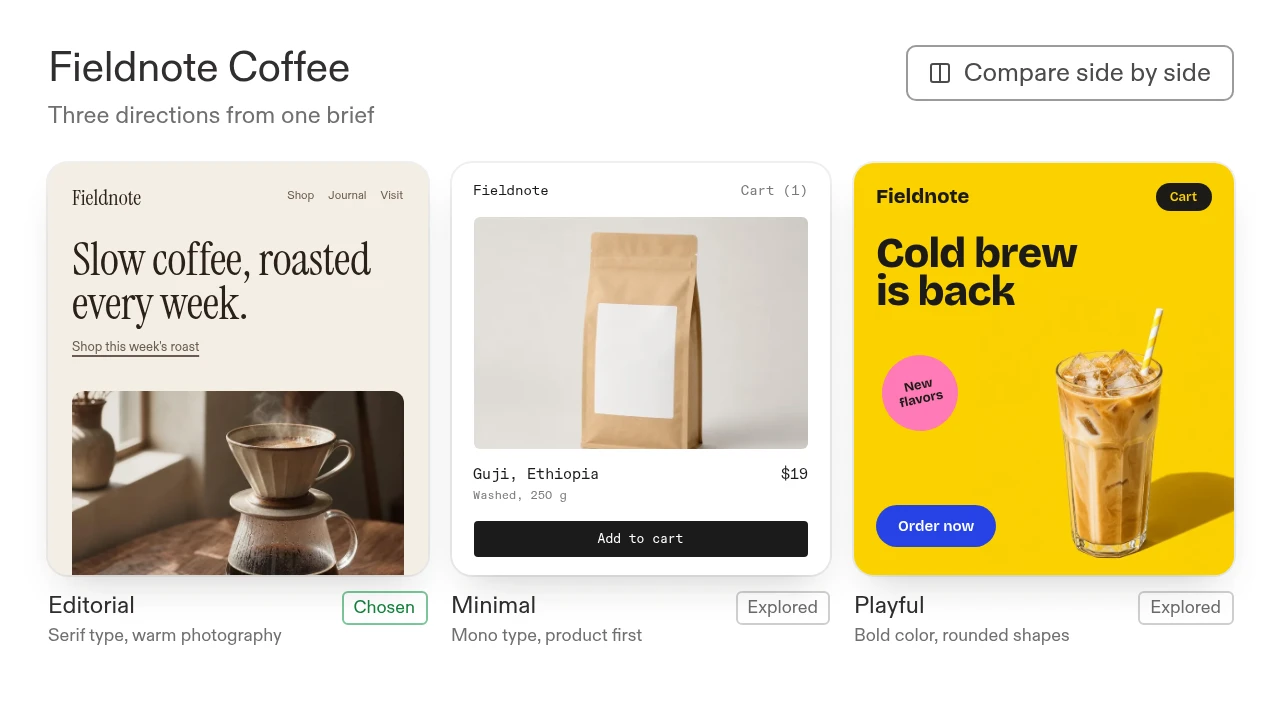
Explore competing directions side by side and refine the one that best fits the brief.
- Go from an idea to a testable directionGenerate design directions from the brief and compare layout, navigation, and hierarchy.
- Use a website as a starting referenceRecreate the relevant structure, then change it for your own brand and user journey.

Explore
with AI
details
with AI
What you'll build
Side-by-side options, an editable selected design, and a working app to share for review.
Using our brief and this approved website reference, create three distinct directions. Make the chosen direction usable in a working app, then refine its typography, spacing, and navigation with designers and product managers.
Works withNotionGoogle Drive
NotionGoogle DriveWorks withNotionGoogle Drive
NotionGoogle Drivedetails

Live workspace
Workflow 03
End-to-end UX flow testing
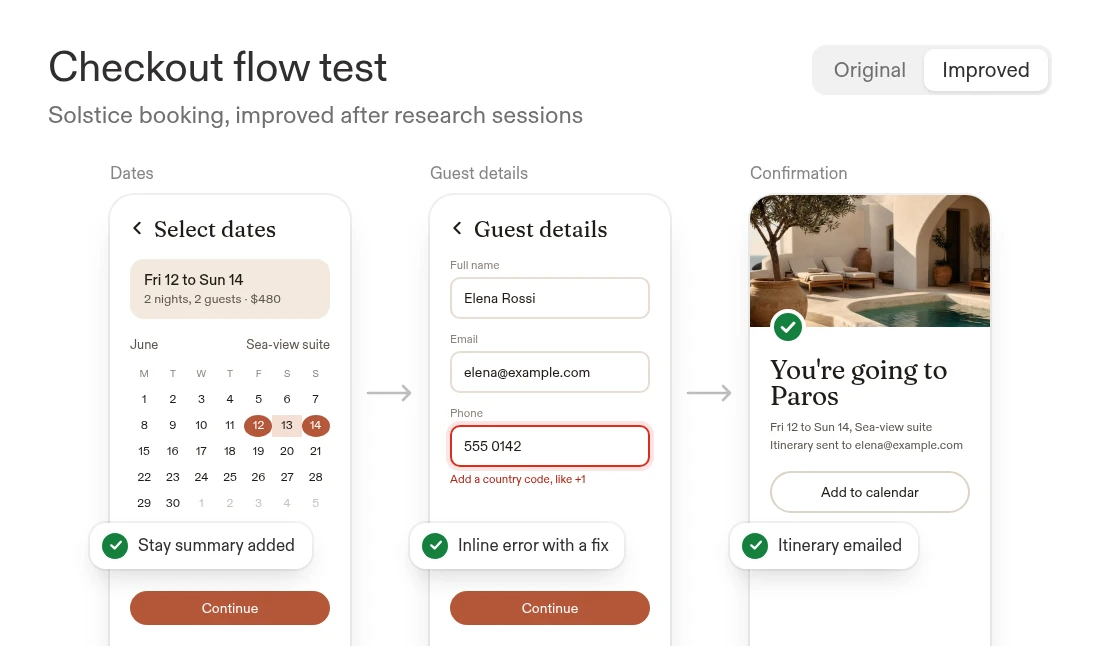
Find interaction gaps and improve the customer journey through hands-on testing.
- Audit the full pathCheck confusing steps, missing feedback, keyboard behavior, mobile layouts, and recovery from errors.
- Test and refine the alternativeBuild the proposed changes into a working flow, compare variants, and use research feedback to decide what to keep.
What you'll build
A prioritized UX review and a working alternative that makes the visual design and intended behavior clear.
Audit this onboarding flow, identify the friction and missing states, and build an improved customer-facing flow we can test alongside the original before review.
Works withNotionGoogle DriveLinear
NotionGoogle DriveLinear ?!From
friction.
To flow.
?!From
friction.
friction.
What you'll build
A prioritized UX review and a working alternative that makes the visual design and intended behavior clear.
Start with this prompt
Audit this onboarding flow, identify the friction and missing states, and build an improved customer-facing flow we can test alongside the original before review.
Works withNotionGoogle DriveLinear
NotionGoogle DriveLinearTo flow.
Keep creative control.Make the experience real.

Before
Static files leave behavior open to interpretation, and feedback is scattered across tools.
 With Replit
Collaborate in Replit Design, turn approved wireframes into a working app, and refine the details from feedback.
Prepare the next design review with Replit Routines
Turn research and review feedback into a prioritized design brief with draft variants for human selection.
Create a Routine named "Design review for the working app" that runs every Tuesday at 10:20 AM in my confirmed timezone. Before scheduling, connect and authorize approved Figma exports or screenshots, Notion briefs and research, Google Drive brand assets, Linear or Jira, and feedback channels; confirm scopes/timezone. Gather product changes, review comments, decisions, blockers, and user-test feedback for the full-stack app. Link findings to sources/timestamps, flag missing/conflicting/unknown evidence, and prepare a prioritized brief and variants for designer and product-manager review. Return the brief and variants in this Replit conversation; human reviewers choose.